Point User Guide 77
Moving loan files
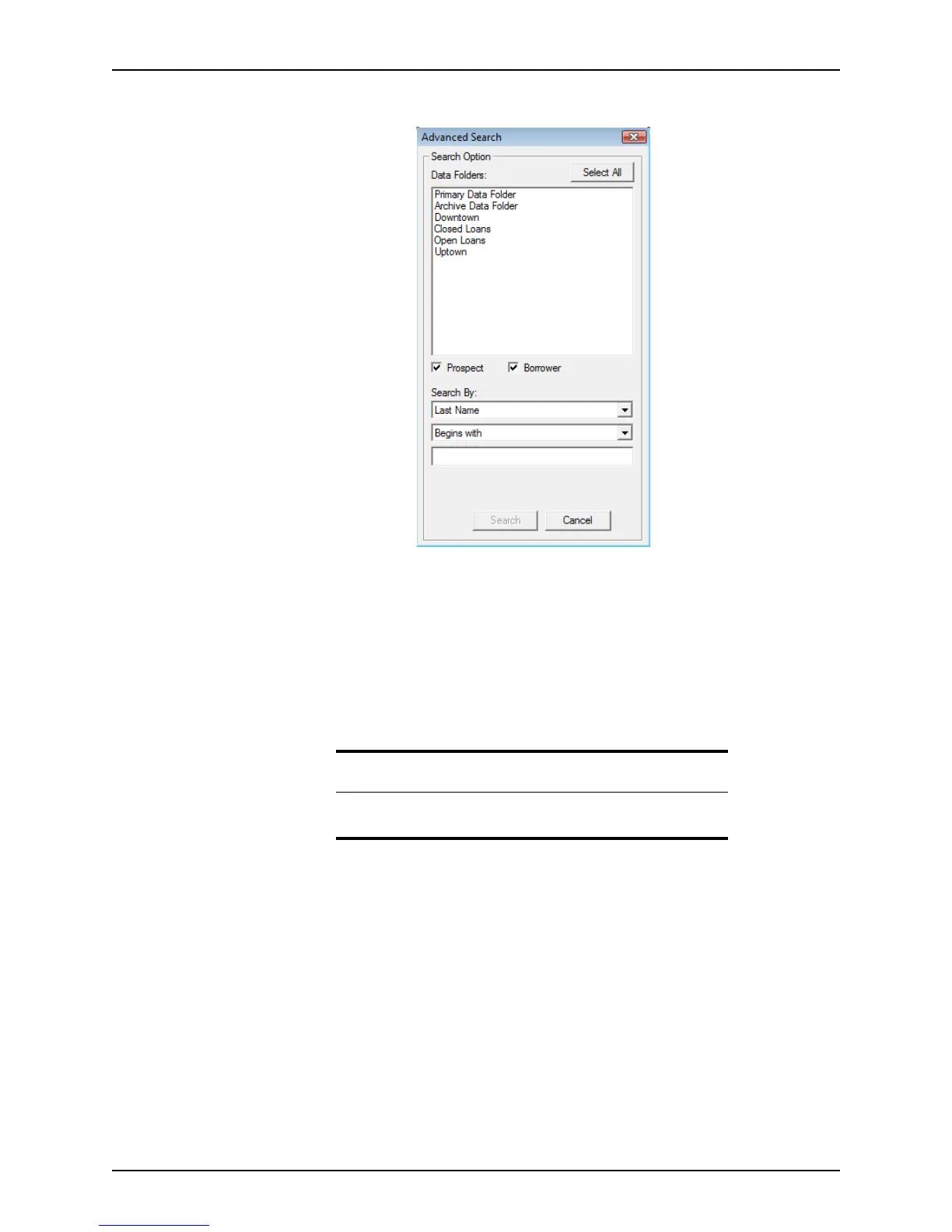
2 Click Advanced Search to open the Advanced Search dialog box.
3 Click the data folder or folders that you want to search in from the Data Folders list.
Click Select All to search in all data folders.
4 Choose the file type.
You can search in both prospect and borrower files.
5 Specify the Search By criteria from the dropdown lists.
6 Click Search.
The files that match the search criteria are listed in the workspace.
Moving loan files
Moving loan files in Point
Manage your files more efficiently by moving prospect and borrower files into other folders
and groupings.
To move prospect and borrower files:
1 Select the Loans tab from the navigation panel.
2 Perform a search.
The files that match your search criteria are displayed in the workspace.
3 Select the file to move.
Related information
Refer to Step 4 in Searching for prospect and borrower files, on page75,
for detailed information about specifying search criteria.



 To Next Page