394 Calyx Software
Reports
' (single quotation mark)
Uses single quotation marks as the text qualifier. Text that is contained within
single quotation marks is considered one value.
3 In the
SaveIn field, choose a destination directory.
4 In the
Filename field, enter a file name, and click Save.
Point automatically assigns the file an extension of
.txt
.
Exporting reports to Microsoft Excel
To export the results of a report in Point Report Viewer format to Microsoft Excel®:
1 Select File > Export > Excel.
2 In the
SaveIn field, choose a destination directory.
3 In the
Filename field, enter a file name and click Save.
Point automatically assigns the file an extension of
.xls
.
Manipulating Excel report output
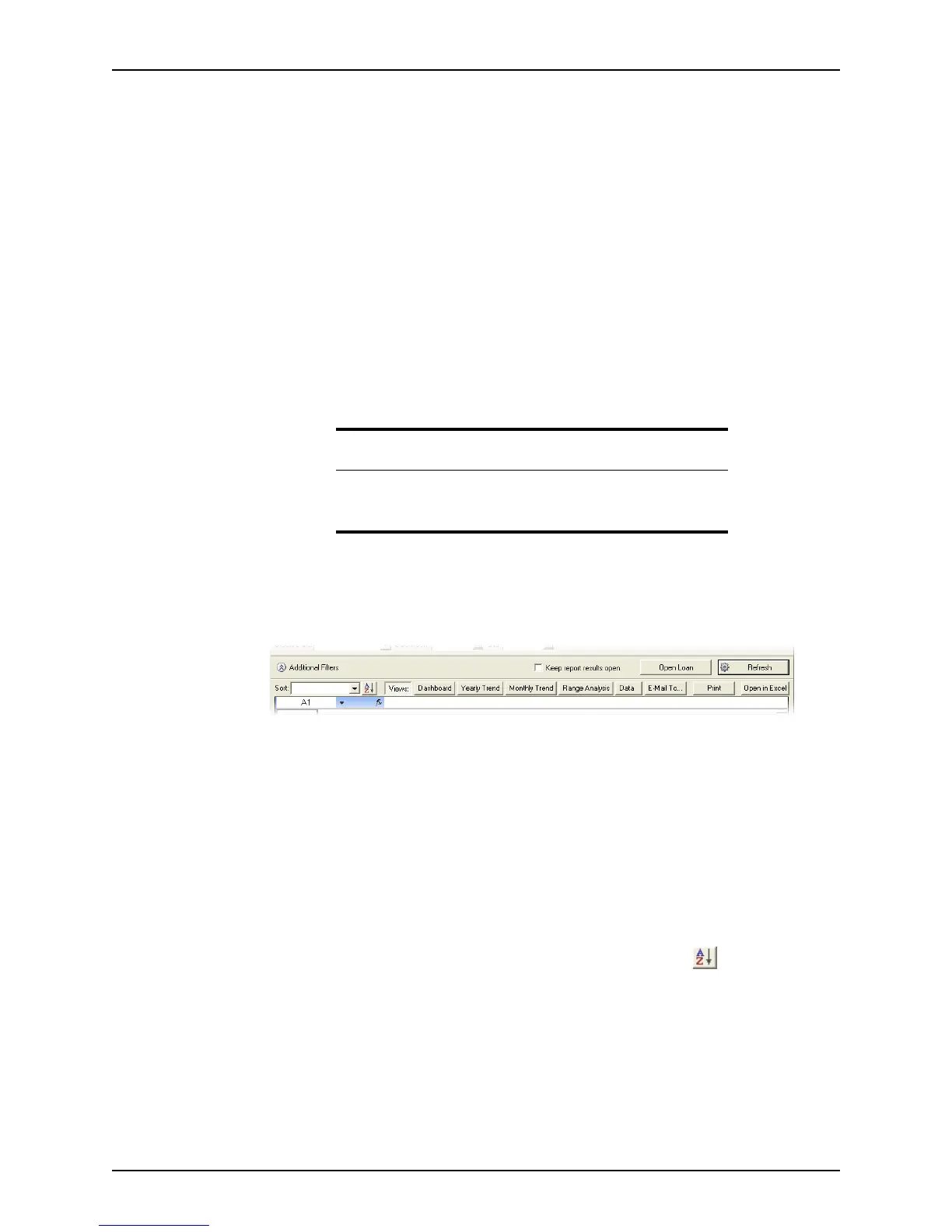
After a report is generated into Excel output, use the controls in the Generate Results
screen, shown in the following example, to process and view the data:
Keep report results open check box
When selected, keeps the report open and available in the Reports & Marketing
tab if you switch to another view.
Open Loan button
Click the Open Loan button to open the loan file for the selected record.
Refresh button
Refreshes the report to include any loan data that was updated since the report
was generated.
Sort
Sorts data by the selected option in the dropdown list. Click to the sort the
data in ascending or descending order.
Views
The view buttons access the available report views. They also correspond to tabs
at the bottom of the spreadsheet. Depending on the report, the following views are
available:
Cost and Profit Summary
Displays an overview of warehouse costs, units, and any gains or losses.
Recommendation
Calyx recommends editing the report template to change the output to
Display Results in Excel. This change provides a more seamless data
integration.



 To Next Page