344 Calyx Software
Integrated products and services
Freddie Mac
Use the Freddie Mac interface to interact with Loan Prospector through Point.
Connecting to the Freddie Mac LP web interface
Before you can interface with the Freddie Mac Loan Prospector web site, you must first
configure your computer to enable the connection. You need the following information to
set up your account:
• Seller Servicer Number
• FHA/VA Originator ID
• Lender Branch Number
• Third Party Originator (TPO) Number
• Non-Originating Third Party (NOTP) number
• Loan Prospector password
• Credit Company
To enable the connection to Freddie Mac:
1 Contact Freddie Mac to create an account and obtain your user ID and password.
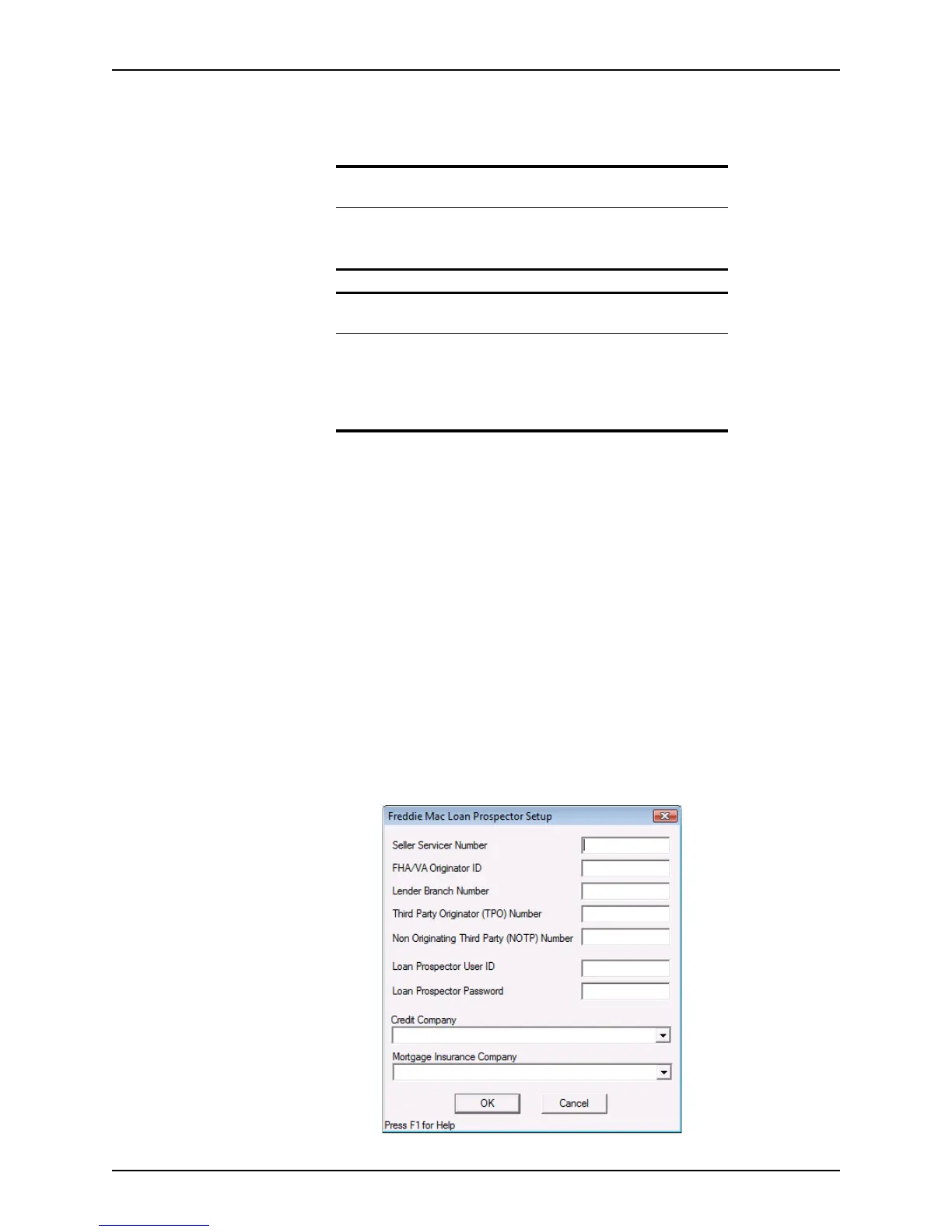
2 Select Utilities > Freddie Mac LP Setup.
The
Freddie Mac Loan Prospector Setup dialog box is displayed.
Prerequisite
Before you can connect to Freddie Mac for the first time, you must
contact Freddie Mac to create an account and configure the Freddie Mac
interface in Point.
Related information
• For information about how to set up the Freddie Mac account and
configure Freddie Mac, refer to Connecting to the Freddie Mac LP
web interface, on page344.
• For more information about Loan Prospector, go to http://
www.loanprospector.com/getstarted.



 To Next Page