310 Calyx Software
Integrated products and services
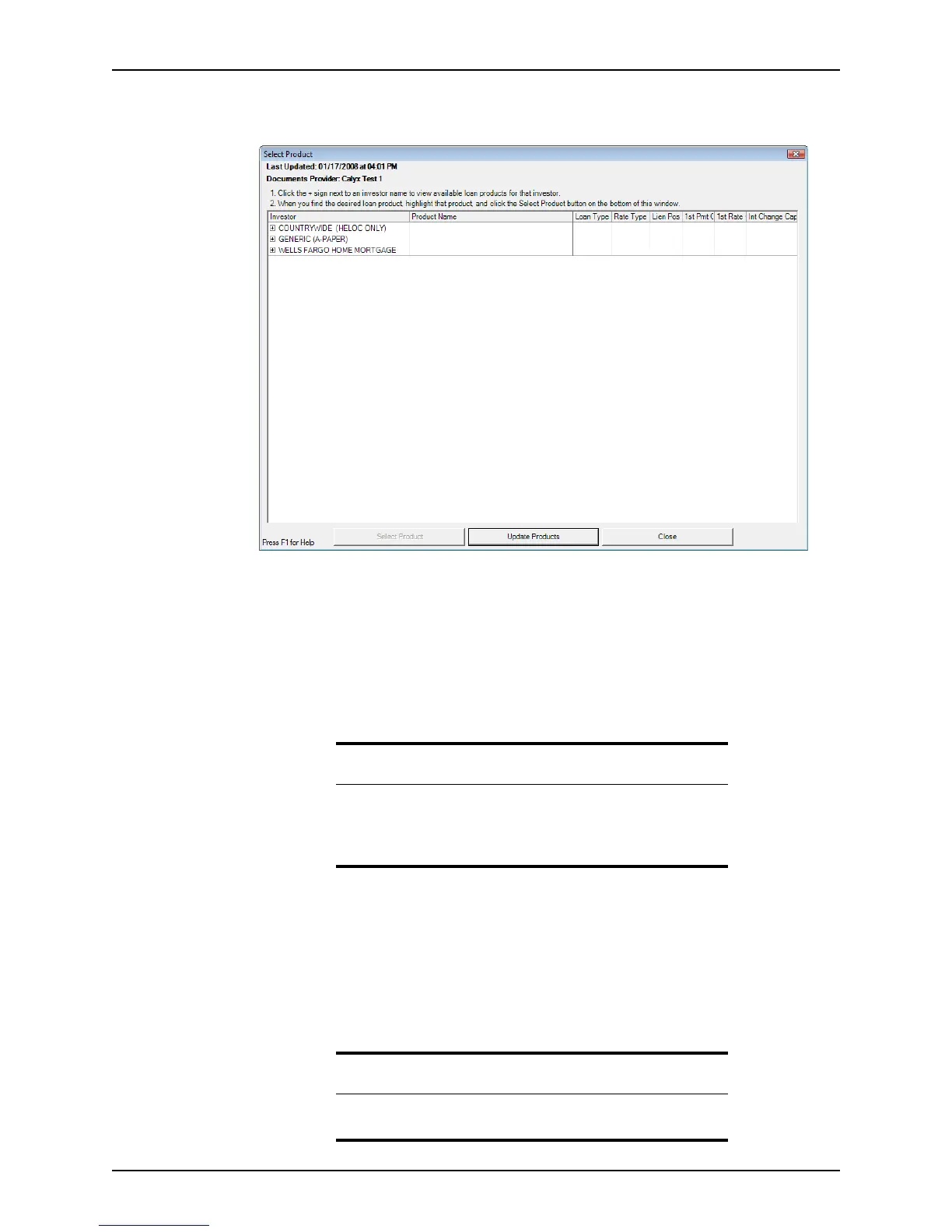
The Select Product window is displayed again with the selected provider’s investors
and products listed.
The top of the screen indicates when the last update was made and displays the
name of the current provider.
Click the + sign next to the investor name to expand the product list and enable the
Select Product button. Click the - sign to contract the product list.
This selection is retained until you specify a different provider.
6 Select the product that you want to order and click Select Product.
The investor and product information are selected.
Ordering initial disclosures and closing documents
After you select the product and the investor, you can order the initial disclosures and
closing documents from the Services menu.
To order initial disclosures and closing documents:
1 Select Services > Initial Disclosures > Request Initial Disclosures (or Services >
Closing Documents > Request Documents).
Related information
• For more information about the Closing screen, refer to Recording
loans, on page264.
• For more information about the
Loan Product screen, refer to
Electronic document storage, on page202.
Tip
You can also request initial disclosures and closing documents from the
Closing and Loan Product screens.



 To Next Page