350 Calyx Software
Integrated products and services
Updating Point files from Freddie Mac
To update existing loan files from Freddie Mac:
1 Open a borrower or prospect file.
2 Select Interfaces > Freddie Mac > Loan Prospector.
3 Enter the Loan Prospector ID (the number typically begins with L) in the
Loan
Prospector
ID field and save the file.
4 In the
Feedback section of the Freddie Mac: Loan Prospector screen, click the
View LP Feedback button.
5 When the results are displayed, click Send to your System. Your Point files are
updated as the information is imported.
WebCaster
WebCaster is a subscription-based web site creation program that mortgage professionals
use to promote and conduct mortgage business on the Internet.
If you subscribe to Calyx WebCaster, you can transfer loan information from Point to
WebCaster, prospective borrowers can submit online loan applications, and your clients
can access a detailed loan status report at any time.
Access WebCaster by selecting Interfaces > WebCaster > Administrator Login.
Setting WebCaster preferences
To save or change your preferences for displaying loan status information on your
WebCaster site:
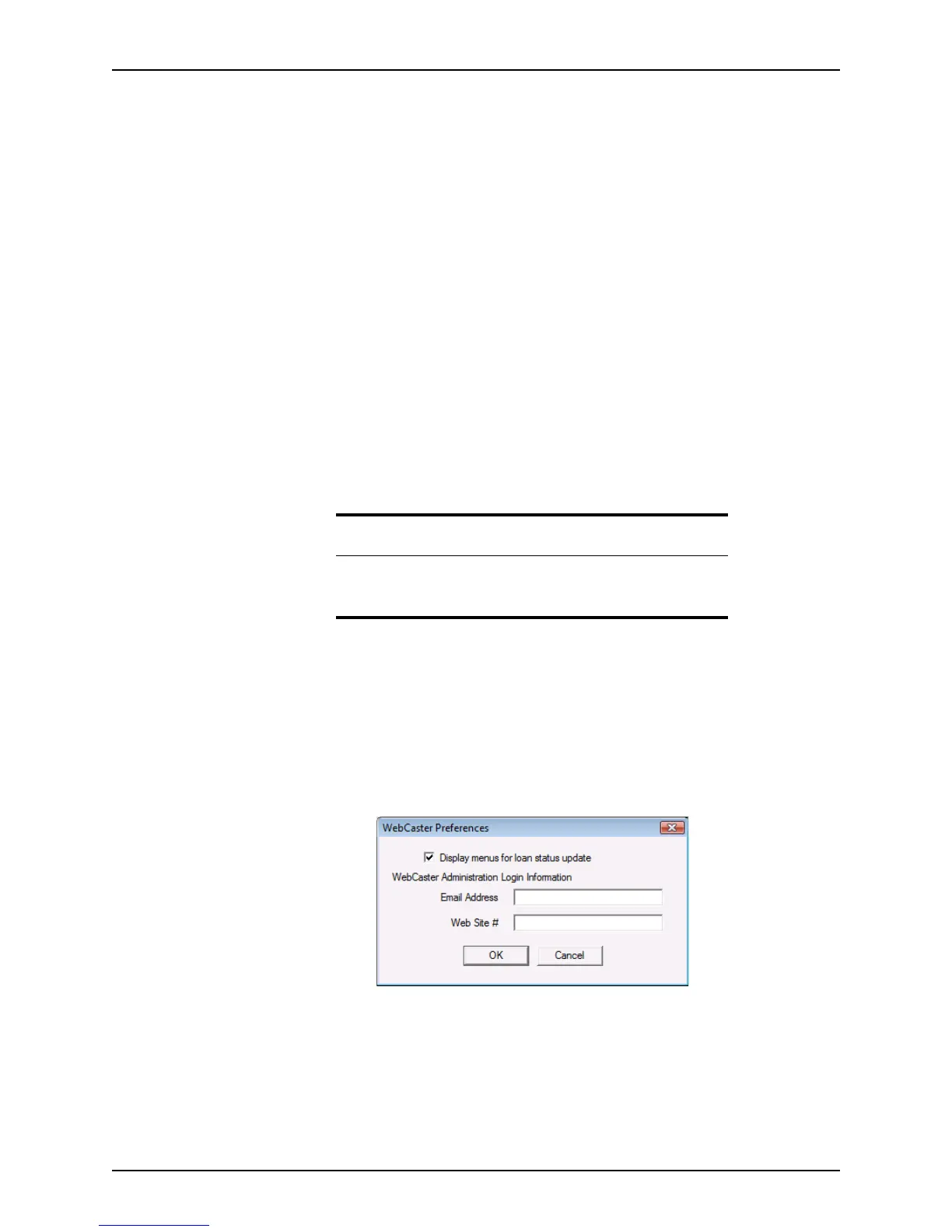
1 Select Utilities > WebCaster Preferences.
The
WebCaster Preferences dialog box is displayed.
2 To display the menu items under Interfaces for loan status, select the corresponding
check box.
3 In the
EmailAddress and WebSite# fields, enter the primary e-mail address and web
site number from your WebCaster registration.
4 Click OK.
Important
For more information about WebCaster and setting up an account,
contact Calyx at 1-800-342-2599 or go to www.calyxsoftware.com/
order/webcaster.asp to set up an account online.



 To Next Page