280 Calyx Software
Loan scenarios
5 Click HE & Oblig. Enter the first mortgage payment (the amount of the second is
already populated in the
OtherFin field). Both amounts transfer throughout the
screens in Point.
Creating a new first mortgage with a new or existing second
To complete a new first mortgage and a new or existing second loan for refinance:
1 Open a prospect or borrower file.
2 In the
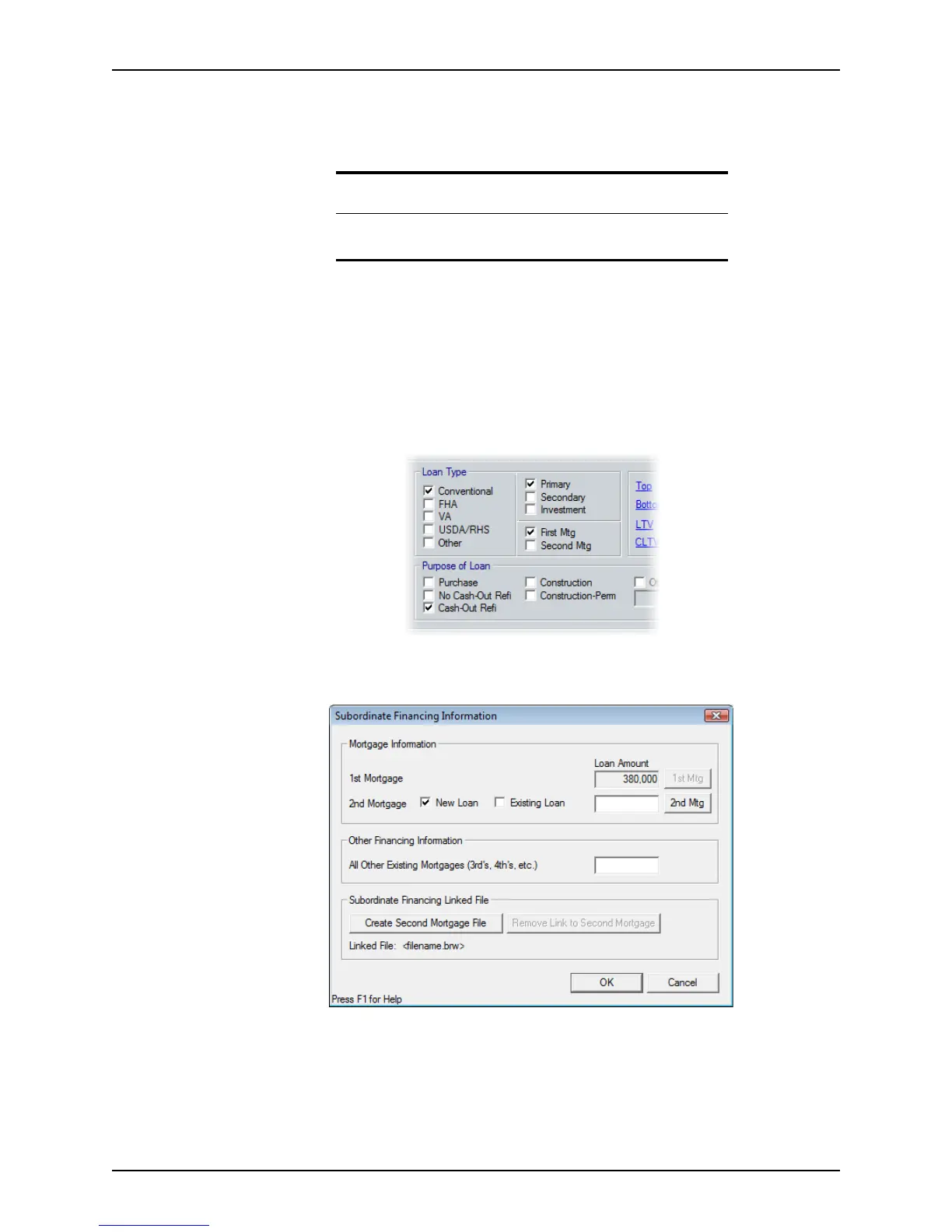
Prospect Information or Borrower Information screen, select Primary as
the property type,
First Mtg as the lien position, and Cash-Out Refi or No Cash-Out
Refi
as the purpose of the loan.
3 Click the Sub Financing button at the bottom of the workspace.
The
Subordinate Financing Information dialog box is displayed.
4 Specify whether it is a
New Loan or Existing Loan and click the 2nd Mtg button.
Related information
Refer to Borrower and prospect information screens, on page151, for
more information about the
Borrower Information screen.



 To Next Page