Point User Guide 361
Import and export templates
7 Select Edit > Paste.
Data export templates
Point interfaces with other Windows® (or DOS®) applications. It also interfaces with
applications used by the following types of companies:
•Credit
• Document preparation
• Other mortgage service companies
If you do business with lenders that offer automated underwriting systems, the data export
engine can send the data in Point files to those applications as well. Point includes a data
export template (called sample.exp) that contains more than 70 of the most commonly-used
fields for data export. Use this template as a basis for building your own, or create new
data export templates.
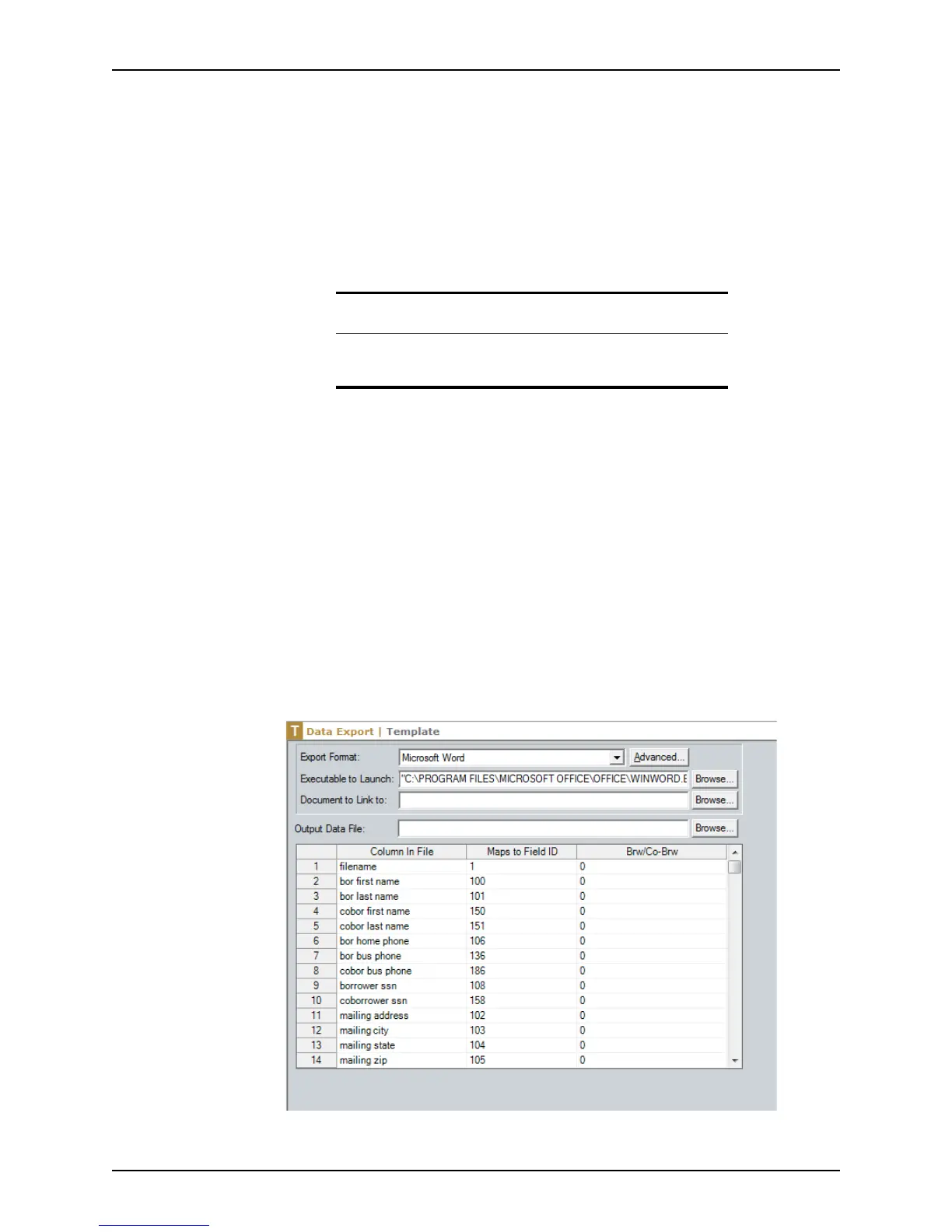
Creating a data export template from the sample
A sample export template is provided with Point. You can use this template as a base for
creating new templates.
To create a new data export template by using the Point sample template:
1 Select the Templates tab from the navigation panel and select
Data Export.
2 Select the Sample file and click Open.
The
Data Export Template screen is displayed.
3 Select the export format from the Export Format dropdown list.
Tip
The Export function exports data from one file at a time.
To export data from multiple files, use the export function in Reports.



 To Next Page