Point User Guide 193
VA loans
To complete the VA Loan Analysis:
1 Open a borrower file.
2 Select Forms > Veterans Administration (VA) > VA Loan Analysis (26-6393).
3 To use
Loan Application data to populate this screen, click the From Loan App
button at the bottom of the workspace.
Many categories on the application do not fit on the VA Loan Analysis. Importing from
the
Loan Application successfully combines the figures into a cohesive format.
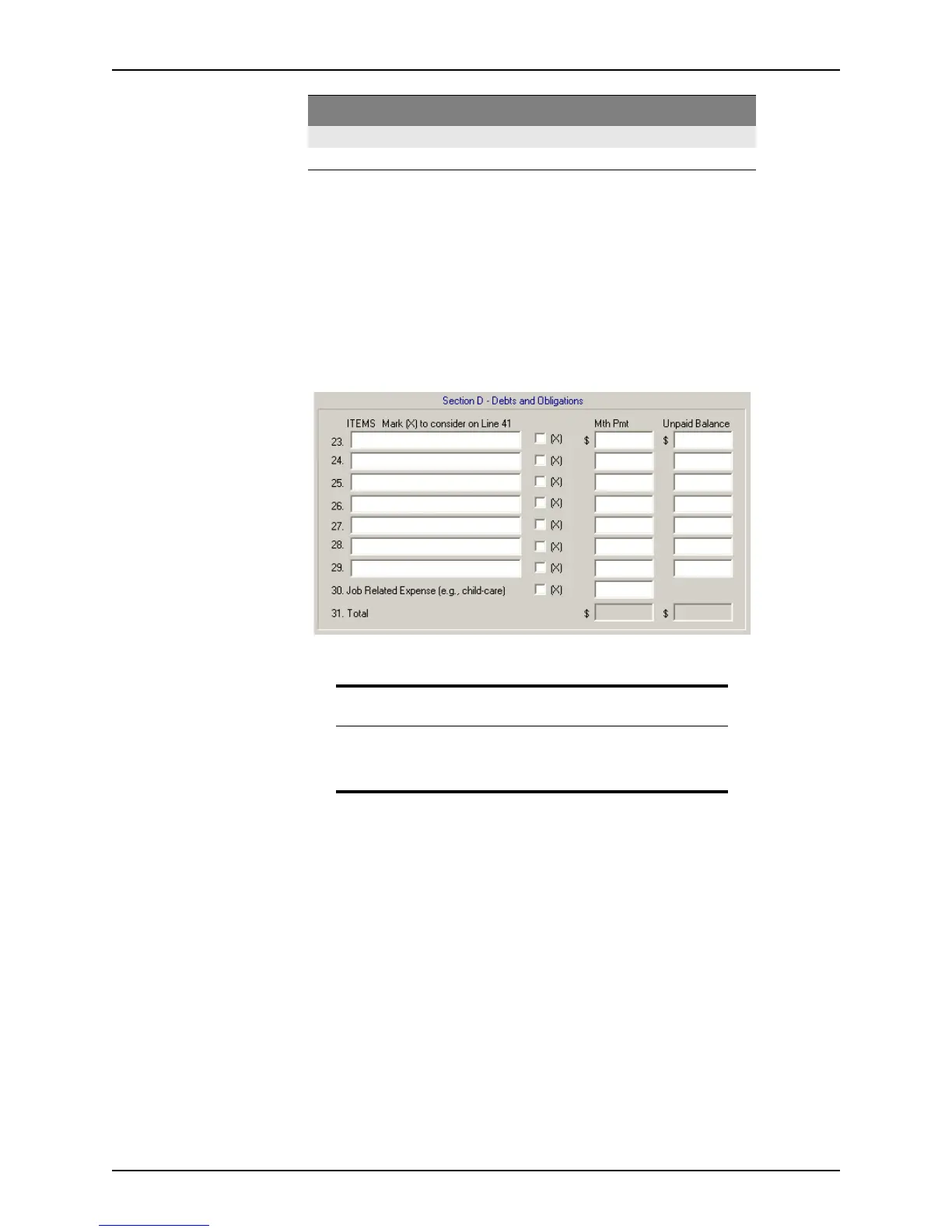
In Section D - Debts And Obligations, there is an X column.
VA Refinance Worksheet (26-8923)
Use this worksheet to calculate the maximum loan amount for a VA refinance. To open the
Interest Rate Reduction Refinancing Worksheet, VA form 26-8923:
1 Open a borrower file.
2 Select Forms > Veterans Administration (VA) > VA Refinance Worksheet – IRRRL
(26-8923).
3 Enter the following, then complete the final computations:
• Particulars of the original mortgage
• Preliminary discount
• Origination fees
• Funding fees
D Contains debts and obligation information.
E Provides monthly income and deductions.
Related information
When you select a check box, the monthly payment that corresponds to
that row is displayed in the
LessObligationsListedinSec.DWhich
ShouldBeDeductedFromIncome
field, line 40 in Section E.
Section Description



 To Next Page