170 Calyx Software
Disclosures and other forms
Calculating mortgage insurance
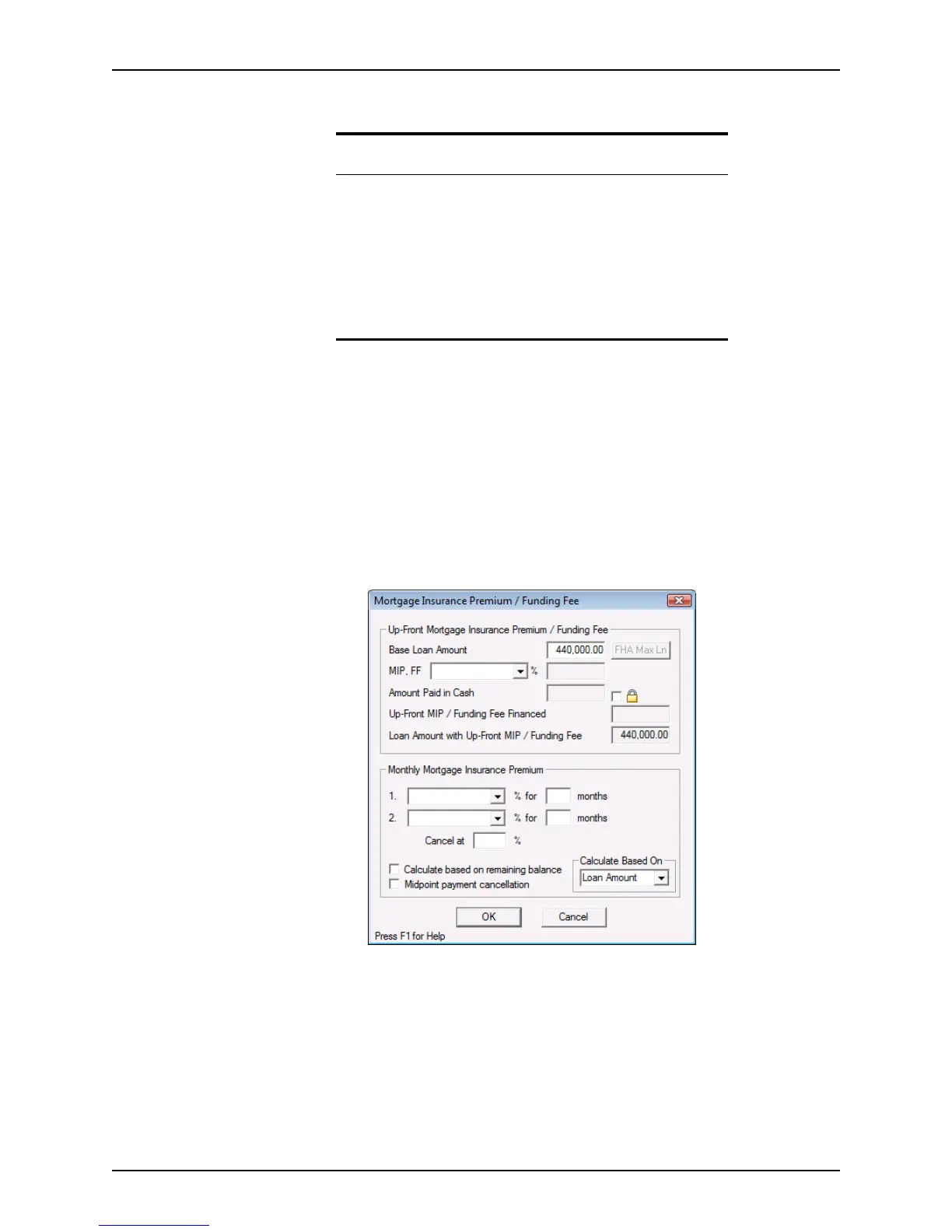
The Mtg Insurance button opens the Mortgage Insurance Premium/Funding Fee
dialog box which is used to calculate up front fees and mortgage insurance fees for
conventional, FHA, and VA loans.
To complete the
Mortgage Insurance Premium/Funding Fee dialog box:
1 Open a prospect or borrower file.
2 Click the Mtg Insurance button in the
Borrower Information screen to open the
Mortgage Insurance Premium/Funding Fee dialog box or click the MIP/FF
button on the
Loan Application.
Related information
• For information about how to use the Initial Escrow Account
Setup
dialog box and set the company impound account defaults,
refer to Specifying the default escrow account payments, on
page39.
• Refer to Completing the Good Faith Estimate, on page120, for
information about entering data in user-defined fields in the Good
Faith Estimate.
• See Chapter 19, Contact management (Cardex), for information
about populating fields by using the Cardex database.



 To Next Page