Point User Guide 169
Mortgage insurance and escrow (impound) account details
The Initial Escrow Account Setup dialog box is used to document the monthly
escrow fees for the first year of the loan.
The company defaults that were specified in the utility function are prepopulated in the
screen.
6 To specify that the borrower must pay some fees in advance to provide a reserve in
the event a fee increases or a payment is missed, enter the number of months the
borrower must pay in the
Cushion row.
7 To add additional escrow charges, enter the number of months that are being paid in
the field for the month that the payment is due.
For example, if property taxes are paid in April and December for a six month period,
enter
6 in the AprilandDecemberrows in the TaxDisb column. If the payments are
made annually, enter
12 in the field for the month that they are due.
8 To change a default setting, select the entry that you want to change and enter the
new value. To remove an entry, select the value and click the Delete key on your
keyboard.
9 To exclude a fee from the aggregate accounting, select the
Exclude check box at the
bottom of the column.
10 To revert to the defaults that were specified in the escrow account utility, click
Company Defaults.
11 Click OK.
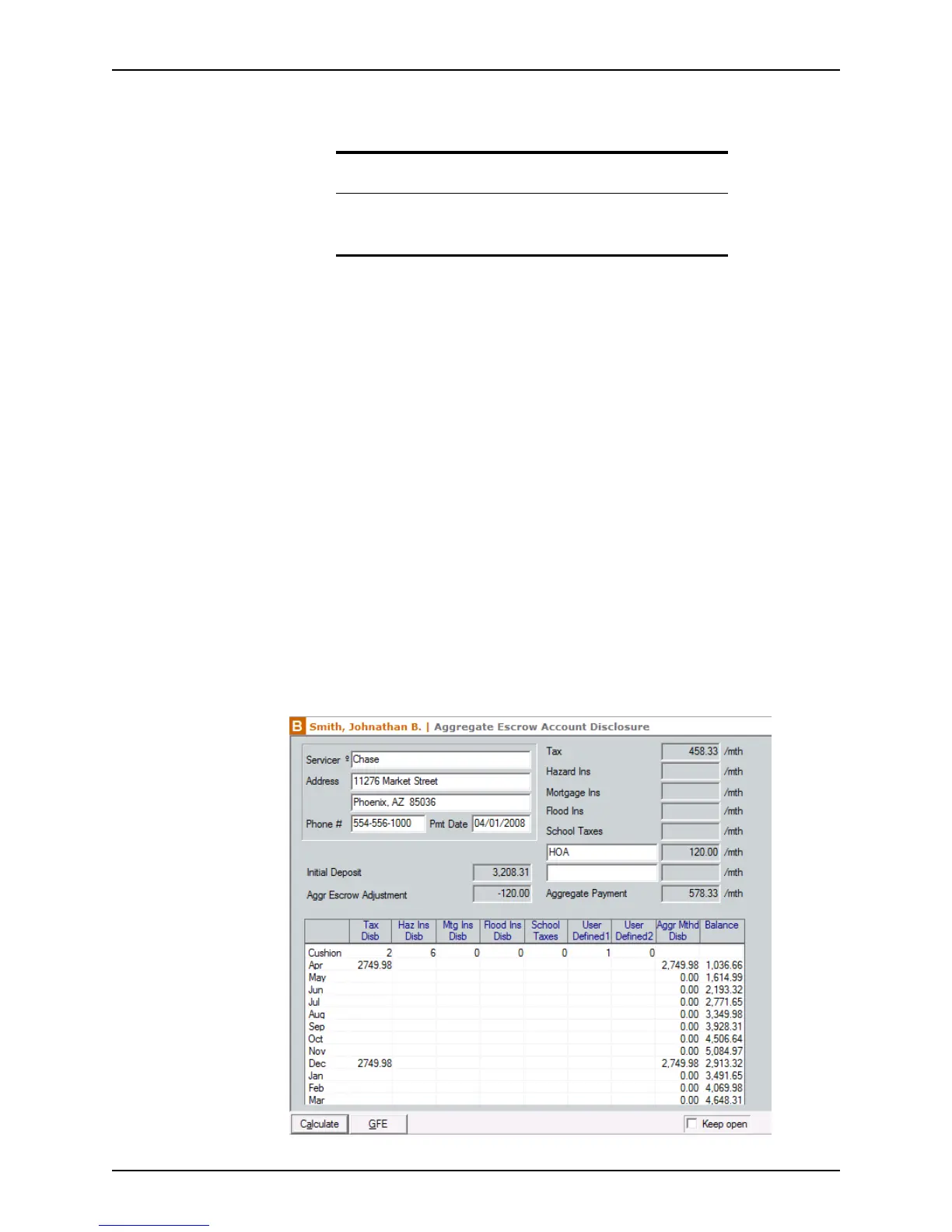
The fees are calculated and the form is populated with the monthly payment amounts.
Tip
The Initial Escrow Account Setup dialog box is also accessible by
clicking the Aggregate Adjustment Tabl e button in the
Good Faith
Estimate
.



 To Next Page