Point User Guide 79
Deleting loan files
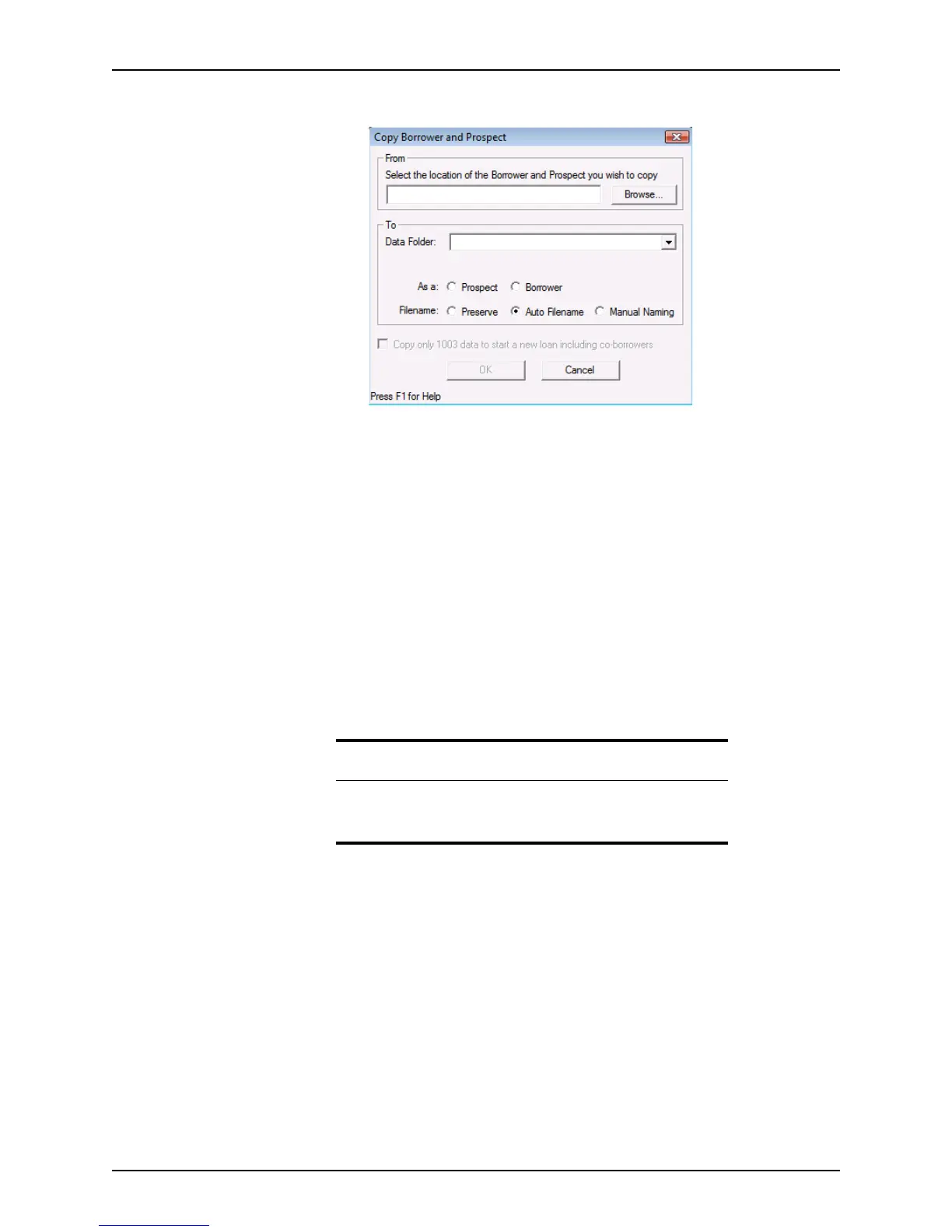
3 The Copy Borrower and Prospect dialog box is displayed.
4 Click Browse to navigate to the location of the data folder that you want to move or
copy into your Point files.
5 Select a data folder, the file type (
Prospect or Borrower), and specify one of the
following file naming conventions:
Preserve
Retains the original file name.
Auto Filename
Use the automatic file naming convention that is specified for the selected data
folder.
Manual Naming
Enter a name of your choice in the
Rename File dialog box, which is displayed
when you click OK.
6 Click OK to complete the process.
Deleting loan files
To delete prospect or borrower files.
1 Select the Loans tab from the navigation panel.
2 Perform a search to locate the file to delete.
Related information
For information about how to specify the auto file naming parameters
and enable auto file naming, refer to Naming files automatically, on
page63.



 To Next Page