338 Calyx Software
Integrated products and services
• Other helpful resources
Connecting to the Fannie Mae web interface
Before you can interface with the Fannie Mae web site, you must configure your computer
to enable the connection.
To enable the connection to Fannie Mae:
1 Contact Fannie Mae to create an account and obtain your user ID and password.
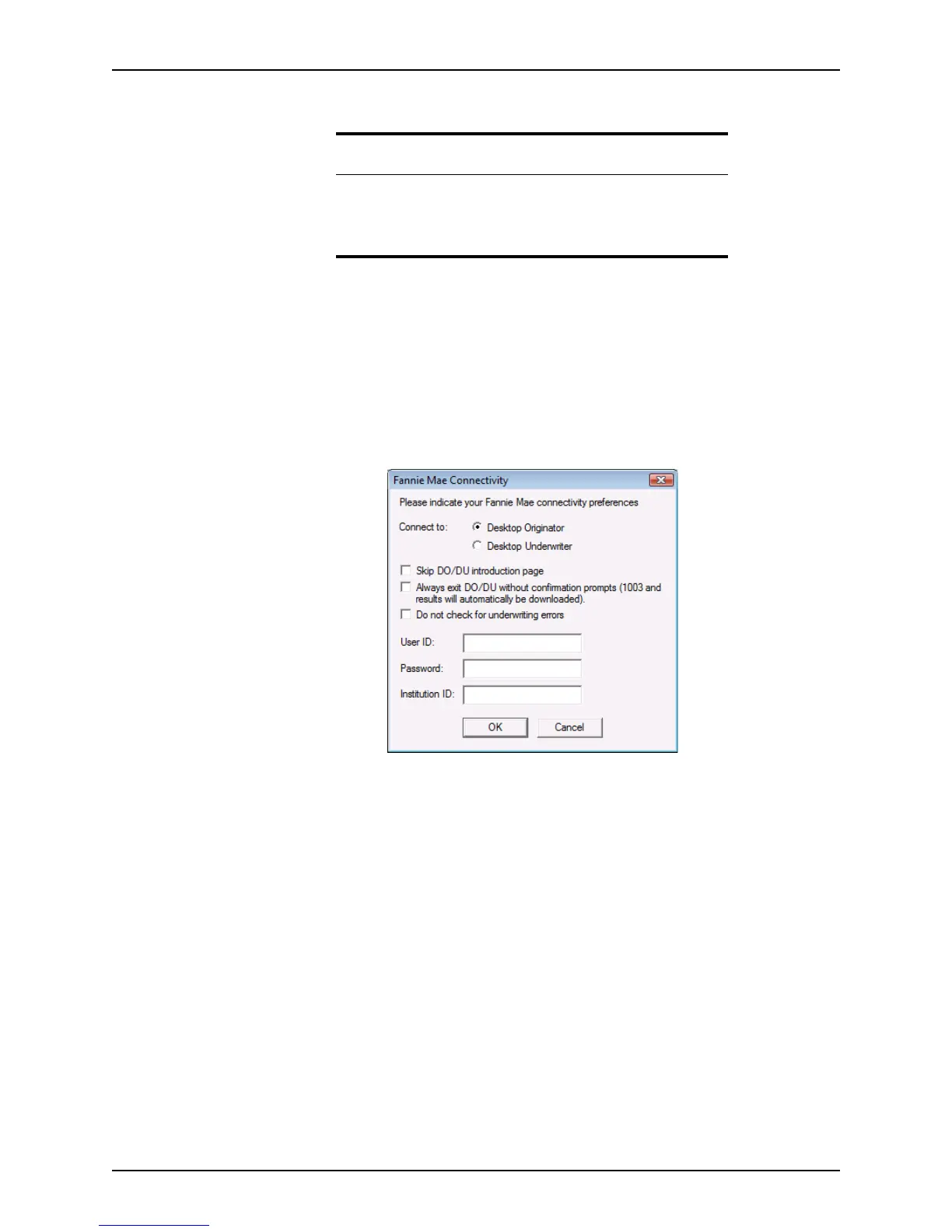
2 Select Utilities > Fannie Mae Connectivity.
The
Fannie Mae Connectivity dialog box is displayed.
3 Select Desktop Originator or Desktop Underwriter to specify where to connect.
4 Specify general preferences by selecting the corresponding check box.
5 Enter your user ID, password, and institution ID in the corresponding fields.
6 Click OK.
Accessing Fannie Mae
To access the Fannie Mae interface:
1 Open a prospect or borrower file.
Related information
• For information about connecting to Fannie Mae, refer to
Connecting to the Fannie Mae web interface, on page338.
• For additional information about Fannie Mae, go to
www.calyxsupport.com and click the Fannie Mae Quicksteps link.



 To Next Page