Point User Guide 33
Buttons and options
Truth-in-Lending
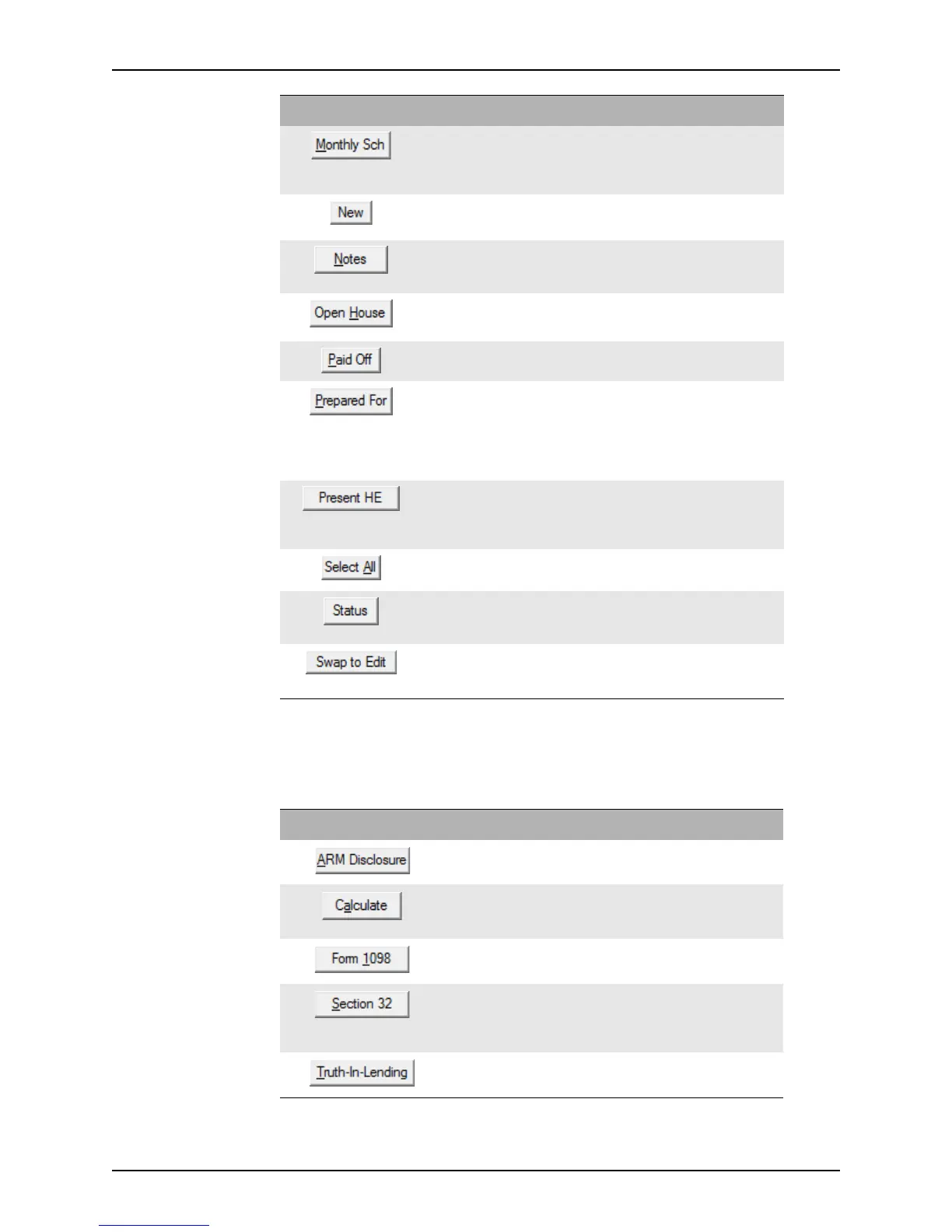
The following buttons are located on the Truth-in-Lending screens. Buttons that were
previously described are not included in this list.
Calculates and displays the Detailed
Payment Schedule
for the life of the loan.
Amortization
Schedule
MLDS/GFE CA
Truth-In-Lending
Opens the
Liability dialog box which is used
to add and edit liabilities.
Debt Consolidation
Worksheet
Opens a dialog box to enter notes or
comments about the loan scenarios or
borrower qualifications.
Loan Comparison
Prequalification
Opens the
Open House Picture File dialog
box to add a images to the flyer.
Loan Comparison
Indicates that the selected liability was paid or
will be paid in full.
Debt Consolidation
Worksheet
Opens the
Prepared For dialog box which is
used to enter information about the person
for whom the file was created.
Amortization
Schedule
Cash-to-Close
Loan Comparison
Prequalification
Rent vs. Own
Opens the Present Housing Expenses
dialog box which is used to enter housing
expenses for the borrower’s owner-occupied
residence, regardless of the type of loan.
Prequalification
Selects all the liabilities in the list. Debt Consolidation
Worksheet
Opens the Status dialog box which is used to
document when changes are made to the
worksheet.
Debt Consolidation
Worksheet
Moves the selected alternative program back
to the
ProspectProgram column for
modification purposes.
Loan Comparison
Button Description Screen
Button Description
Opens the Initial ARM Disclosure Disclaimer.
Calculates the finance charges and payment schedule based on
data that was entered in the
PrepaidFinCharge field in the
Payment Schedule section.
Opens the
Tax Information (1098) screen, which displays
origination and discount fees and the first year of interest paid.
Opens the Truth-In-Lending (Section 32) screen. The
information on this screen informs borrowers of the loan
amount, the annual percentage rate, and their monthly
payments. This disclosure is required for high cost loans.
Returns to the
Truth-in-Lending screen from the ARM
Disclosure
.



 To Next Page