Point User Guide 111
Entering assets and liabilities
3 If the borrower owes alimony or child support as part of a divorce decree, enter the
description and monthly payment in the
Alimony/ChildSupport fields.
4 In the
JobRelatedExpense fields, enter job expenses such as union dues or uniforms.
The
NetWorthand TotalLiabilitiesMonthlyPmt and MthsLeft fields are
automatically calculated.
Entering real estate owned
To enter real estate that is owned by the borrower or co-borrower:
1 Open page 3 of the
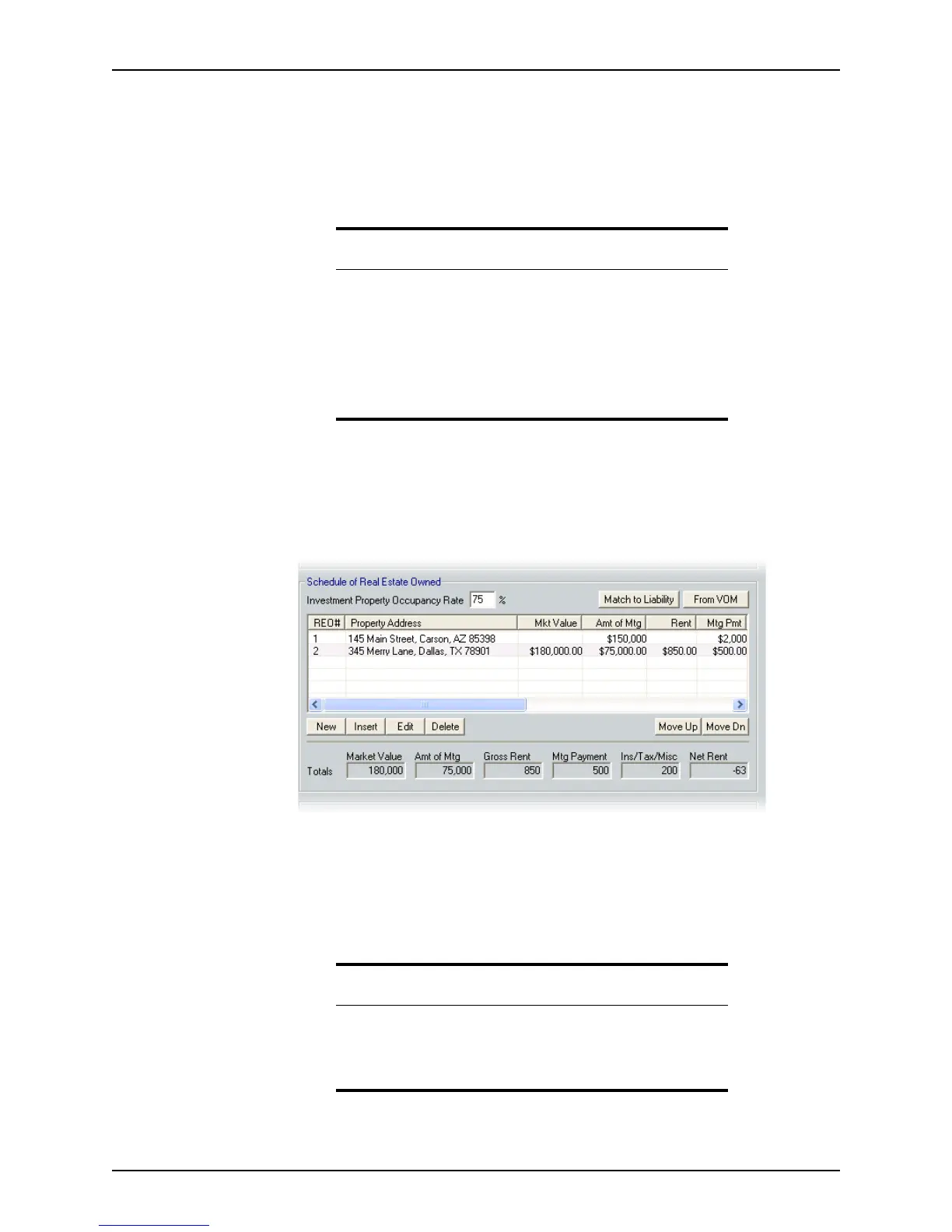
Loan Application and go to the Schedule of Real Estate Owned
section.
This section lists the details of the properties that are owned by the borrowers. If the
loan is a refinance, ensure that the subject property is the first item listed in this
section.
If the real estate owned is already recorded in the
Verification of Mortgage/Rent
screen, click the From VOM button to import it to the
Loan Application, or enter the
real estate owned manually.
Related information
• Refer to Chapter 8, Verifications, for information about the
Verification of Mortgage/Rent and Verification of Loan
screens.
• Refer to Chapter 13, Integrated products and services, for
information about how to request credit, view credit reports, and
populate liabilities.
• For more information about bracketed information, see Knowledge
Base article
#0138 Using brackets or subtraction symbols.
Caution
Entering real estate by importing it from the verification screens replaces
all existing information in the real estate owned section.
To prevent loss of data, import the data before you enter any real estate
owned manually.



 To Next Page