466 Calyx Software
Data folder and user management
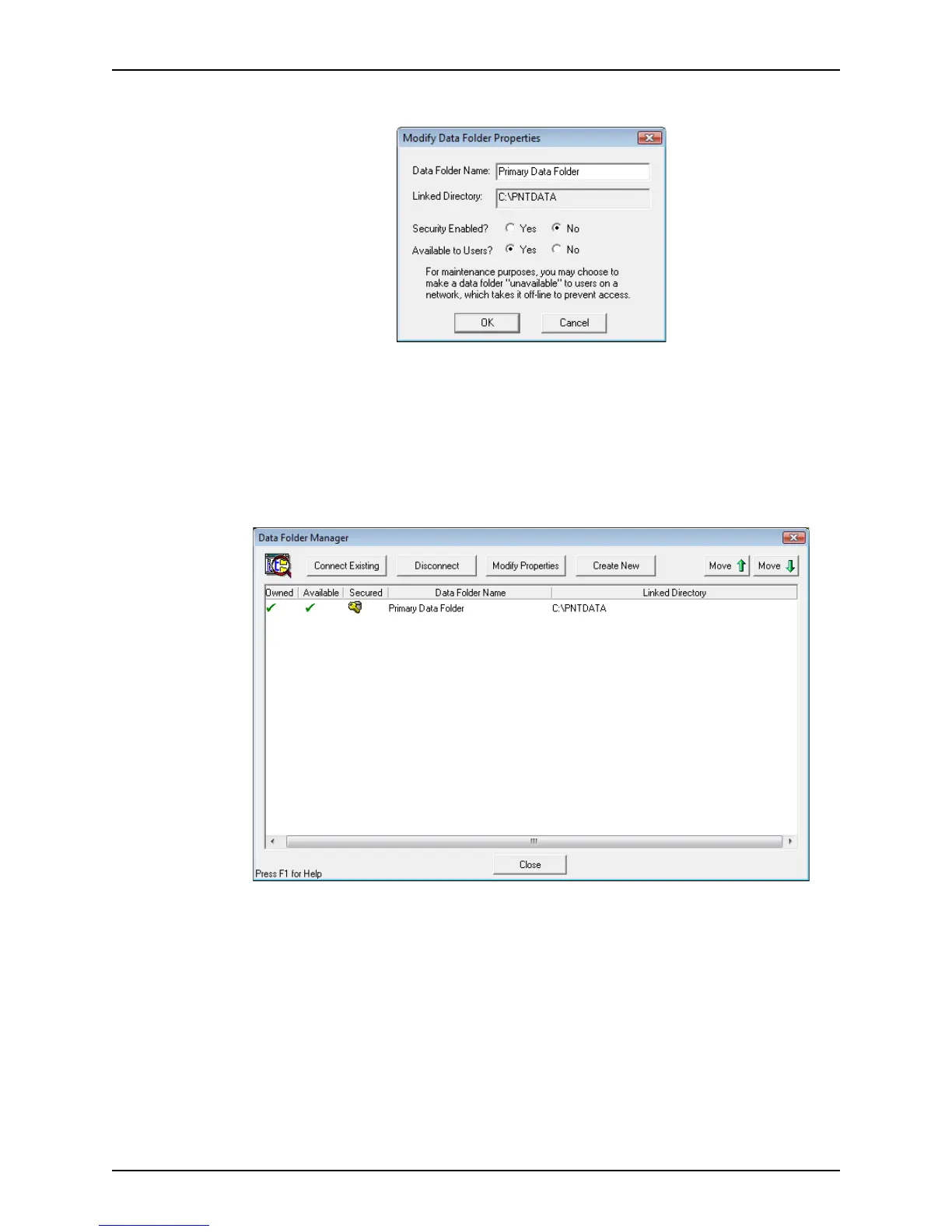
The Modify Data Folder Properties dialog box is displayed.
Use this dialog box to set the level of security and access. You can also change the
data folder name.
6 Specify Security Enabled
Yes to restrict access to the folder to only the users who
have the password. Select
No to allow access by all users.
7 Specify Available to Users
Yes to make the folder available to network users. Specify
No to make the folder unavailable to network users.
8 Click OK to return to the
Data Folder Manager.
Owned folders have a check mark in the Owned column. Folders that are available to
users on the network have a check mark in the available column. Secured folders that
require password access have a key icon in the Secured column.
9 Click Close when finished working with folders.
Creating new data folders
Create new data folders to manage your loan files and organize your work flow.



 To Next Page