Point User Guide 467
Managing data folders
To create a new data folder:
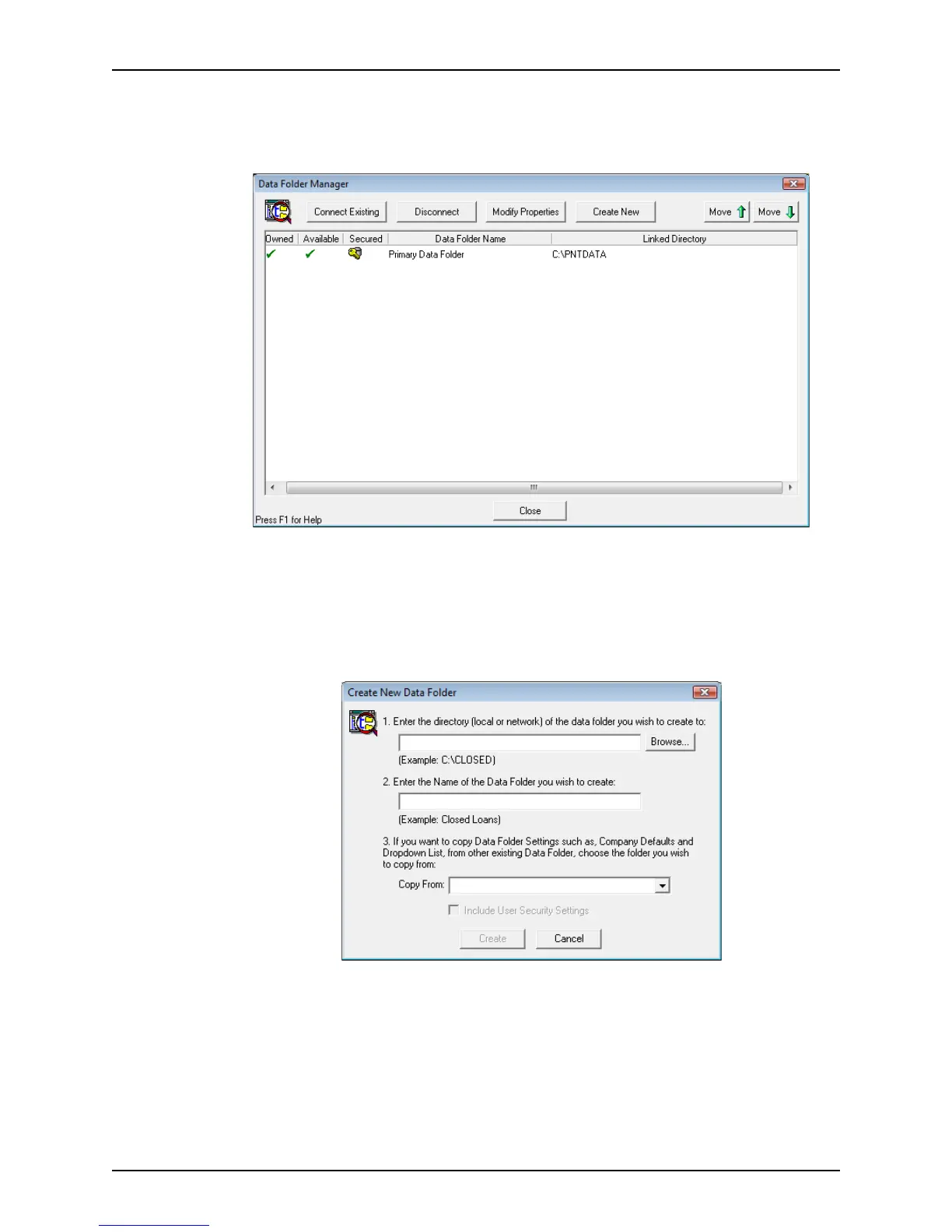
1 Open Point Administrator and click the Setup Data Folders button to open the
Data
Folder Manager
.
2 Click Create New.
The
New Folder Supervisor Login dialog box is displayed.
3 Enter the Supervisor password in the
Password field, and click OK.
4 If the password is new, re-enter it in the
Verify Password dialog box and click OK.
The
Create New Data Folder dialog box is displayed.
5 Create a new directory by entering the path and directory name.
If the folder already exists, enter the path and directory manually or use the Browse
button to navigate to the location.
6 Enter the name of the new data folder.
7 To copy settings from another data folder that was created with the same password
you entered, select a folder from the Copy From dropdown list. To include the security
settings, select the
Include User Security Settings check box.



 To Next Page