86 Calyx Software
Loan file overview
Adjusting printed forms
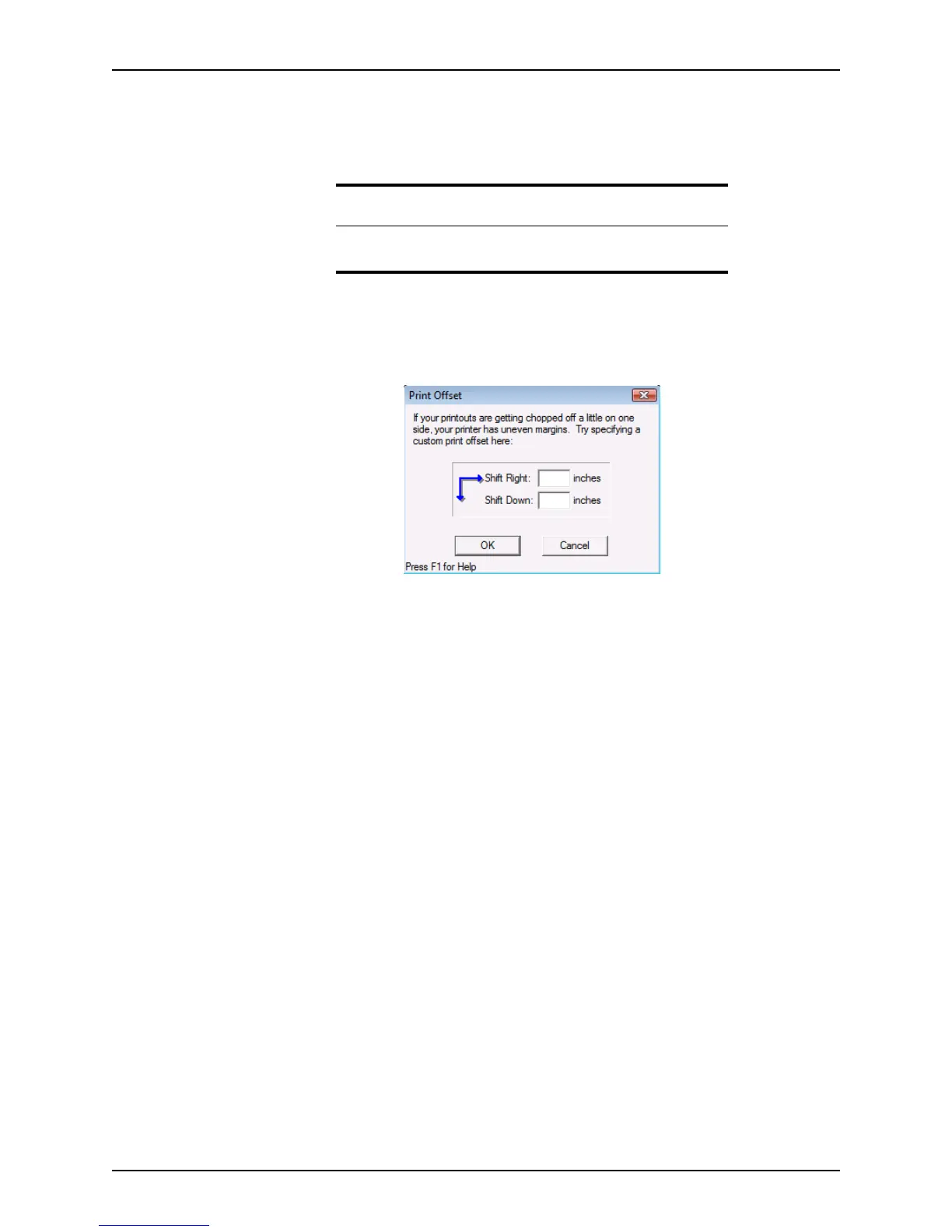
If the margins or alignment on a form are uneven when the form is printed, use the Print
Offset option to adjust the form position on the paper.
To use print offset:
1 Select File > Print Offset.
The
Print Offset dialog box is displayed.
2 In the
ShiftRight or ShiftDown fields, enter the number of inches to offset the printed
area. To set the offset by an increment of an inch, enter the amount in decimal format.
For example, enter
.75 to move the graphic three-quarters of an inch.
Use a negative value to shift the offset up or to the left. For example, to move the text
a half inch to the left, enter
-.5 in the ShiftLeft field.
3 Click OK.
Printing and previewing forms
Use the Borrower Forms dialog box to print and preview Point forms and screens. In
addition to the forms that require input, forms that do not require input are available to print
from the
Borrower Forms dialog box.
To print documents:
1 Open a prospect or borrower file.
2 Select File > Print or click the Print icon on the toolbar.
Tip
Adjust the offset only if you encounter difficulties with the print
alignment.



 To Next Page