443
19
Contact management (Cardex)
Cardex is an electronic database that you create of people and companies that you
interact with when processing your loan files. Use the Cardex database to populate
Cardex-enabled fields automatically. You can enter contact information into the database
manually or you can transfer information from a completed form.
Cardex database overview
You can access the Cardex database by selecting Utilities > Cardex Database or by
clicking the Cardex icon on the toolbar.
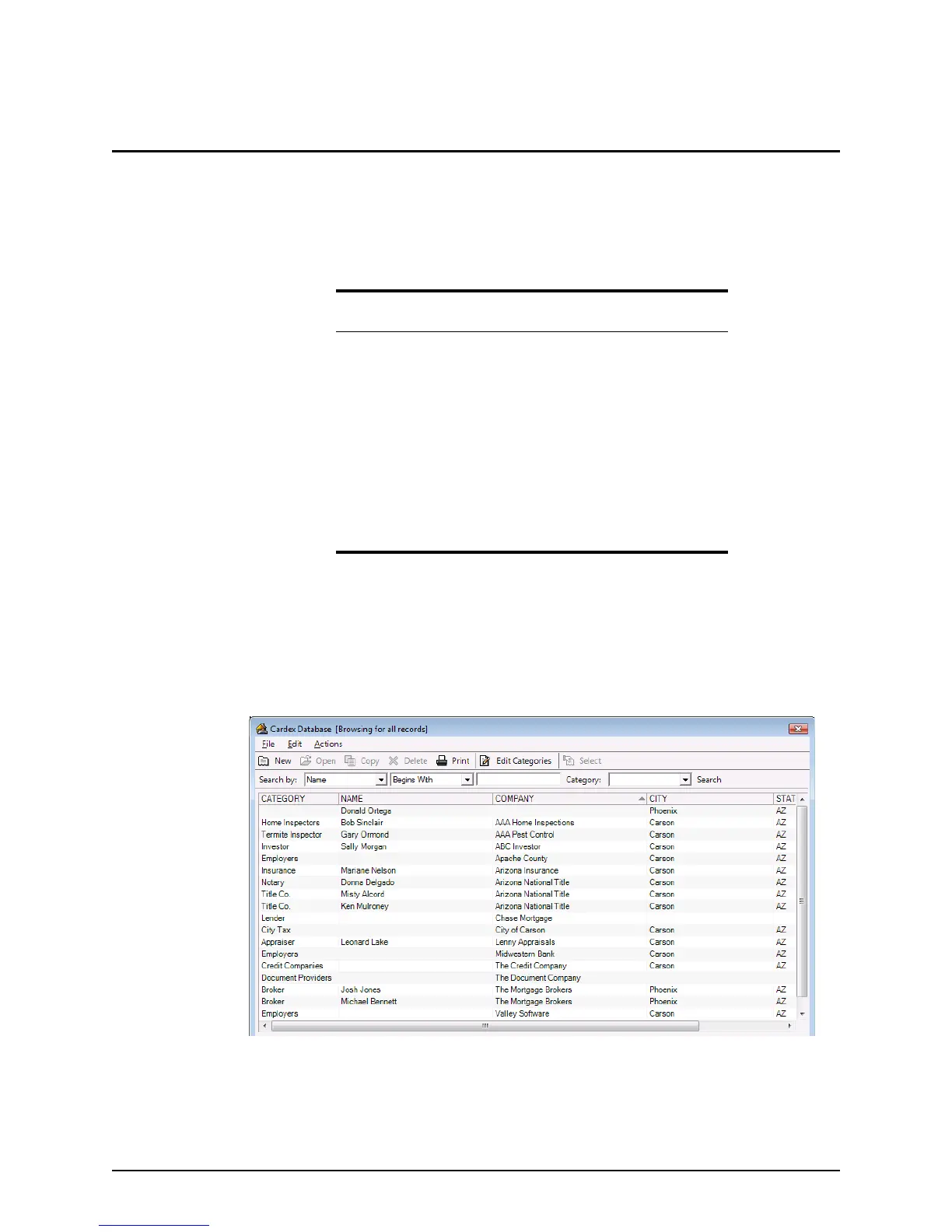
Upon launching Cardex, the
Cardex Database [Browsing for all records] dialog box
is displayed.
The dialog box is comprised of a menu, a toolbar, a search bar, and the database records.
You can perform the following actions in this dialog box:
• Create new records
• Edit records
In this topic
• Cardex database overview
• Creating categories
• Entering data into the database
• Editing database entries
• Copying, deleting, and sorting records
• Searching for records
• Printing Cardex records
• Data transfer
• Data import and export



 To Next Page