138 Calyx Software
Disclosures and other forms
The Mortgage Loan Disclosure Statement (MLDS) is the California state disclosure
statement. Two separate MLDS forms are available: a three-page form for traditional loans
and a four-page form for non-traditional loans.
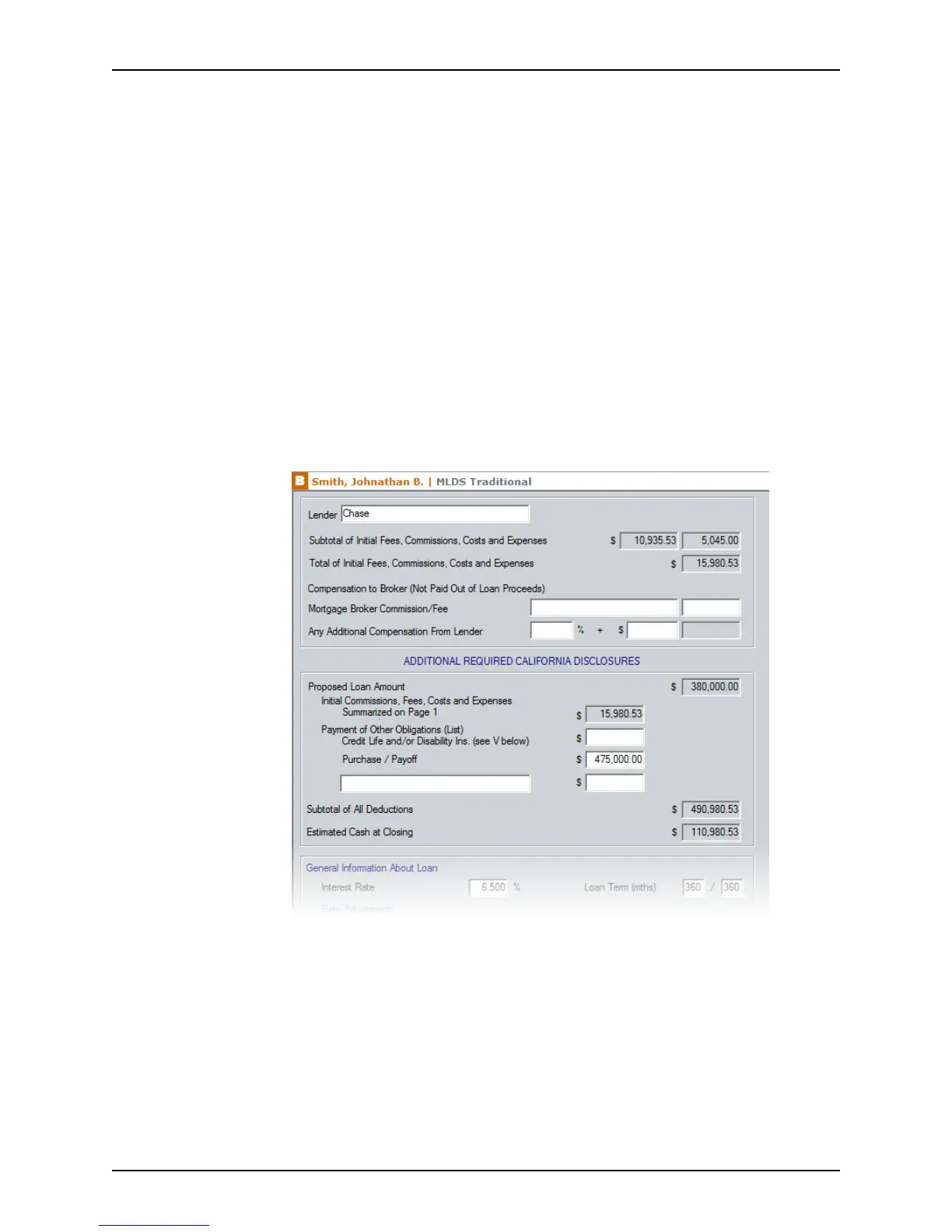
Point contains two MLDS screens: one for traditional loans and one for non-traditional
loans. Enter the loan information into the appropriate screen for the type of loan you are
processing. When the form is printed, Point retrieves the data and populates each page
with the necessary information. Information for page 1 of the printed
MLDS/GFE (CA) is
retrieved from
the Good Faith Estimate screen for both traditional and non-traditional
loans.
By using these forms, you satisfy the federal GFE requirement and the state disclosure
requirement.
Completing the MLDS for a traditional loan
To complete the Mortgage Loan Disclosure Statement for a traditional loan:
1 Open a prospect or borrower file.
2 Open the
MLDS/GFE (CA) for traditional loans from the Forms menu or the shortcut
toolbar.
The subtotal and total of initial fees, commissions, costs, and expenses are
precalculated if the
Good Faith Estimate was completed.
3 Enter any miscellaneous fees and compensation paid to the broker.
a In the first field for the
MortgageBrokerCommission/Fee, enter a description of
the fee.



 To Next Page