378 Calyx Software
Reports
Using functions to create formulas in reports
Some reports enable you to create formulas by using the function feature.
To create a formula with a function:
1 Generate a report
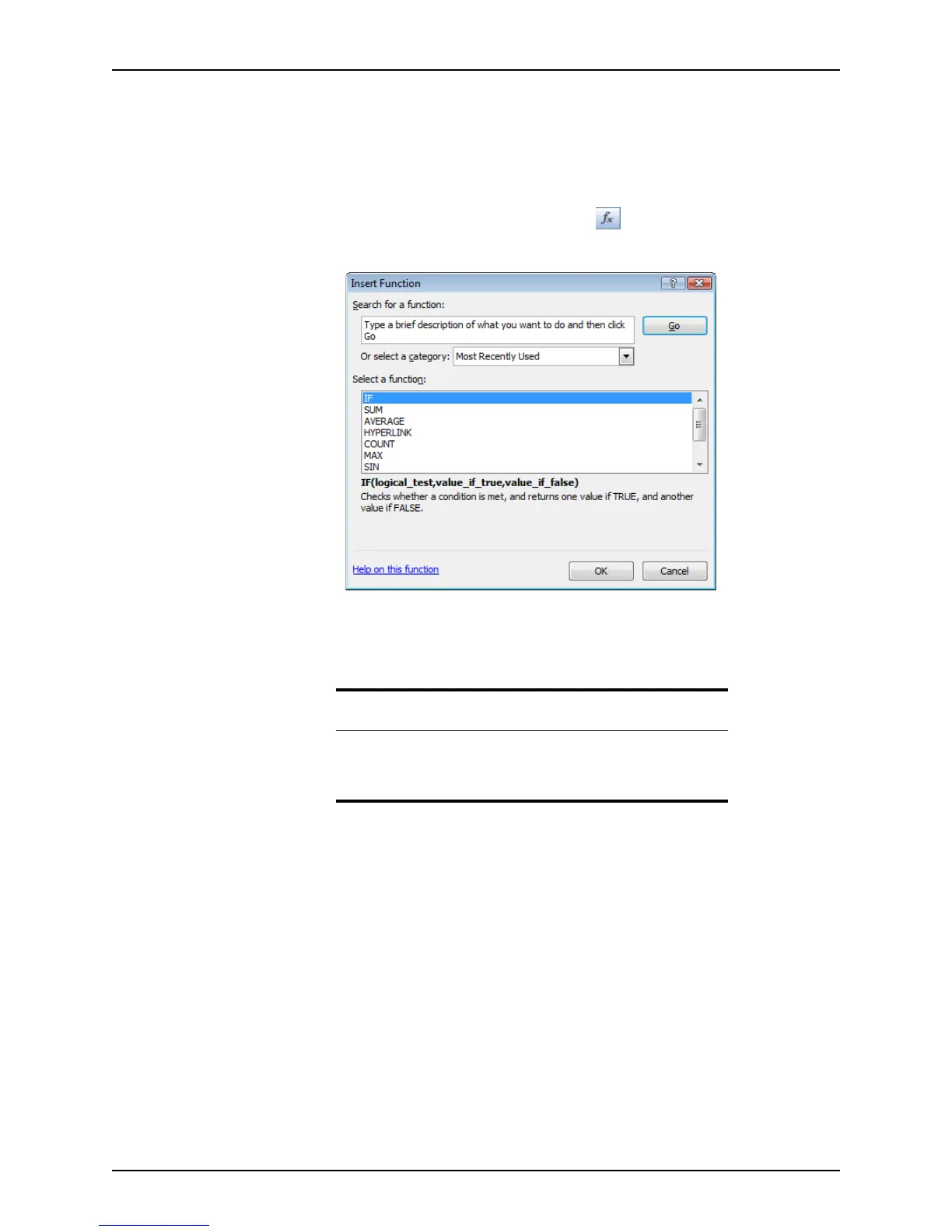
2 After your report is generated, click the Function ( ) button.
The
Insert Function dialog box is displayed.
3 Specify the type of function by using one of the following options:
• Enter the type of function in the Search for a function field and click Go.
Options that best match your entry are displayed in the Select a function section.
Select the function that you want to use from the list.
• Select a function category from the Or select a category dropdown list.
A list of functions in that category is displayed in the
Select a function section.
Select the function that you want to use from the list.
4 Click OK.
Example
To add numbers, enter add numbers in the Search for a function field and
click Go.
A list of addition functions is displayed in the
Select a function section.



 To Next Page