Point User Guide 153
Forms
Completing the Borrower and Prospect Information screens
To complete the Borrower and Prospect Information screens:
1 Create a new borrower or prospect loan file.
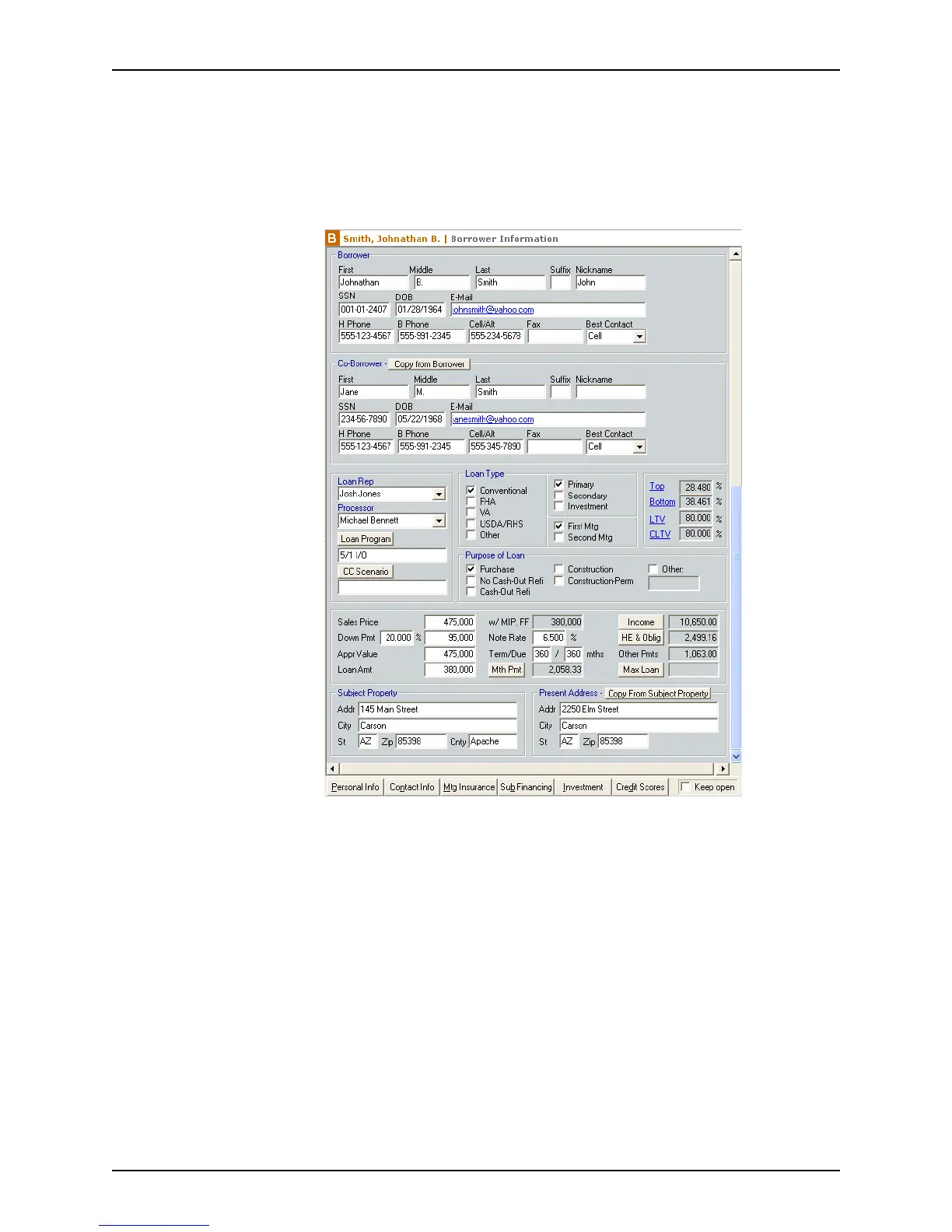
The information screen is displayed. A
Borrower Information screen is used in the
following example.
2 Enter the borrower information in the
Borrower section.
3 Enter the co-borrower information in the
Co-Borrower section.
To copy the last name and home telephone number from the borrower fields, click the
Copy from Borrower button.
4 Enter your name in the
LoanRep field, or select a name from the dropdown list.
5 Enter the processor name in the
Processor field, or select a name from the dropdown
list.
6 Click Loan Program to populate information into the loan file from a loan program
template, or enter the information manually.
7 Click CC Scenario to enter the closing costs from a closing cost scenario template, or
enter the information manually.
8 Complete the
Loan Type and Purpose of Loan sections.
The following default options are preselected:
• Conventional mortgage



 To Next Page