426 Calyx Software
Tasks
Processing task reminders
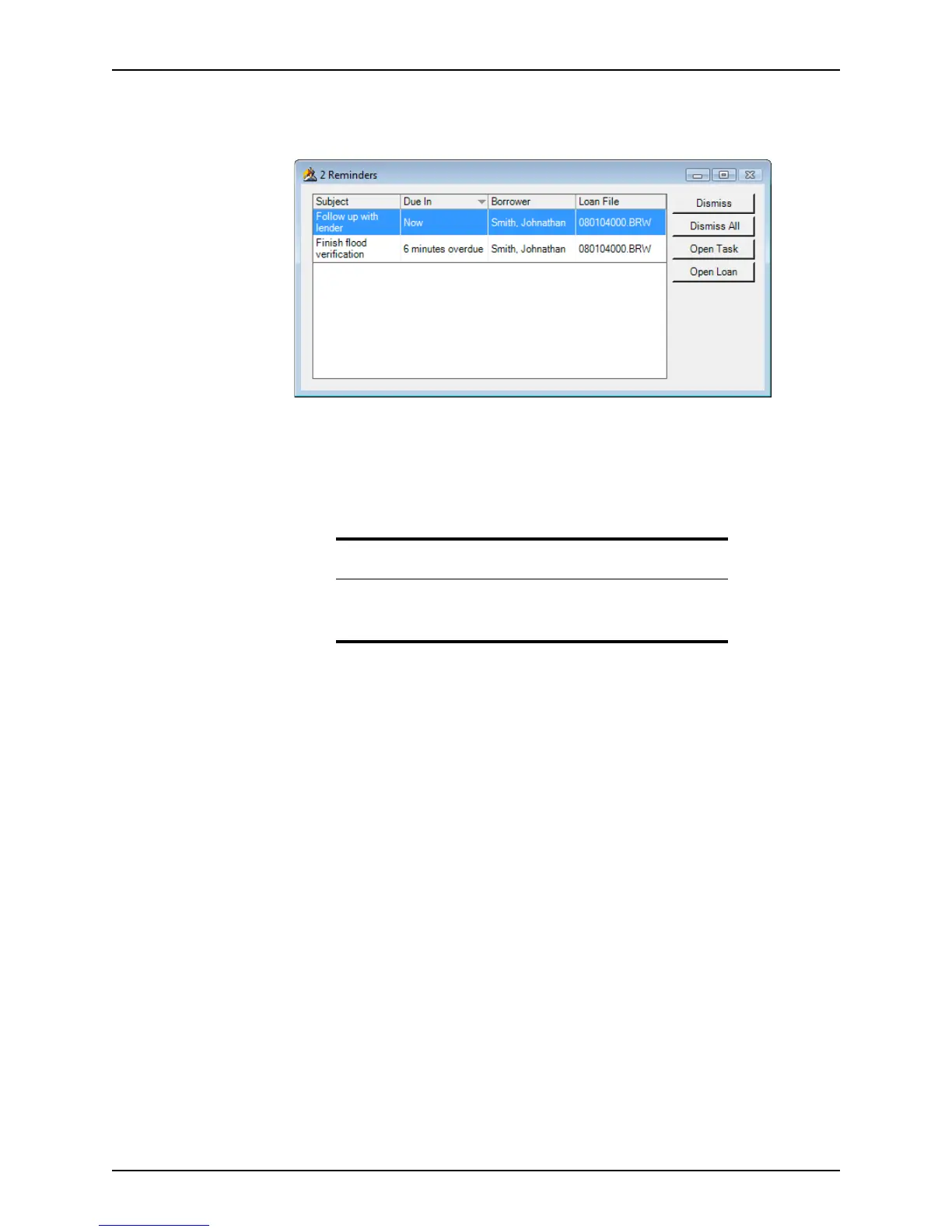
The following dialog box is displayed to remind you when a task is due:
You can do the following in a task reminder:
Dismiss
Removes the selected reminder from the dialog box and clears the reminder from
the
Task Details dialog box for the selected task. The Reminders dialog box will
close after you dismiss the last reminder.
Dismiss All
Closes the
Reminders dialog box and clears the reminders from the Task
Details
dialog box for all tasks in Reminders dialog box.
Open Task
Opens the
Task Details dialog box. Edit the reminder or any task data as
needed. Click Close to return to the
Reminders dialog box.
Open Loan
Opens the loan that is associated with the selected task.
Searching for tasks
Use the Search function, accessible from the Tasks tab, to access open or overdue tasks.
In addition to searching for tasks by their current status, use the Advanced Search
function to define more specific search criteria such as task priority, due date, and
associated loan file.
Searching for tasks (basic search)
A basic task search locates open or overdue tasks in the selected data folder or all data
folders.
To search for an open or overdue task:
1 Select the Tasks tab on the navigation panel.
Note
The Reminders dialog box remains open until all reminders are dismissed.
You can only minimize the dialog box or move it when it contains
reminders.



 To Next Page