Point User Guide 473
Data folder security
4 Click the Move up or Move down button to move the data folder before or after the
folders next to it in the list.
The other data folders retain their same order.
Data folder security
Security in Point is established for users at the folder level. The settings specify who can
access loan files and what information in the file they can view. Security settings can be
copied from folder to folder.
The following folder access levels are possible:
• No security and available to all network users (default)
• Security-enabled with network access by authorized users
• Security-enabled with local access only by authorized users
The following user access levels are possible:
• Read and write access to all files
• Read and write access to only the files for the processor or representative
• Read-only access to all files
• Read-only access to only the files for the processor or representative
Setting data folder security and accessibility
To add user access rights to a Point data folder:
1 Open Point Administrator.
2 Click Setup Data Folders.
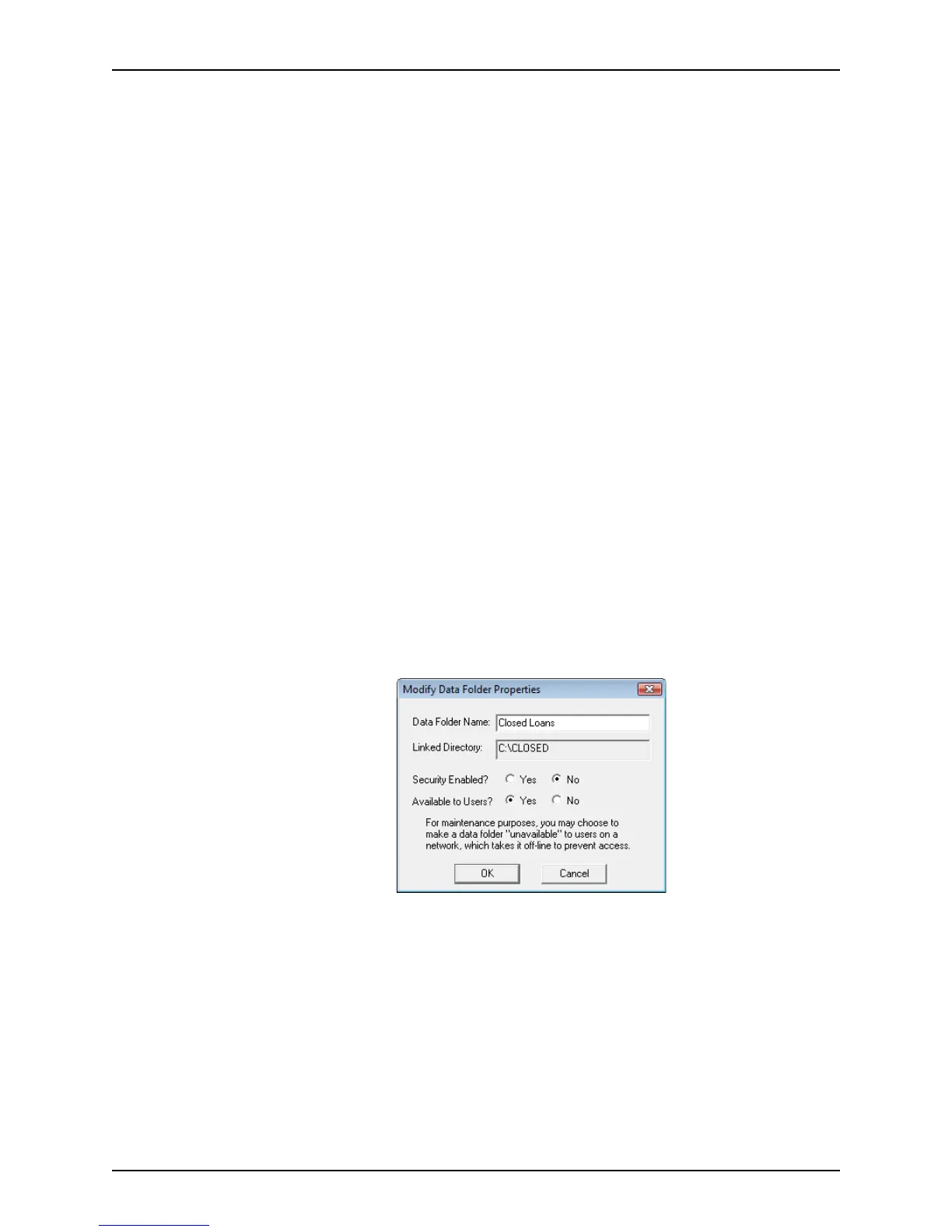
3 Select the folder you want to modify and click Modify Properties.
The
Modify Data Folder Properties dialog box is displayed.
This dialog box is used to set the level of security and access. You can also change
the data folder name here.
4 Specify Security Enabled
Yes to restrict access to the folder to only the users who
have the password. Select
No to allow access by all users.
5 Specify Available to Users
Yes to make the folder available to network users. Specify
No to make the folder unavailable to network users.



 To Next Page