168 Calyx Software
Disclosures and other forms
Mortgage insurance and escrow (impound) account details
Calculating ongoing escrow payments
The Aggr Escrow button on the Good Faith Estimate opens the Aggregate Escrow
Account Disclosure
screen, which is used to calculate ongoing escrow payments.
It contains escrow data for taxes, hazard insurance, mortgage insurance, flood insurance,
and school taxes. It also includes two blank fields to enter user-defined escrow expenses.
Point calculates the adjustment to impounds from the aggregate analysis and enters the
adjustment on the
Good Faith Estimate.
To complete the
Aggregate Escrow Account Disclosure:
1 Verify that the
1stPmtDate field in the Good Faith Estimate contains a date.
2 Click the Aggr Escrow button in the
Good Faith Estimate or select Forms >
Escrow Account Disclosure.
3 Enter the servicer name, address, and phone number manually or use the Cardex
database to populate these fields.
The servicer is the entity that controls the escrow account.
4 Enter any user-defined fees in the blank fields.
These fields correspond to the two empty rows in the
Reserves Deposited with
Lender
section in the Good Faith Estimate. To include amounts for the user-defined
fields in the aggregate total, enter the information for these funds in the
Good Faith
Estimate
.
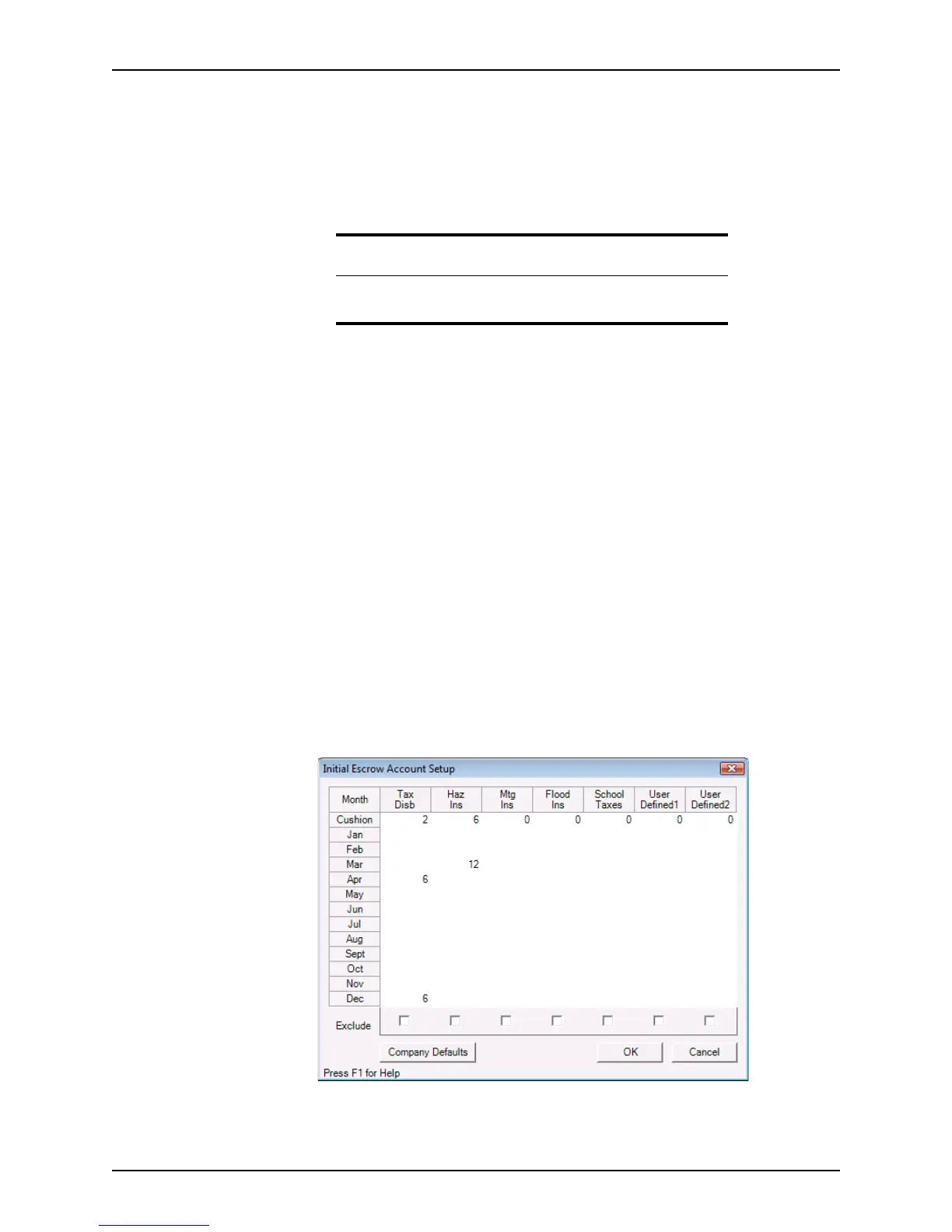
5 Click Calculate to open the
Initial Escrow Account Setup dialog box.
Requirement
For Point to calculate the aggregate adjustment, you must enter an
amount in the
1stPmtDatefield in the Good Faith Estimate.



 To Next Page