304 Calyx Software
Integrated products and services
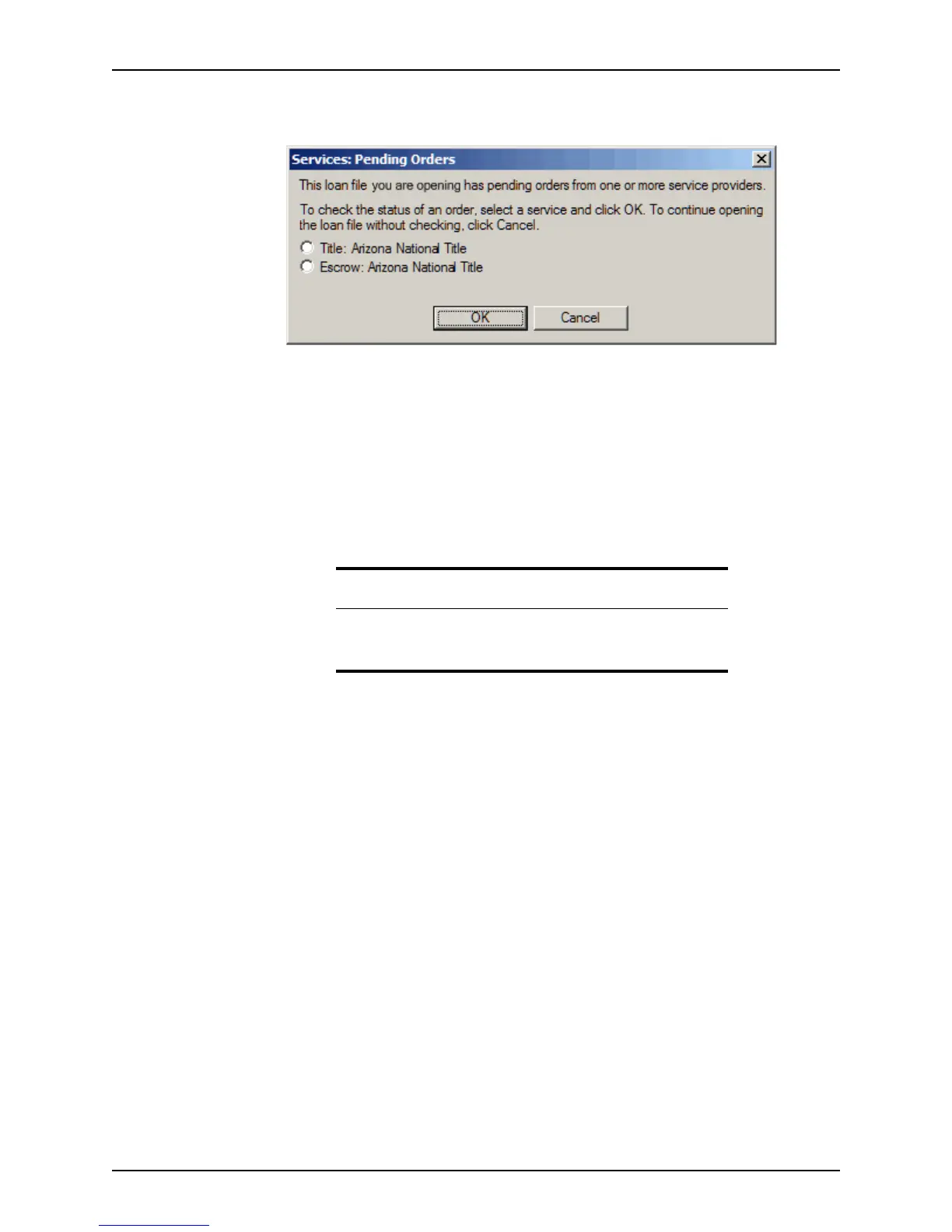
The Services: Pending Orders dialog box is displayed if a response was received
from the provider.
The orders with a response from the provider are listed in the dialog box.
2 Select the radio button for the service you want to view and click OK.
Click Cancel to go directly to the loan file.
3 Enter your login information for the selected provider and click OK.
The requested information is displayed.
When the request for a service is successful, the documents are automatically stored in
the document repository and the ordered and received dates are automatically updated in
the loan checklist and basic documents, if those date fields are empty.
Retrieving, printing, and saving service requests
After documents or services are requested for a loan for the first time, you can retrieve
them at a later time for viewing and printing.
The following example uses Closing Documents to illustrate how to access reports and
documents that were already ordered and received.
To view and print an order after it is received:
1 Select Services > Closing Documents > View Documents menu.
Attention
The ordered and received dates are not updated if the field is already
populated with a date. A date is automatically inserted only when the
fields are empty.



 To Next Page