Point User Guide 115
Entering declarations
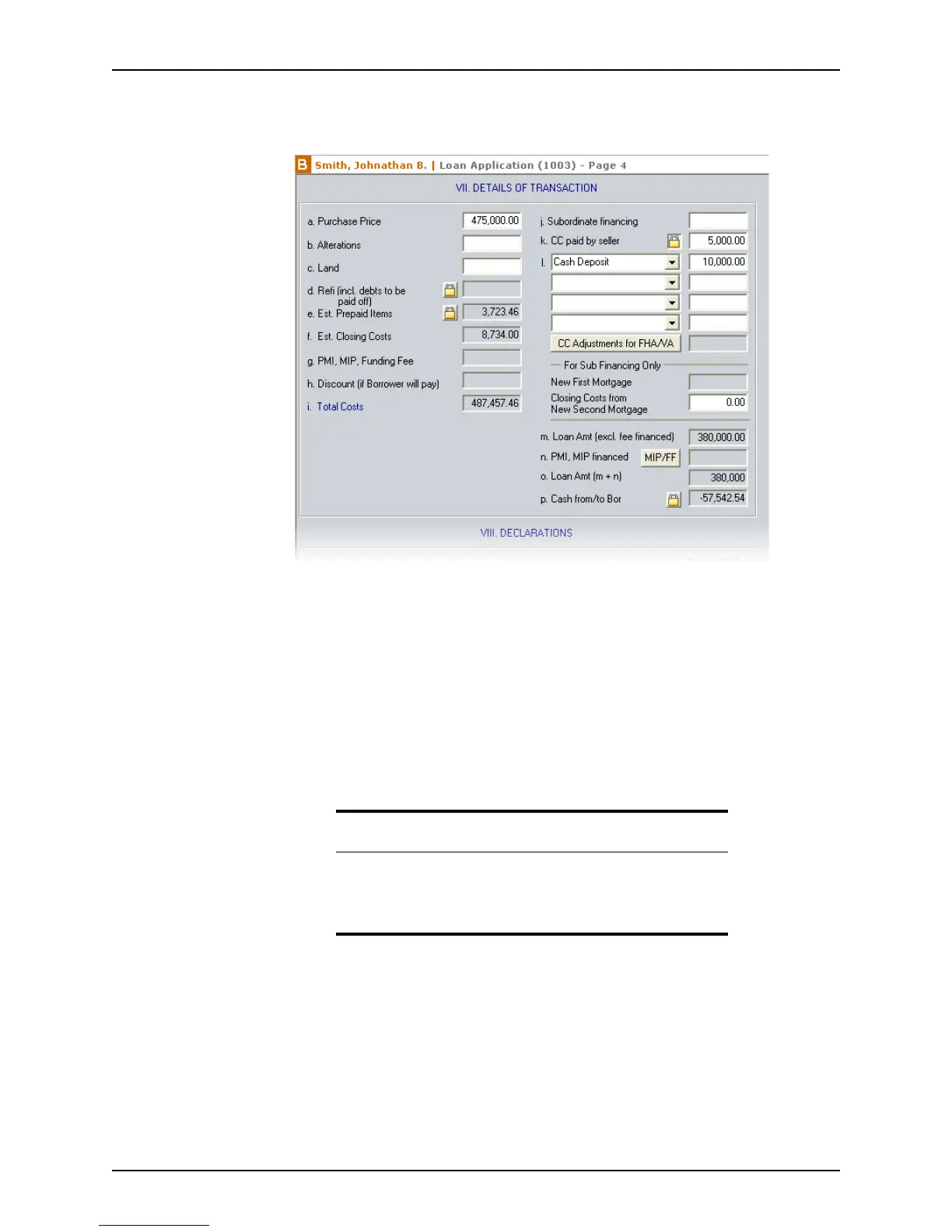
To complete the transaction summary:
1 Open page 4 of the
Loan Application and go to Section VII. Details of Transaction.
Most of the fields are already populated from information that was previously entered
in other screens.
2 Enter any additional information or make adjustments as needed.
3 If the loan is an FHA or VA loan, click the CC Adjustments for FHA button to open the
FHA: Additional Itemized Closing Costs dialog box.
Allowable adjustments that were entered in the FHA loan screens are automatically
populated in this dialog. Make any adjustments to these amounts if necessary.
4 If the
PMI,MIP financed field is not already populated, click the MIP/FF button to open
the
Mortgage Insurance Premium/Funding Fee dialog box to calculate the
mortgage insurance that will be added to the loan amount.
Entering declarations
The borrower and co-borrower are required to complete the Declarations section to
ensure that they meet certain eligibility requirements to receive the loan.
Related information
• For information about calculating mortgage payments, refer to
Calculating mortgage insurance, on page170.
• Refer to Chapter 7, FHA and VA loans, for information about
entering closing cost adjustments for FHA loans.



 To Next Page