110 Calyx Software
Loan Application
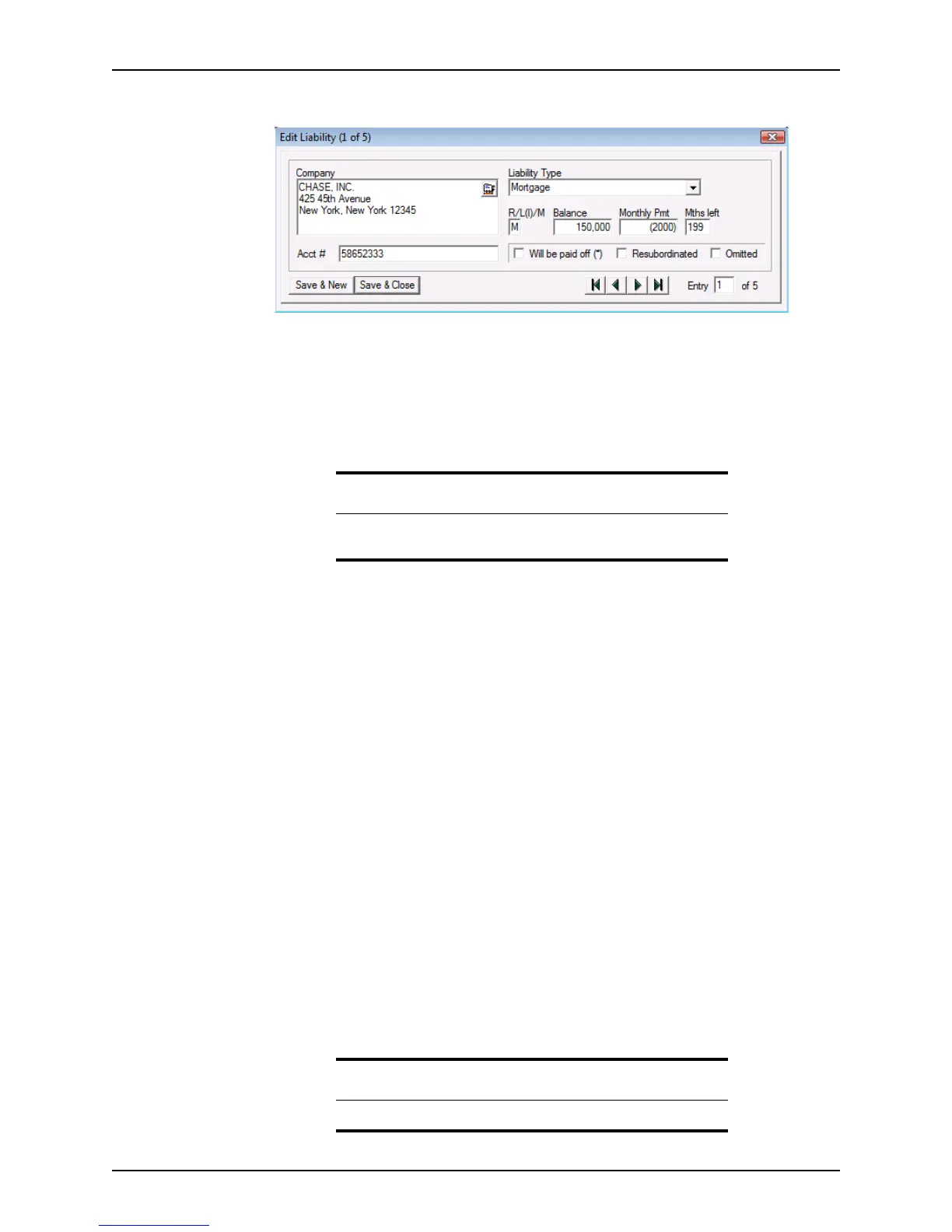
2 Click New to open the Edit Liability dialog box.
Enter the liabilities in the following sequence:
• Mortgages
• Installment loans
• Credit card debts
a Enter the name and address of the creditor, select the liability type from the
dropdown list, and enter the account number.
b Indicate if the debt is for a revolving account (R), an installment loan (I), or a
mortgage (M) in the
R/L(I)/M field.
c Enter the balance, monthly payment, and number of months that remain until the
debt is paid in full.
d Select the
Will be paid off (*) check box to indicate that the debt will be paid at
the close of escrow.
e Check the
Resubordinated check box to indicate if the loan is a refinance of the
first loan on the property and will have first lien position before an existing second
loan on the property.
f Check the
Omitted check box to exclude the liability from the total liabilities.
The entries in the
Balance and MonthlyPmt fields are automatically enclosed in
parenthesis to indicate that they are negative values. Entries marked as
Omitted
are deducted from the total liabilities and payments and are excluded from the
ratios.
To enter multiple liabilities, click Save & New after each entry.
Use the arrow buttons to navigate between entries in the
Edit Liability dialog
box.
g When you are finished entering liabilities, click Save & Close.
Use the Insert, Edit, and Delete buttons to add, change, or remove entries. Use
the Move Up and Move Dn buttons to move entries up or down in the list.
Attention
Lenders often require that child care be included in this section, because
the cost of the care is included as a part of the borrower’s debt ratio.
Note
The liabilities list can contain a maximum of 200 liabilities.



 To Next Page