54 Calyx Software
Utilities configuration
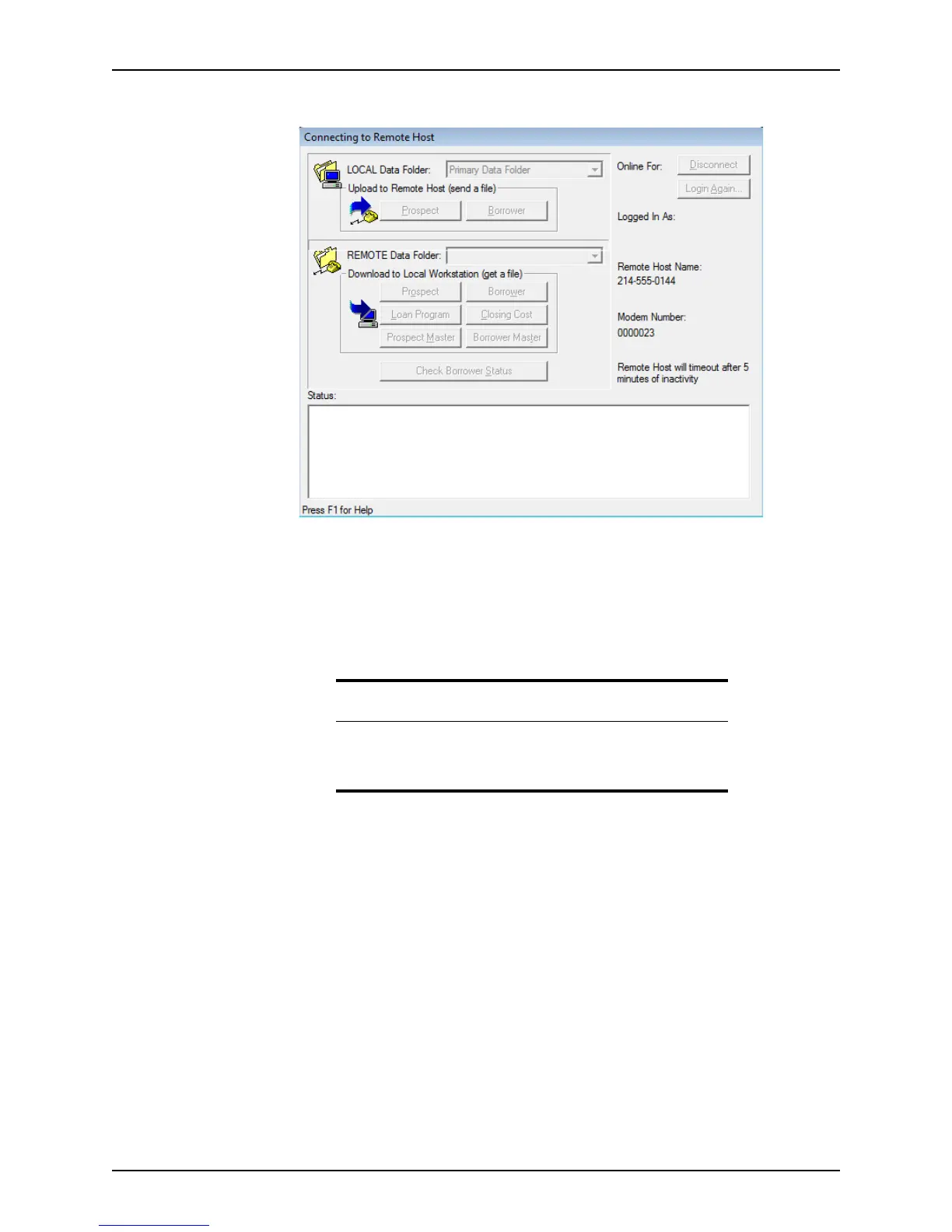
The Connecting to Remote Host dialog box is displayed.
If any of the data folders of the computer in Host mode have security activated, you
are prompted for a user ID and password.
6 Enter your user ID and password to access the protected data folders.
7 If the values in either the LOCAL Data Folder
dropdown list (the data folder from which
you are sending the file), or the REMOTE Data Folder
dropdown list (the data folder to
which you are sending the file) are incorrect, select the correct data folders.
8 In the
Download to Local Workstation (get a file) section, click Prospect or Borrower
to access the type of file to send.
9 Enter the complete file name. The file extension is not necessary.
10 Click Select All If you are downloading template files (such as a loan program or
closing cost scenario).
This option is useful if your main office wants to update all agents or branch offices
with consistent information. You can also choose to Replace All existing template
files.
11 Click OK to continue.
The
Data Transfer Status dialog box narrates the modem transfer.
12 To initiate another transmission, repeat the process. Otherwise, click Disconnect.
Attention
If neither computer contains multiple data folders, you can accept the
Primary Data Folder default.
Rebuilding the file lists is not necessary.



 To Next Page