Point User Guide 99
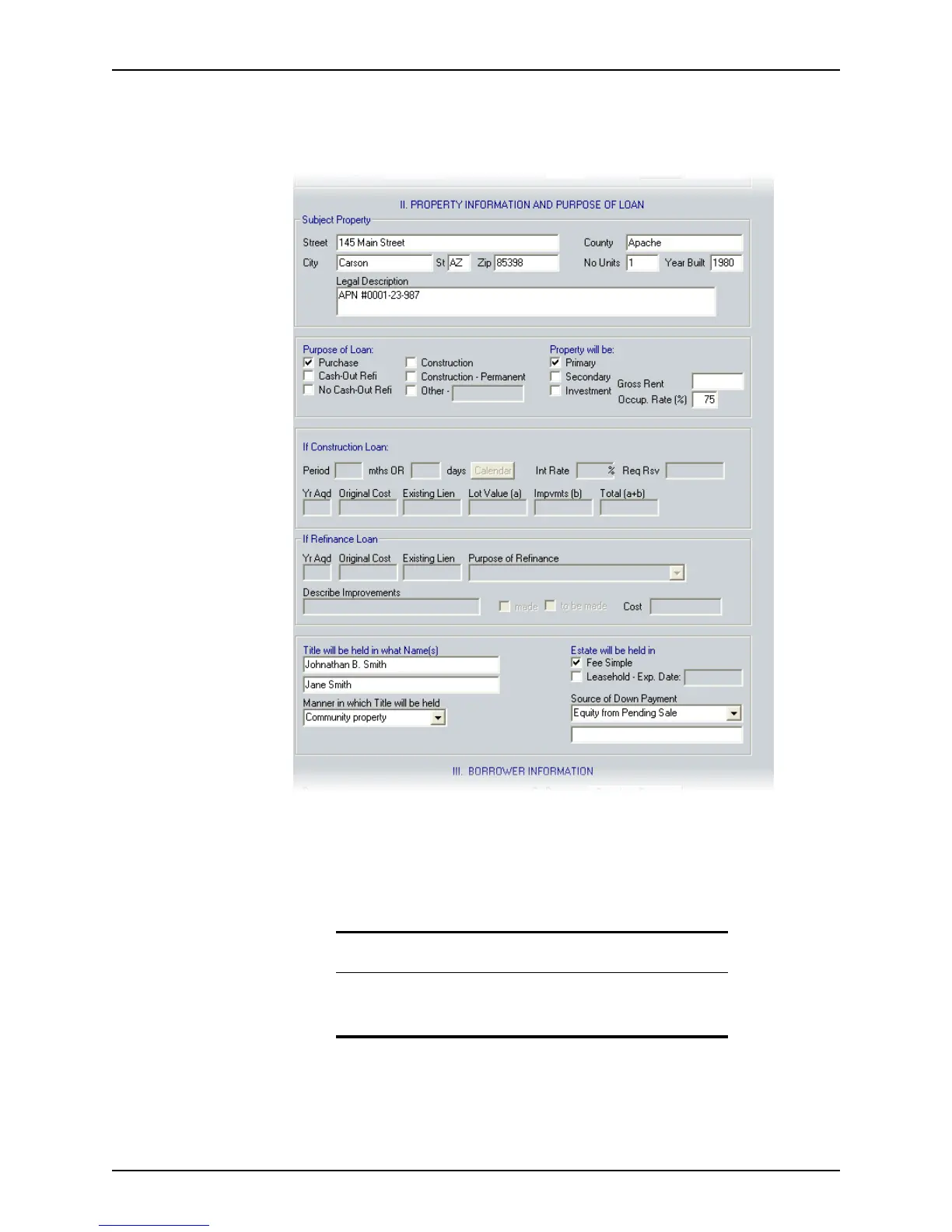
Entering property information and loan purpose
To enter property information and the loan purpose:
1 Open page 1 of the
Loan Application and go to Section II. Property Information
and Purpose of Loan
.
2 Enter the legal description of the property. If you use a master file, enter
See Preliminary
Title Report
in this field in the master file.
3 If the loan is a construction loan, complete the
If Construction Loan section.
If one of the construction options was not selected for the
Purpose of Loan, these
fields are disabled.
4 If the loan is a refinance of an existing loan, complete the
If Refinance Loan section.
If one of the refinance options was not selected for the
Purpose of Loan, these fields
are disabled.
Note
If the Cash-Out Refi, No Cash-Out Refi, Construction, or Construction-
Permanent
check boxes are selected, the corresponding sections in the
Loan Application become enabled.



 To Next Page