Point User Guide 135
Disclosures
If this information was entered in the ARM Disclosure (Initial) screen, it is
automatically populated. If this information is entered or changed in the
Truth-in-
Lending
screen, the ARM Disclosure (Initial) screen is automatically populated.
11 If the loan is a negative amortization loan, complete the
Payment Adjustments
section.
If this information was entered in the
ARM Disclosure (Initial) screen, it is
automatically populated. If this information is entered or changed in the
Truth-in-
Lending
screen, the ARM Disclosure (Initial) screen is automatically populated.
Select the
Calculate Qual Ratios at the Max Adjusted Loan Balance check box to
calculate the debt-to-income ratios on the amount in the
MaxBalance field.
12 In the
Buydown Mortgage section, enter the buydown rate percentage (not the rate
after buydown) and complete the
Term(mths)field.
13 In the
Graduated Payment Mortgage (GPM) section, enter the number of years and
the rate. The initial GPM payment is lower but will increase for a set period of time and
eventually level off when the payments are enough for the mortgage to fully amortize.
14 Complete the
Mortgage Insurance section.
Consult your lender or investor with questions regarding Required Deposit, Demand
Deposit, Variable Rate feature, and other check boxes.
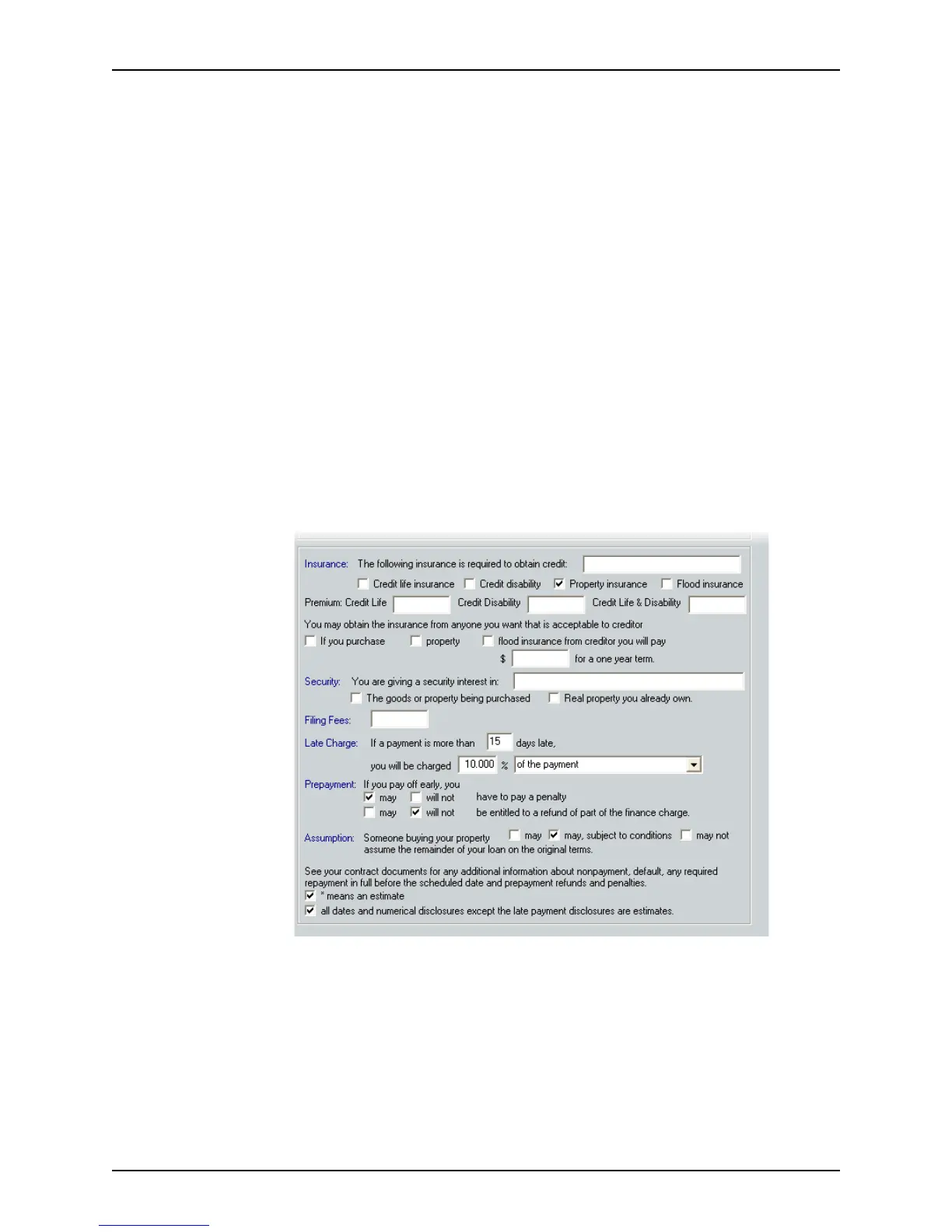
15 Complete the lower section of the
Truth-In-Lending screen.
The bottom half of the disclosure is used to outline the general loan terms.



 To Next Page