Point User Guide 149
Disclosures
c Click Calculate to populate the payment scenarios.
d To override the values that were automatically calculated for the proposed loan
fields, click the lock box in the
ProposedLoan column.
i Calculate the minimum monthly payment for the first five years of the loan and
enter the value in the corresponding proposed loan field.
ii Calculate the monthly payment in the sixth year of the loan, with no rate
change, and enter the value in the corresponding proposed loan field.
iii Calculate the minimum monthly payment and enter the value in the
corresponding proposed loan field.
e Manually calculate and enter the proposed loan payments for the following
scenarios:
i Calculate the monthly payment in the sixth year of the loan, with a 2% rate
increase, and enter the value in the corresponding field.
ii Calculate the monthly payment in the sixth year of the loan, with a 5% rate
increase, and enter the value in the corresponding field.
f If any scenarios require additional information, enter an explanation in the
Explanation field.
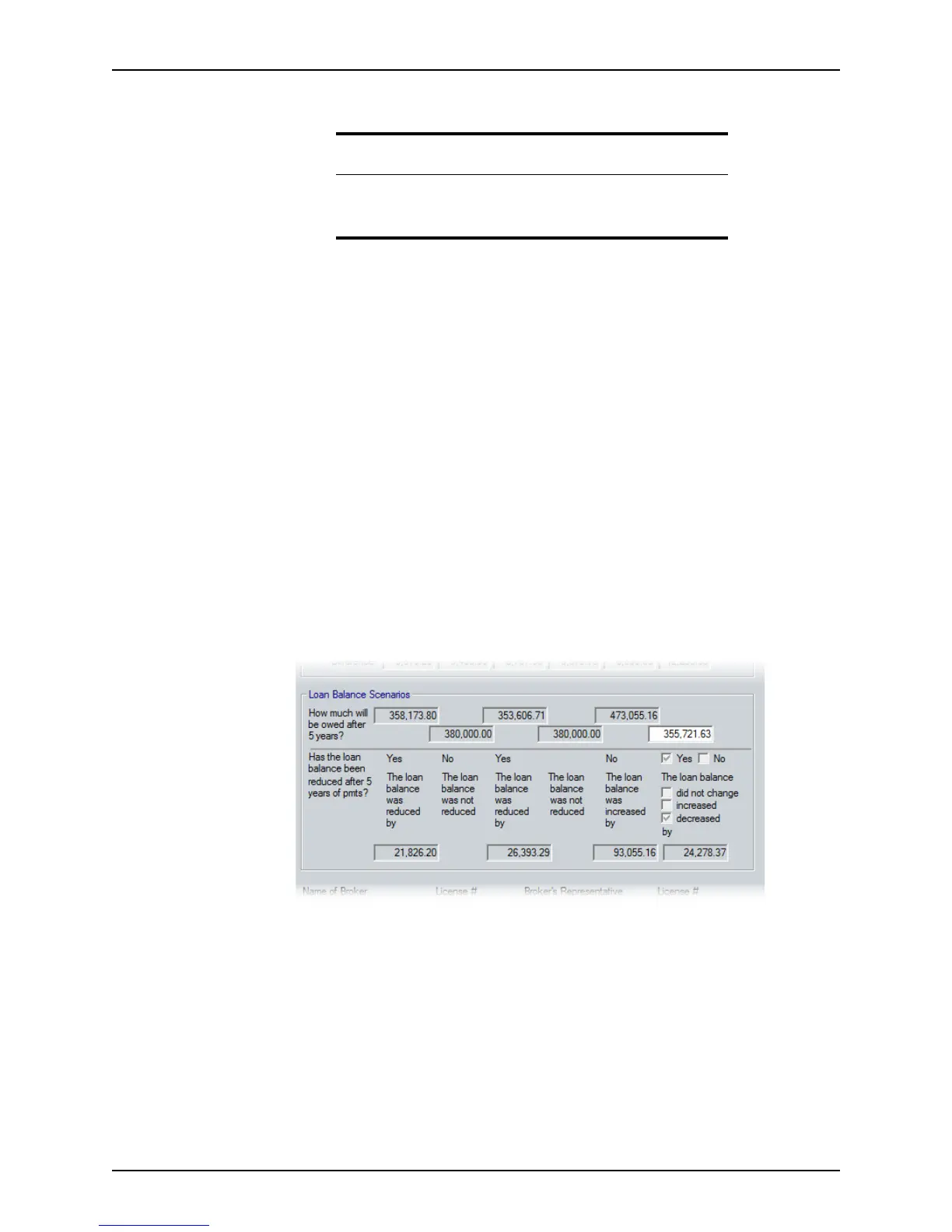
11 Complete the
Loan Balance Scenarios section.
The
Loan Balance Scenarios section shows how much the loan balance increased or
decreased for each scenario after five years.
To override the value for the proposed loan, click the lock box to enable the field and
enter the new value.
Requirement
The LoanAmount, Interes tRat e, and Term fields must be completed
before you click Calculate; otherwise an error will occur during the
calculation.



 To Next Page