158 Calyx Software
Disclosures and other forms
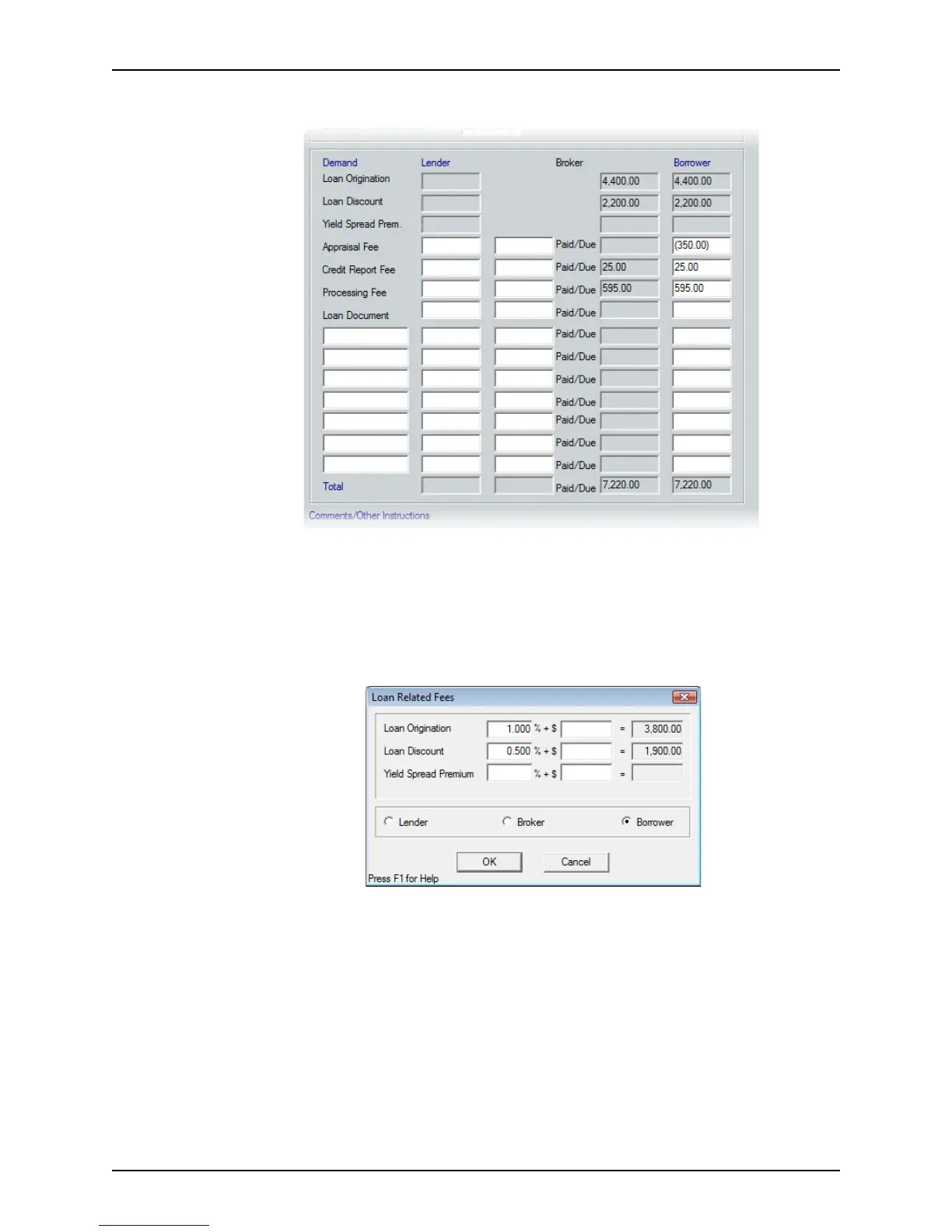
5 Complete the Demand section.
This section of the
Loan Submission Sheet screen is used to record certain loan-
related fees. When you enter the fees due to the lender or broker that are paid by the
borrower or broker, Point calculates the fees due to the broker.
To record fees already paid to the broker:
a Click the Loan Demands button at the bottom of the workspace to open the
Loan
Related Fees
dialog box.
b Select
Borrower and enter the amount the borrower must pay (some of this
information is populated from the
Good Faith Estimate).
c Click OK.
d Click the Loan Demands button again.
e In the
Loan Related Fees dialog box, select Lender, enter the fees that the
lender will receive and click OK.
f Enter any additional fees due to the lender, such as Appraisal Fee or Credit
Reporting Fee, in the Lender column on the
Loan Submission Sheet.
g Enter any fees already paid by the borrower to the broker in the fields to the left of
the Broker column and to the right of the
Paid/Due fields.



 To Next Page