174 Calyx Software
FHA and VA loans
The following table shows how Point calculates the maximum loan-to-value based on
whether the property is located in a low or high cost closing state:
If the seller is paying the entire amount of closing costs for the borrower, do not click
the Max Loan button for an FHA loan. The borrower must contribute a 3% down
payment, which you must enter in the
Borrower Information screen.
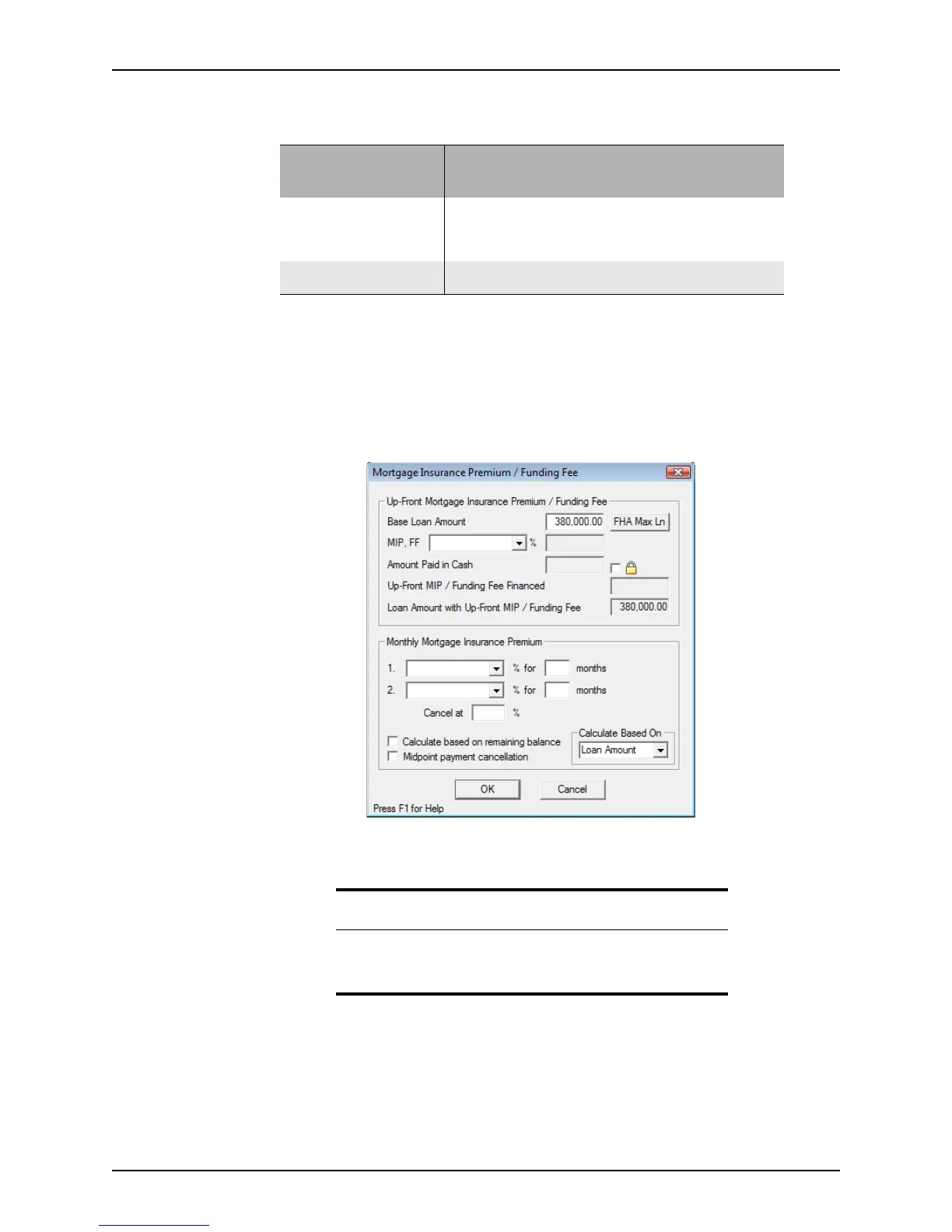
3 Click the Mtg Insurance button to complete the mortgage insurance requirement for
the FHA loan.
The
Mortgage Insurance Premium/Funding Fee dialog box is displayed.
a Click FHA Max Ln next to the
BaseLoanAmount field (unless the seller is paying
all of the borrower’s closing costs).
A message is displayed that shows the maximum loan amount.
b Click Yes in response to the prompt to copy the maximum loan amount to the
Loan
Amount
field in the Borrower Information screen.
c Enter the up-front mortgage insurance premium in the
MIP,FF field or select a
predefined value from the dropdown list.
If the lesser of the appraised value or sales price is:
Closing state Less than $50,000
Between $50,000
and $125,000
More than
$125,000
Low cost
AZ, CA, CO, GU, ID, IL, IN,
NM, NV, OR, UT, VI, WA, WI,
WY
98.75% 97.65% 97.15%
High cost
All other states
98.75% 97.75% n/a
Requirement
The FHA Max Ln button is enabled only when both the FHA and
Purchase check boxes are selected in the Loan Type and Purpose of
Loan
sections on the Borrower Information screen.



 To Next Page