198 Calyx Software
Verifications
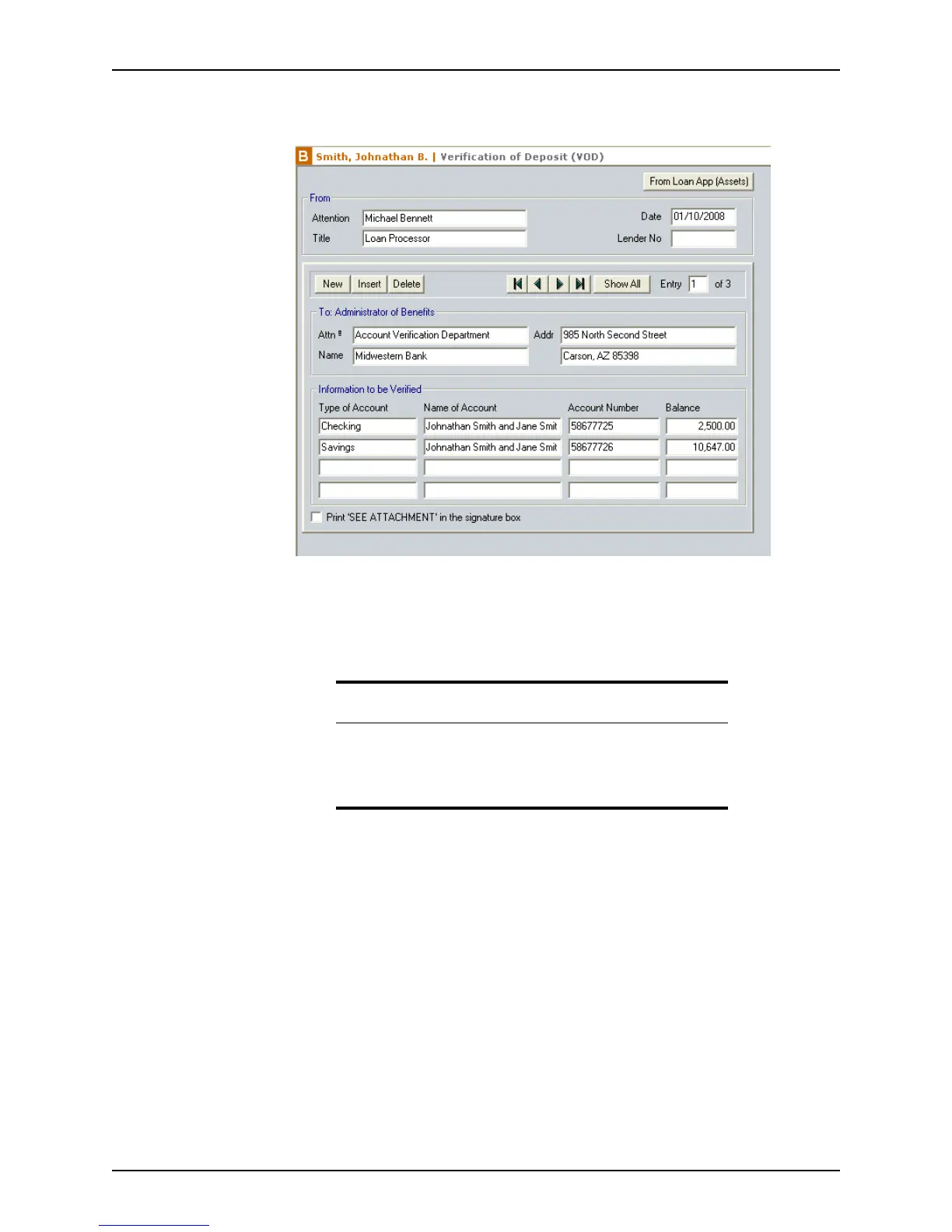
The following screen is an example of a completed Verification of Deposit (VOD)
form.
The top of the form contains the From Loan App button. Click this button to import the
information from the section in the
Loan Application that corresponds to the
verification form. With the exception of the
Verification of Benefits (VOB) form, all
verification forms include a From Loan App button to import the applicable data from
the
Loan Application.
In addition to the From Loan App button, the
Verification of Employment (VOE)
screen also contains buttons to request an employment verification (Request VOE/
VOI), view the employment verification report (View Report), and populate the
employment information from the verification report (Populate Employment).
The
From section contains fields for the name of the person who is requesting the
verification (
Attention field), their title, the lender number, and the current date. When
the
Attention field is selected, it is automatically populated with the name of the loan
processor that was entered in the
Borrower Information screen. When the Date
field is selected, it is automatically populated with the current date.
3 If the information is not prepopulated, enter the
Title and LenderNo in the From
section.
4 To import information from the
Loan Application, click the From Loan App (Assets)
button.
Caution
Entering data by importing it from the Loan Application replaces all
existing information in the verification form.
To prevent loss of data, import information by using the From Loan App
button before you enter any information manually.



 To Next Page