Point User Guide 211
Electronic document storage
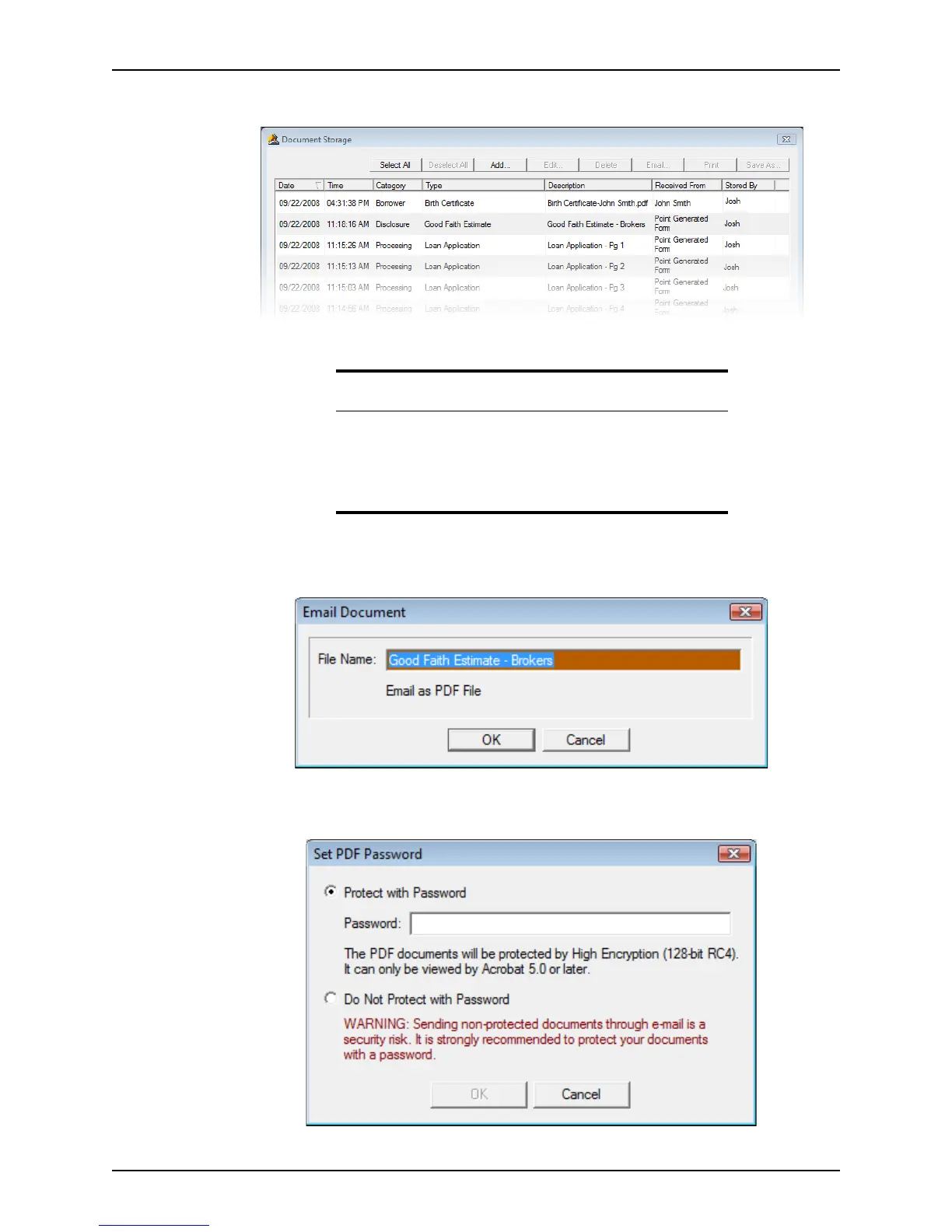
2 Select eLoanFile > Document Storage to access the Documents dialog box.
3 Select the files that you want to e-mail.
4 Click Email....
The
Email Document dialog box is displayed.
5 Edit the file name if needed, and click OK.
The
Set PDF Password dialog box is displayed.
Tip
To select multiple files, hold the Ctrl key as you select the individual files.
To select multiple consecutive files, hold the Shift key as you select the
first and last files.
To select all of the files, click Select All. To un-select all the selected files,
click Deselect All.



 To Next Page