222 Calyx Software
Loan tracking
populated when the Underwriting screen is completed. The Credit Scores section is
automatically populated when credit is requested through the Point Services interface.
The
Borrower Type section is populated from the Declarations section in the Loan
Application
.
3 Select the business channel from the Business Channel dropdown list.
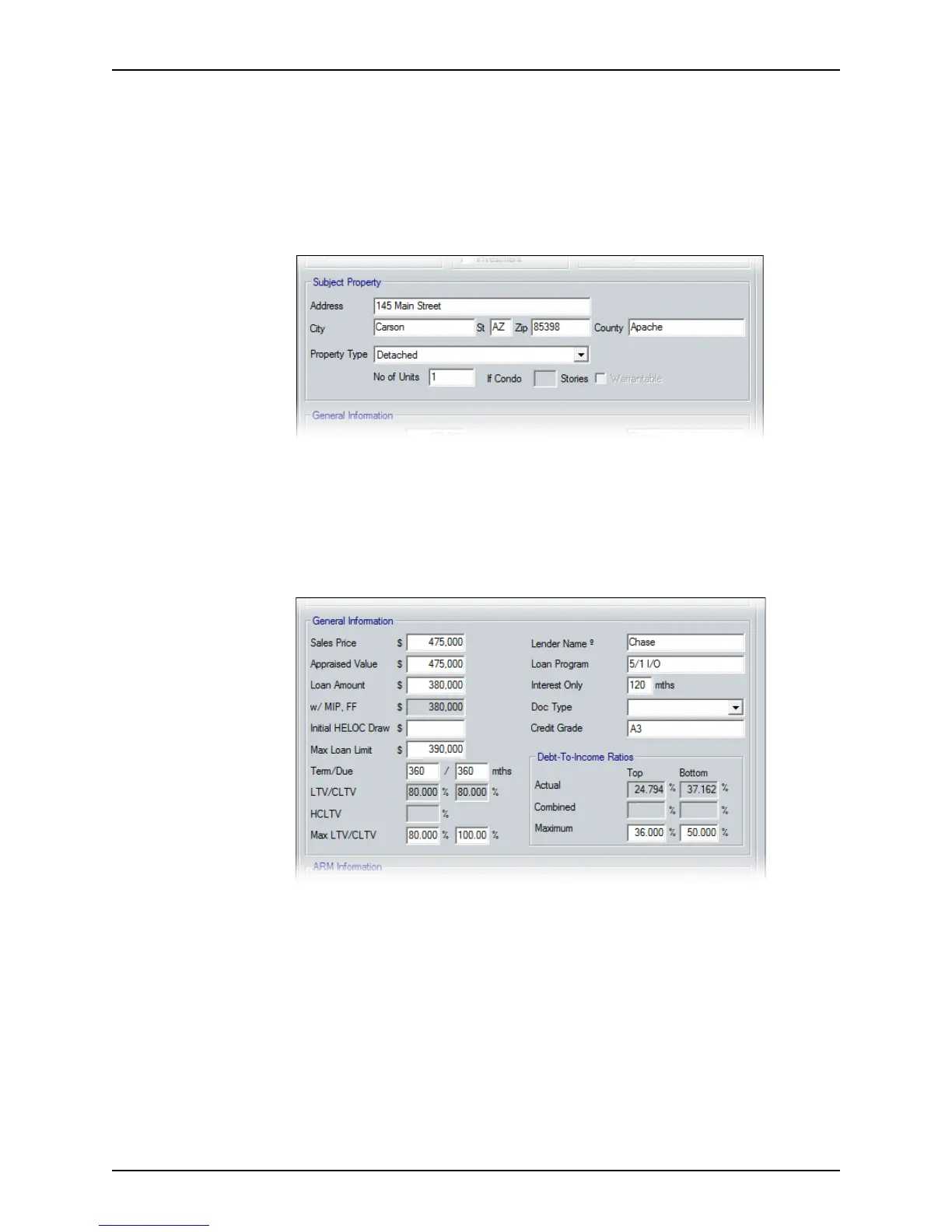
4 Select the type of property from the Property Type dropdown list in the
Subject
Property
section.
The subject property address is automatically populated from information that was
entered in the
Borrower Information screen.
If you select one of the condominium property type options, specify the number of
stories in the dwelling. If the condominium complex is on the Fannie Mae approved
list, select the
Warrantable Condo check box.
5 Complete the
General Information section.
a If the loan is for a home equity line, enter the initial draw amount in the Initial
HELOCDraw
field.
b Complete the
LenderName field.
• If you are requesting a lock from a wholesale lender, enter the wholesale
lender’s name.
• If you are requesting a lock from your own secondary marketing department,
enter your company name, or use the Cardex database to populate these
fields.
c Select the documentation type from the Doc Type dropdown list.
d Enter the
CreditGrade.



 To Next Page