224 Calyx Software
Loan tracking
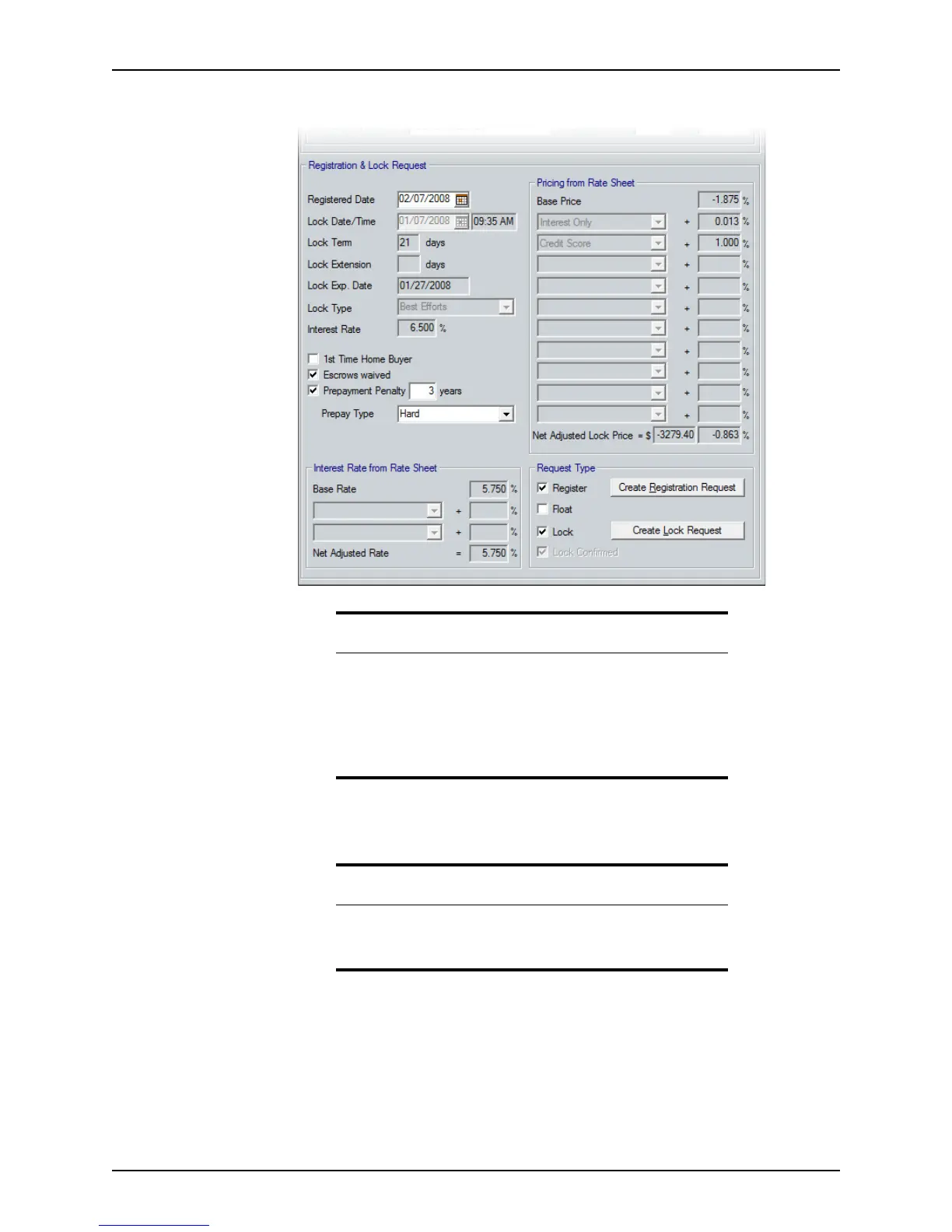
8 Complete the Registration and Lock Request section.
The
RegistrationDate field is automatically populated with the current date when the
Register check box in the Request Type section is selected.
a Enter the date and time of the lock request in the
LockDate/Time fields.
b Enter the term of the lock, in days, in the
LockTerm field.
The
LockExpDate field is calculated by Point based on lock term value.
c Enter the number of days that the lock is extended in the
LockExtension field.
d Select the type, Best Efforts or Mandatory, from the Lock Type dropdown list.
Prerequisite
A default set of adjustment type values for the dropdown lists in the
Registration & Lock Request section is included with Point. These values
do not display in the lists the first time this screen is accessed. To
populate the lists, exit the screen, open the
Dropdown List:
Adjustment Type
dialog box (Utilities > Dropdown Lists >
Adjustment Type), and click OK to close it. Return to the
Registration
& Rate Lock
screen. The lists are now populated.
Note
The LockDate/Time, LockTerm, LockExtension, and InterestRate
fields and the
Pricing From Rate Sheet and Interest Rate from Rate
Sheet
sections are disabled if the Lock check box is selected.



 To Next Page