Point User Guide 259
Funding loans
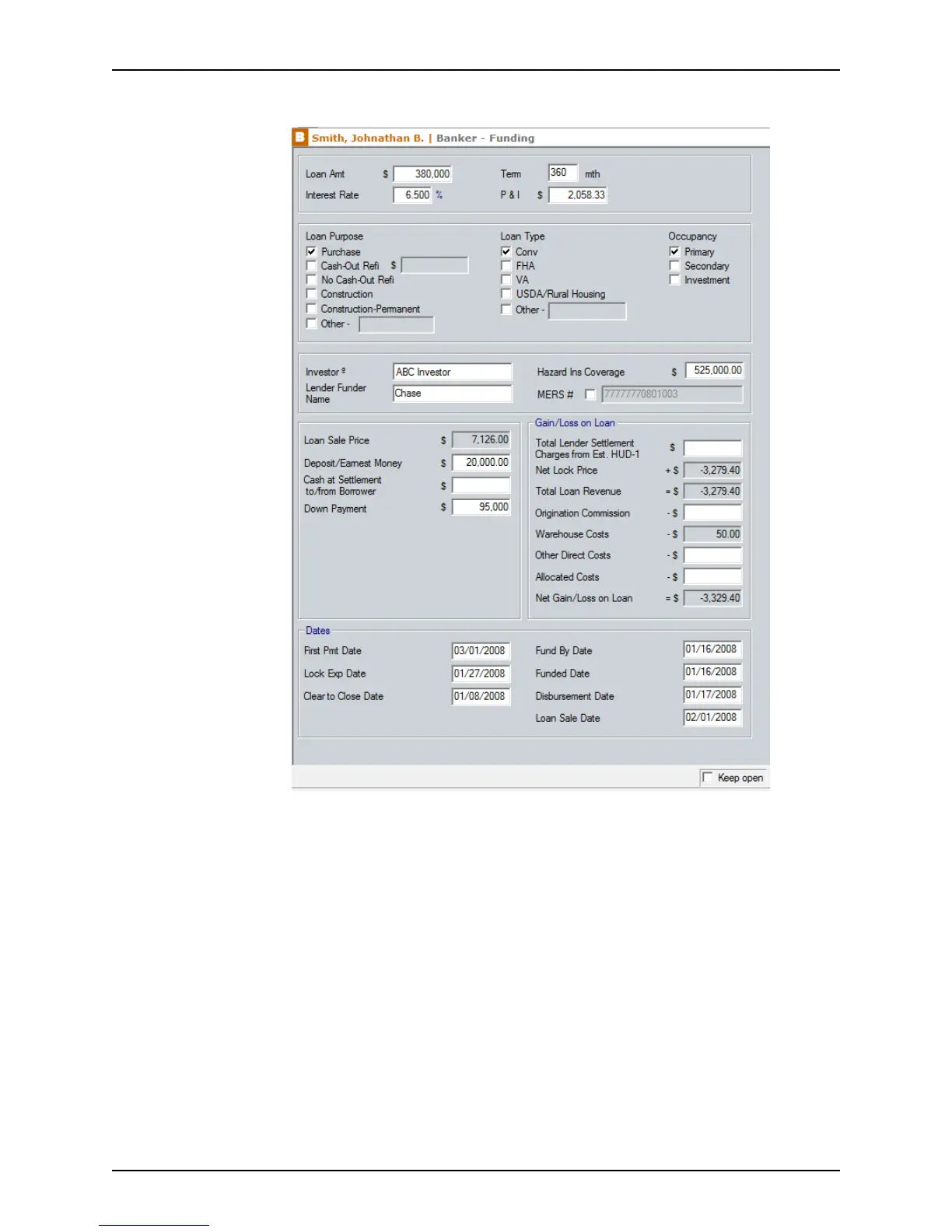
2 Select Banker > Funding.
The
LoanAmt, InterestRate, Term, P&I, LoanPurpose, LoanType, and Occupancy
fields are populated from other screens when that information is previously entered.
3 If not prepopulated, complete the
Investor, HazardInsCoverage, and LenderFunder
Name
fields.
To override the automatically generated value in the
MERS# field, select the check
box and enter the MERS # manually.
4 Complete the
Loan Sale section.
a If not prepopulated, enter the
LoanSalePrice.
b Enter the amount of money to be collected from the borrower in the
Deposit/
EarnestMoney
field.
c Enter the dollar amount of cash that the borrower is to pay or will receive when the
loan closes in the
CashatSettlementto/fromBorrower field.
Enter an amount that the borrower must pay as a negative value.



 To Next Page