Point User Guide 269
Tracking loan sale responsibilities
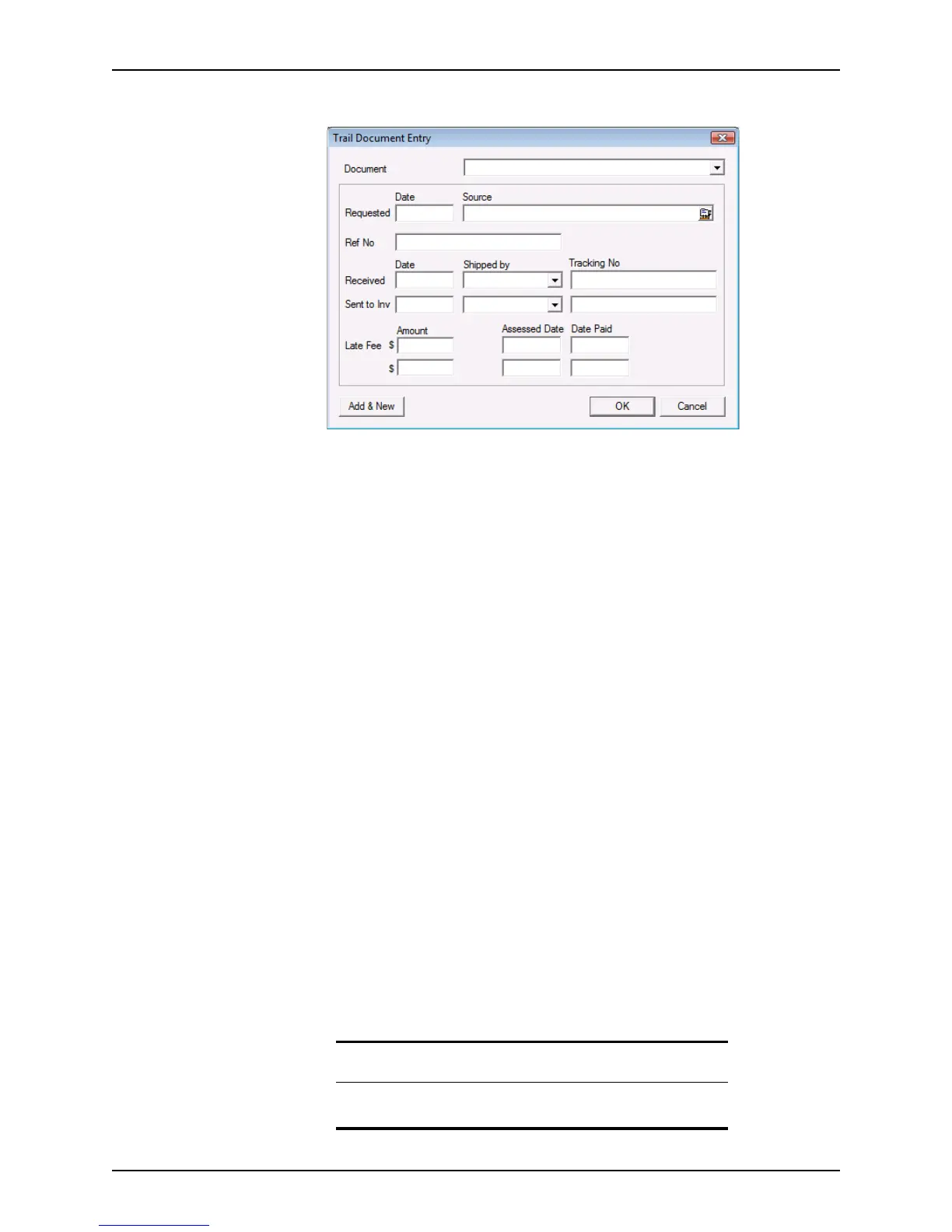
The Trail Document Entry dialog box is displayed.
b Select a document to track from the Document dropdown list.
c Enter the date the document was requested and who made the request. Click the
Cardex icon to use the Cardex database to populate the
Source field.
d Enter the document reference number in the
RefNo field.
e Enter the date the requested document was received, select the shipping vendor
or method that was used to send the document to the requestor from the Shipped
by dropdown list, and enter the shipment tracking number.
f Enter the date the document was sent to the investor, select the shipping vendor
or method that was used to send the document from the Shipped by dropdown list,
and enter the shipment tracking number.
g Enter the amount of the late fee charged to the lender for late or non-delivery of
the requested document, the date when the fee was assessed, and the date the
fee was paid.
h To add multiple documents, click Add & New. When you have finished adding
documents, click OK.
3 To insert a trail document, select an existing document on the list and click Insert.
The
Trail Document Entry dialog box is displayed.
Complete the dialog box as described in Step 2.
The new entry is inserted above the entry that was selected when Insert was clicked.
4 To edit a trail document, select the document to edit and click Edit to open the
Trail
Document Entry
dialog box.
Edit the entries and click OK.
5 To delete a document, select the document to delete and click Delete.
6 To change the sequence of the documents, select a document and click the Up or
Down button to move the document up or down in the list.
Related information
Refer to Chapter 19, Contact management (Cardex), for information
about using the Cardex database.



 To Next Page