Point User Guide 271
Supplementary screens
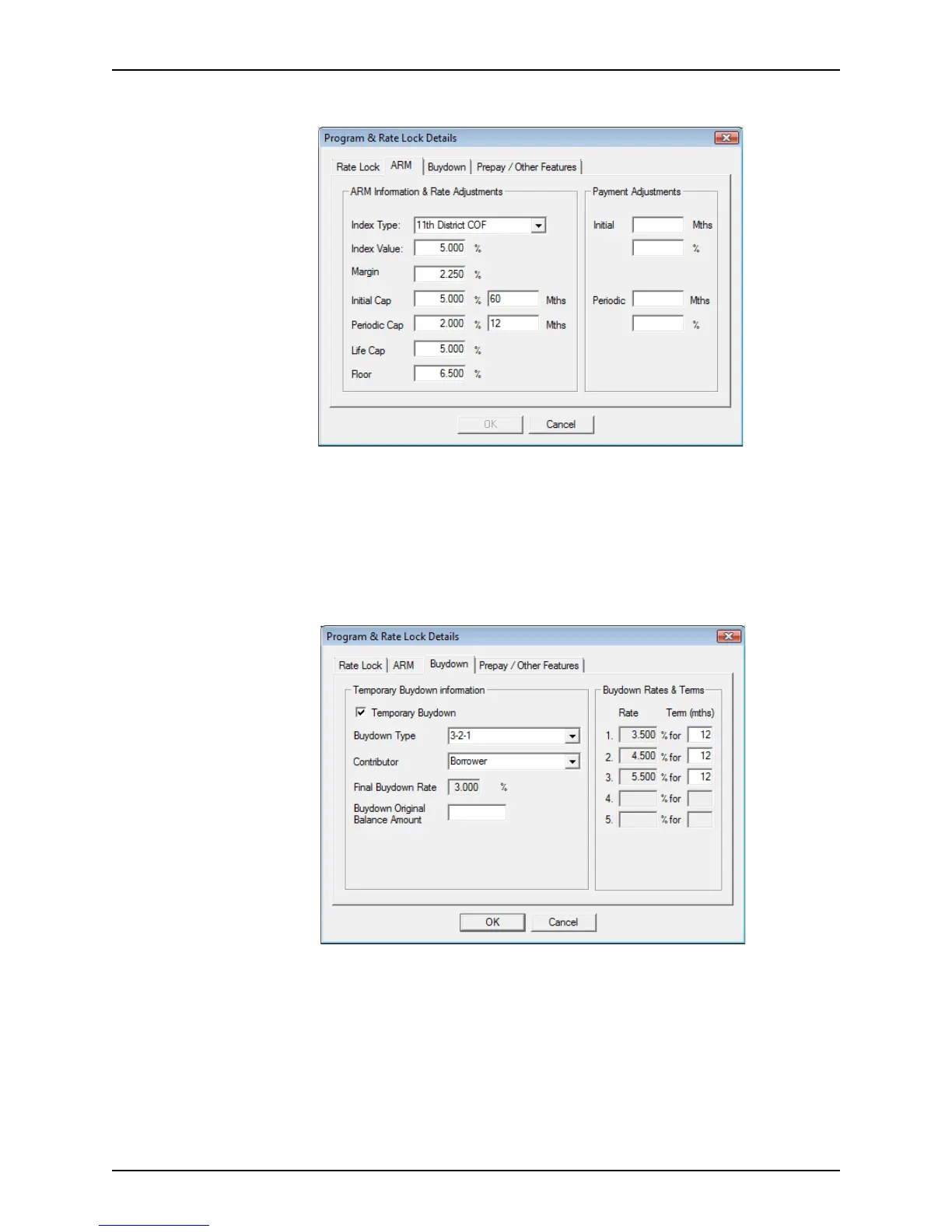
2 Select the ARM tab to view the ARM information and rate adjustments.
If the loan rate is adjustable, the ARM tab contains information about the rate and
payment adjustments for the loan.
The information on this tab corresponds to the
Rate Adjustments and Payment
Adjustment
sections on the Truth-In-Lending screen and is populated in the
corresponding ARM fields throughout the loan file.
3 Edit the rate and payment information as needed.
4 Click the Buydown tab to view the temporary buydown information, rates, and terms.
The Buydown tab contains information about the buydown rate and terms.
a If the buydown is temporary, select the
Temporary Buydown check box.
b Select the Buydown Type.
The
Buydown Rates & Terms section is populated based on the selected
Buydown Type option. This information is also populated in the
Buydown Mortgage
section on the
Truth-In-Lending screen.
c Select the buydown Contributor from the dropdown list.
d Enter the length of the term, in months, for each buydown rate.



 To Next Page