276 Calyx Software
Banker functions
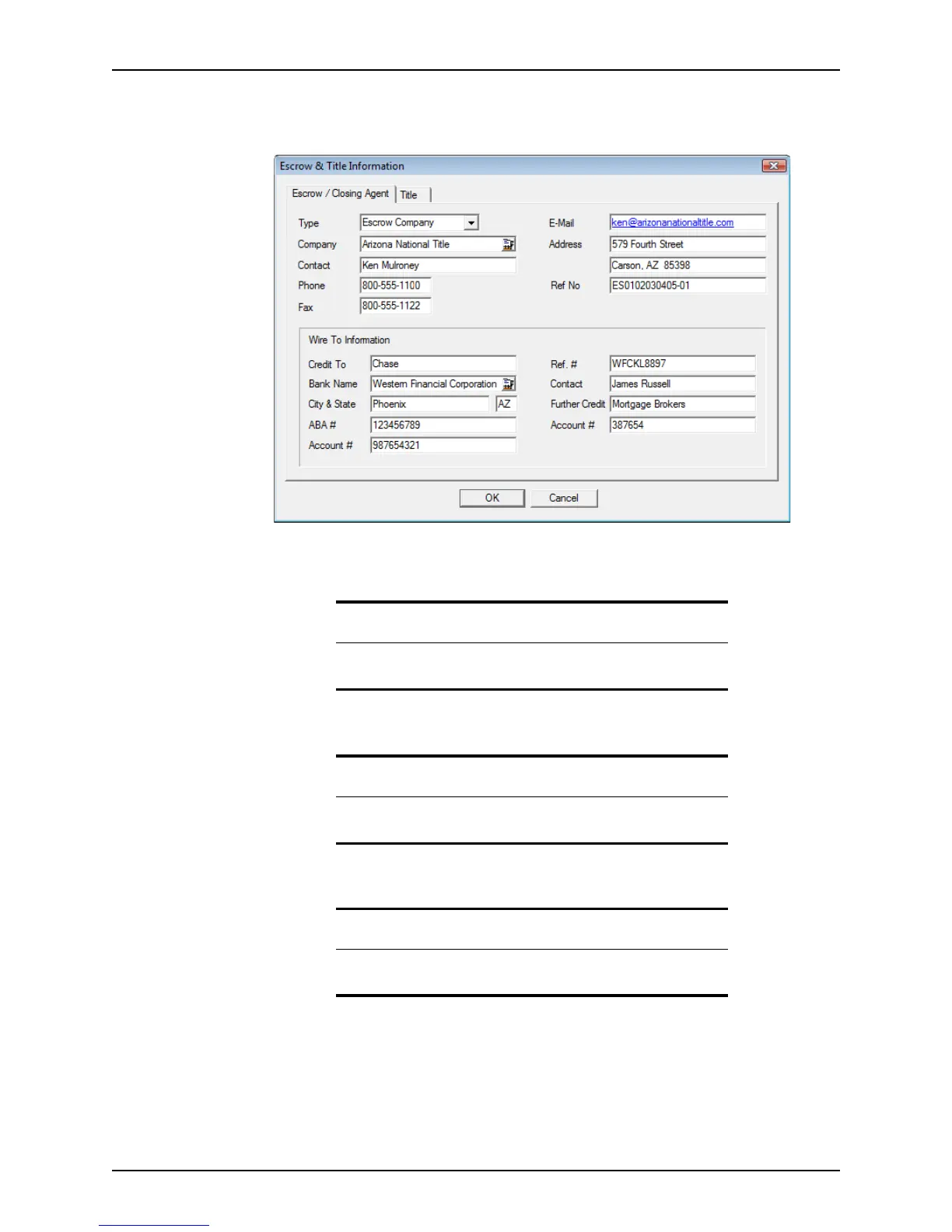
To access the Escrow & Title Information dialog box:
1 Click the Escrow & Title button to open the
Escrow & Title Information dialog box.
2 Select the type of entity that is handling the loan escrow from the Type dropdown list.
3 Enter the company and contact information.
4 Enter the reference number in the
RefNo field.
5 Enter the information for the company that is to receive the wire transfer.
6 Complete the
ABA#, Acco unt#, Ref.#, FurtherCredit, and Account# fields and click
OK.
Tip
You can enter the company information manually or use the Cardex
database to populate these fields.
Tip
Some of this information is automatically populated if escrow and title
were requested through the Point Services interface.
Tip
You can use the Cardex database to populate the company information
fields, or you can enter the information manually.



 To Next Page