282 Calyx Software
Loan scenarios
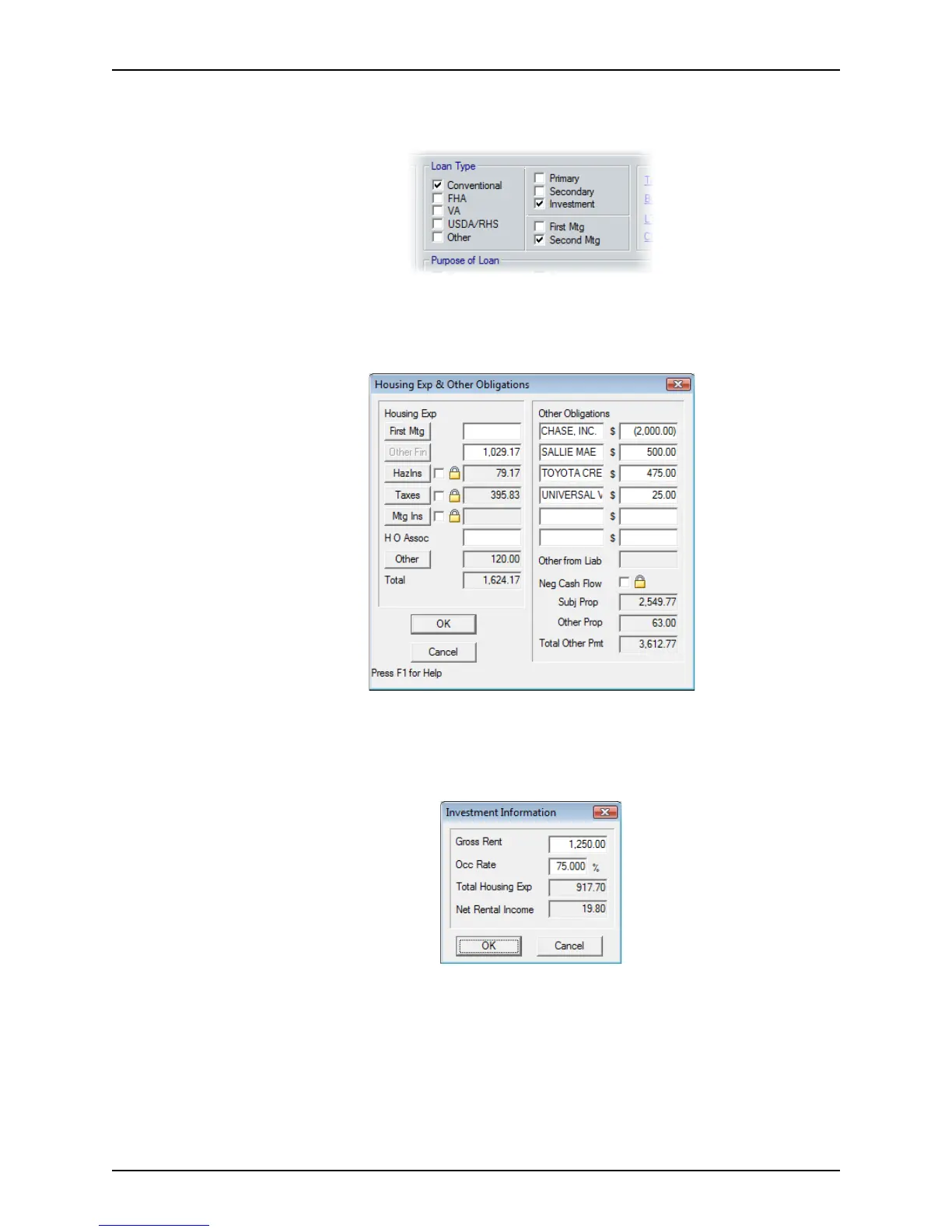
2 In the Borrower Information screen, select Investment as the property type and
Second Mtg as the lien position.
3 Complete the
ApprVal,LoanAmt, NoteRate, and Term/Due fields.
4 Click HE & Oblig.
The
Housing Exp & Other Obligations dialog box is displayed.
5 In the
FirstMtg field, enter the first mortgage payment amount. The amount of the
second should already be in the
OtherFin field. Both values are also populated in
other screens that contain these fields.
6 If the loan is for an investment property, click the Investment button.
7 Complete the
GrossRent and OccRate (occupancy rate) fields (the occupancy rate is
usually 75%).
8 Press <Tab> to populate the grayed out fields and click OK.



 To Next Page