288 Calyx Software
Loan scenarios
The value in the LTV field should still be 80%, but the value in the CLTV field should
be 90%.
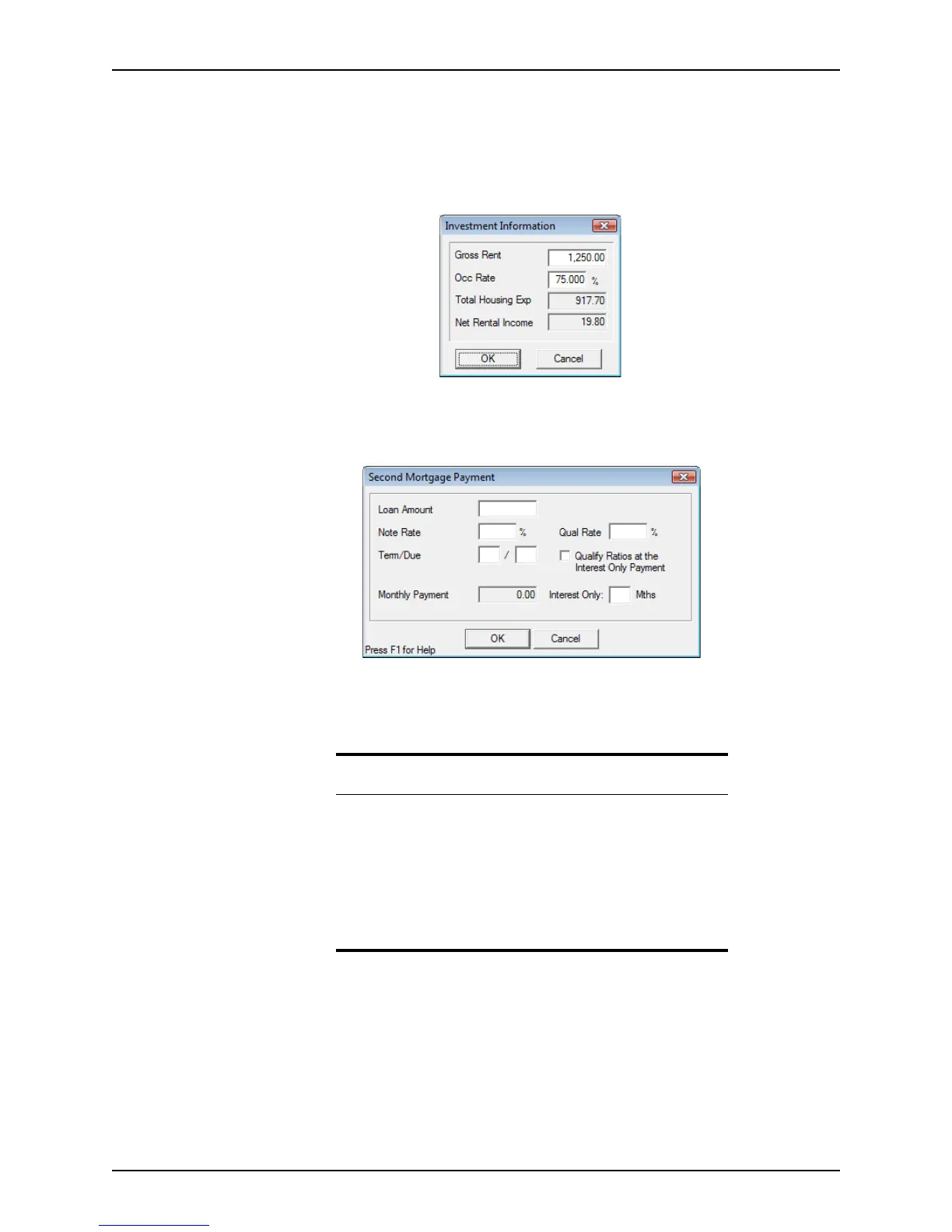
f Click the Investment button to open the
Investment Information dialog box
and enter the amount of rent for the property in the
GrossRent field, 75% in the
OccRate field and click OK.
3 Open page 2 of the
Loan Application and complete the following information:
a Click the Other Fin button in the
Monthly Income and Combined House Expense
Information
section to open the Second Mortgage Payment dialog box
b Enter the
NoteRate, QualRate, and Term/Due for the second mortgage and click
OK
c Complete the hazard insurance, taxes, and mortgage insurance information.
4 Open page 4 of the
Loan Application and verify that the SubordinateFinancing field
(field j) in the
Details of Transaction section contains the second mortgage loan
amount.
5 Open the
Good Faith Estimate and enter the fees for the first loan.
Note
The amount in the TotalHousingExp field represents the Principal,
Interest, Tax and Insurance (PITI) of the subject property.
The amount in the NetRentalIncome field equals the Gross Rent amount
times the Occ Rate, minus the PITI. The Net Rental field displays the net
rental income.
If the net rental income amount is positive, it populates the 1008
Transmittal Summary. If it is negative, it populates the 1008 Transmittal
Summary’s NegCashFlow box.



 To Next Page