Point User Guide 301
Services
To request a service:
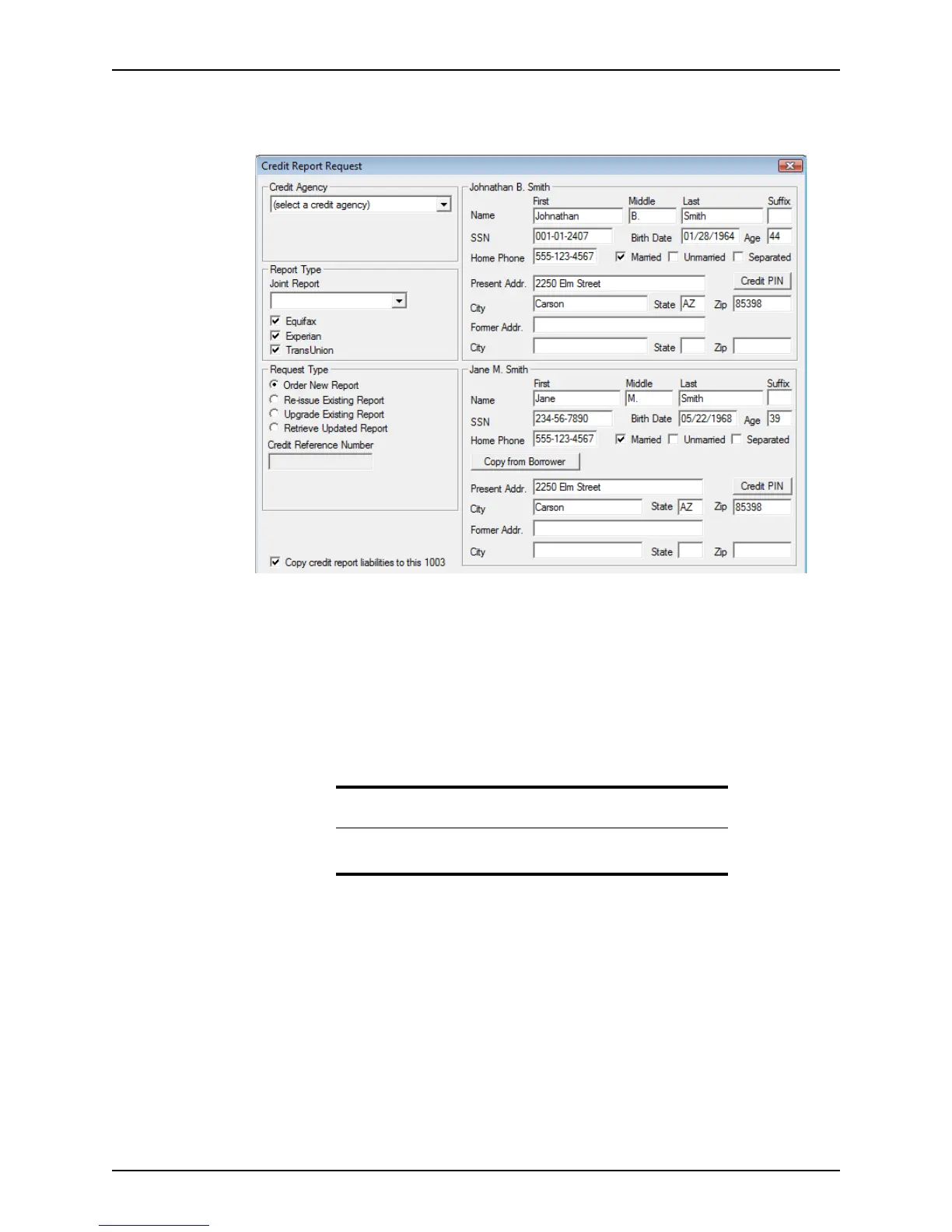
1 Select Services > Credit Reports > Request Credit.
A typical request dialog box contains fields on the left to specify a provider; report,
quote, or product type; request type; requestor information; and reference number. In
addition to the standard information, information that is specific to the service being
requested is also included.
The right side of the dialog box is typically used to supply loan information such as
borrower name and address, property type and address, loan purpose, lender
information, and other relevant information for the type of request.
2 Select the agency that you want to provide the service from the dropdown list. In this
case, select the name of credit agency to use for the loan.
The vendor telephone number and web page links are provided if you need to contact
them for additional information or to create or update an account.
If an agency requires an authentication certificate, a link to request a certificate is also
provided.
The
Report Type section is enabled or is populated with the products and services
that the selected company provides.
3 Select the product or service that you want to order.
4 Select the type of request that you are making from the
Request Type section.
Request types can include:
• Place a new order
Tip
Customize your list of providers by using the Enable/Disable Service
utility.



 To Next Page