320 Calyx Software
Integrated products and services
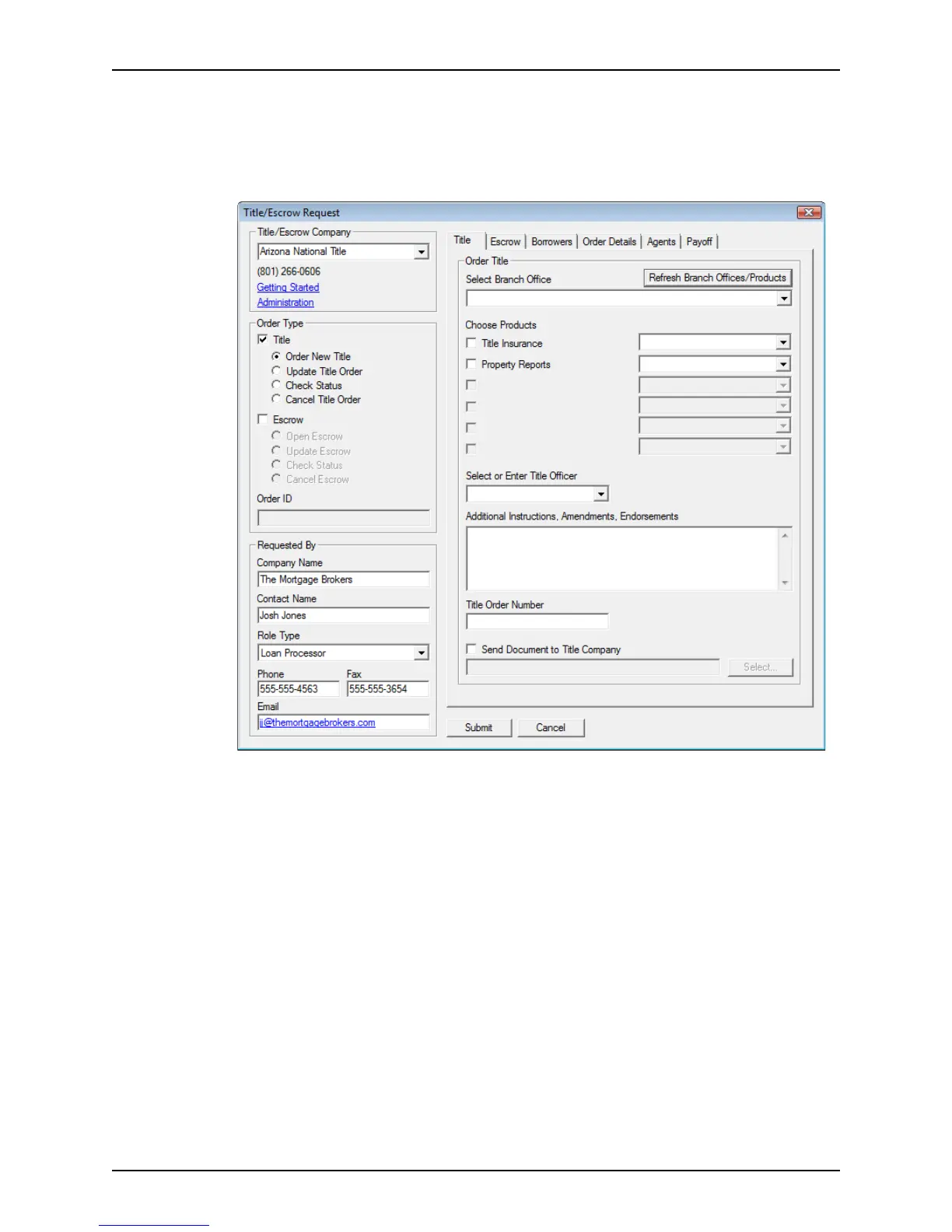
To complete the Title/Escrow Request dialog box:
1 Select Services > Title/Escrow > Request Title/Escrow.
The Title tab contains information needed to order the title report. These fields are
enabled only when the
Title check box is selected.
2 Complete the information in the Title tab.
a Select the company you want to use from the Title/Escrow Company dropdown list.
b Select the
Title check box from the Order Type section.
c Select the type of request you are making from the list of title options.
The
Order New File option is selected by default if a previous order was not
submitted for the current loan file.
d Enter the order ID number, if applicable.
The
OrderID field is enabled when the Update Title Order, Check Status, or
Cancel Title Order option is requested.
e To place the order with a specific branch of the title company, click the Refresh
Branch Office/Products button to refresh the dropdown list.
A login dialog box is displayed.
f Enter your login information for the selected title company and click OK.
If the information is available, the office, products, and title officer information is
automatically populated.



 To Next Page