Point User Guide 429
Searching for tasks
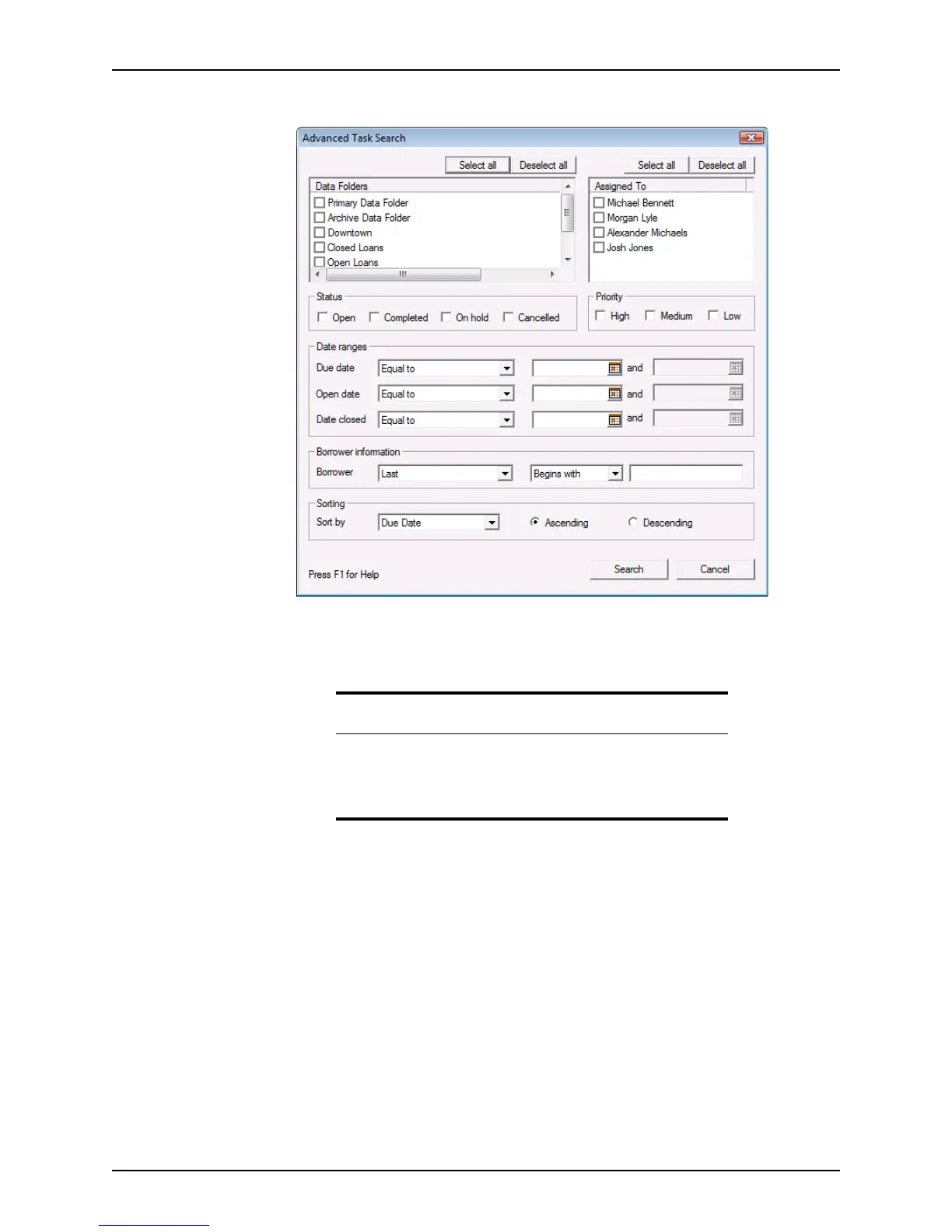
The Advanced Task Search dialog box is displayed.
3 Select the check boxes next to the data folders to search in the
Data Folders section.
Click Select all to select all folders or click Deselect all to deselect the selected
folders.
4 Select the check boxes next to the names of the agents whose tasks you are
searching for in the
Assigned To section.
Click Select all to select all names or click Deselect all to deselect the selected
names.
5 To specify the status or priority of the tasks, select the applicable criteria in the
Status
and
Priority sections.
6 To specify search dates for the
Duedate, Opendate, and Dateclosed fields:
a Select the condition from the dropdown list.
Requirement
You must select at least one data folder. If you do not select a data folder,
the search will not return any results.
If an option is not specified for any of the remaining criteria, all options
are assumed and the search is done accordingly.



 To Next Page