28 Calyx Software
User interface
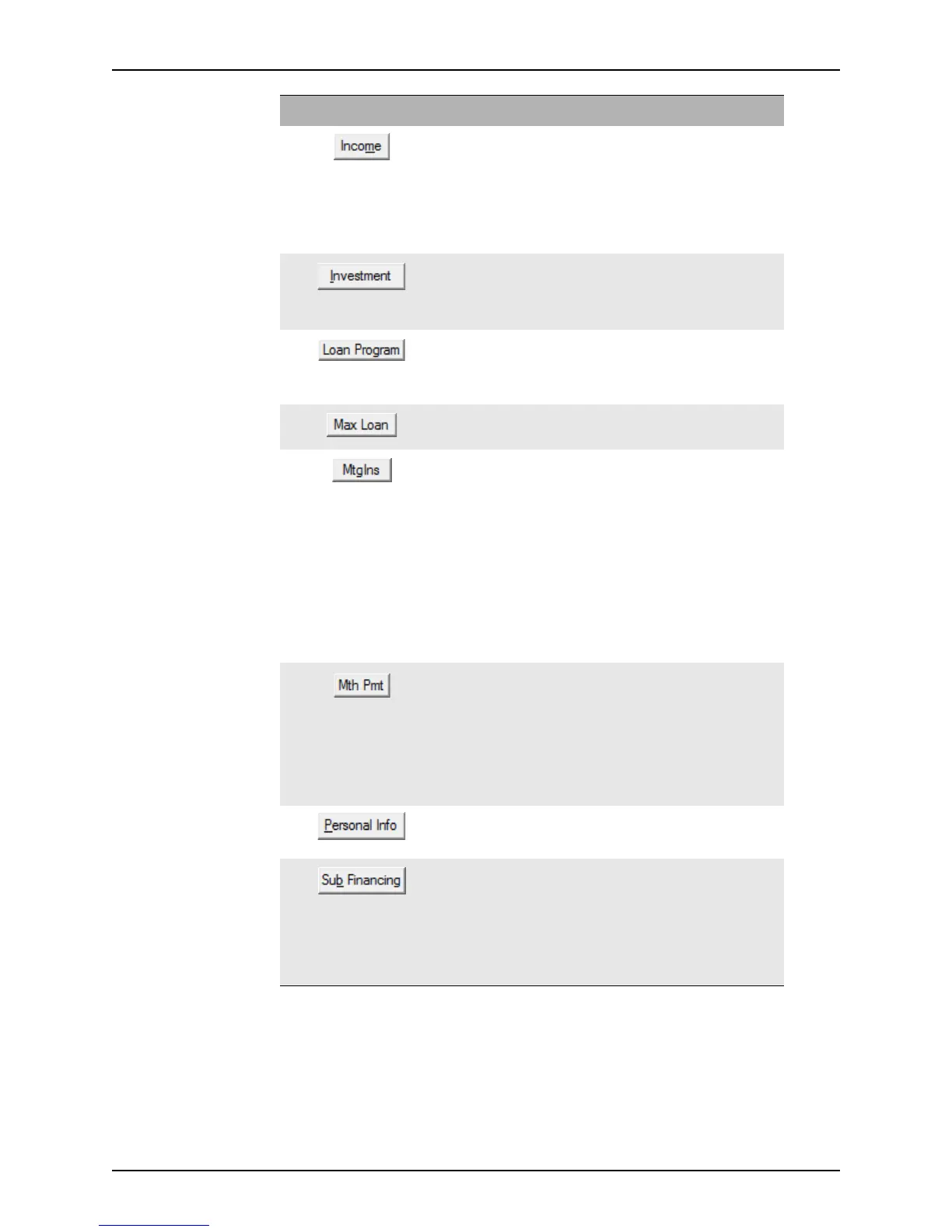
Opens the Income Information dialog box which is used to
enter borrower and co-borrower income information.
This button is also located on the
Debt Consolidation
Worksheet
and the Prequalification screen.
The information entered in this dialog box also populates the
corresponding fields in the
Gross Monthly Income section on
page 2 of the
Loan Application.
Opens the Investment Information dialog box which is
used to enter the gross rent and occupancy rate that will be
used to offset debt-to-income ratios for an investment.
This button is also located on the
Prequalification screen.
Opens the
Loan Program List dialog box which is used to
select the loan program to use for the loan.
This button is also located on the
MLDS/GFE (CA), Non-
Traditional
screen.
If this is an FHA purchase loan, this button populates the field
with the maximum loan amount that is allowed.
Opens the
Mortgage Insurance Premium Funding Fee
dialog box which is used to calculate up-front funding fees and
mortgage insurance premiums.
This button is also located on the
FHA Transmittal
Summary
, Prequalification, and Rent vs. Own screens.
The monthly mortgage insurance premium information
entered in this dialog box is calculated and the monthly
premium is entered in the
ProposedMtgIns field on page 2 of
the
Loan Application.
You can also access this dialog box from the MIP/FF button on
page 4 of the
Loan Application and the Cash-to-Close
screen.
Opens the Monthly Payment Settings dialog box which is
used to set the payment structure and the loan terms and
specifications.
This button is also located on page 1 of the
Loan Application
and the
MLDS/GFE (CA), Non-Traditional, Loan
Comparison
, Prequalification, and Rent vs. Own screens.
The information entered in this dialog box also populates the
corresponding fields in the
Truth-In-Lending screen.
Opens the
Personal Information dialog box which is used
to track personal information about the borrower, such as their
interests and their children’s names.
Opens the Subordinate Financing Information dialog box
which is used to enter information about second loans and link
the first and second files together.
This button is also located on the
Good Faith Estimate and
Prequalification screens.
You can also access this dialog box from the 2nd Mtg button
on the
Debt Consolidation Worksheet.
Button Description



 To Next Page