Point User Guide 455
Data import and export
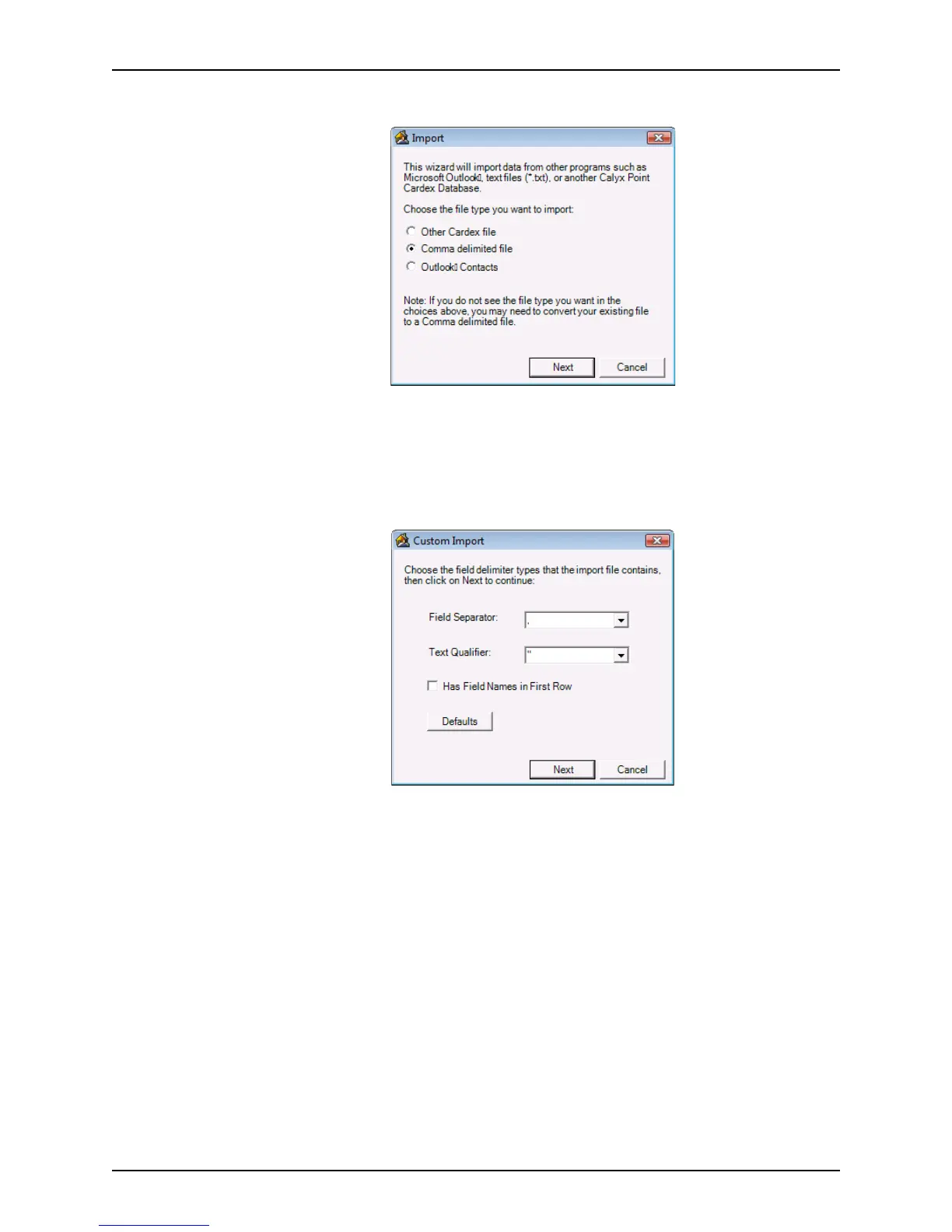
The Import dialog box is displayed.
3 Select the
Comma delimited file radio button and click Next.
The
Import Source dialog box is displayed.
4 Click the ellipsis button (...) to navigate to the file to import. Select the file and click
Next.
The the
Custom Import dialog box is displayed.
5 Select the Field Separator and Text Qualifier.
Field Separator
The Field Separator separates each field in the report with the specified delimiter.
The default option is {tab}.
{tab}
Uses a tab as the field delimiter.
, (comma)
Uses a comma as the field delimiter.
{return}
Uses a return as the field delimiter (each field is on a separate line in the
report).
Text Qualifier
Text qualifiers specify that the text that is contained within the qualifier characters
is imported as one value. The default option is {none}.



 To Next Page