38 Calyx Software
Utilities configuration
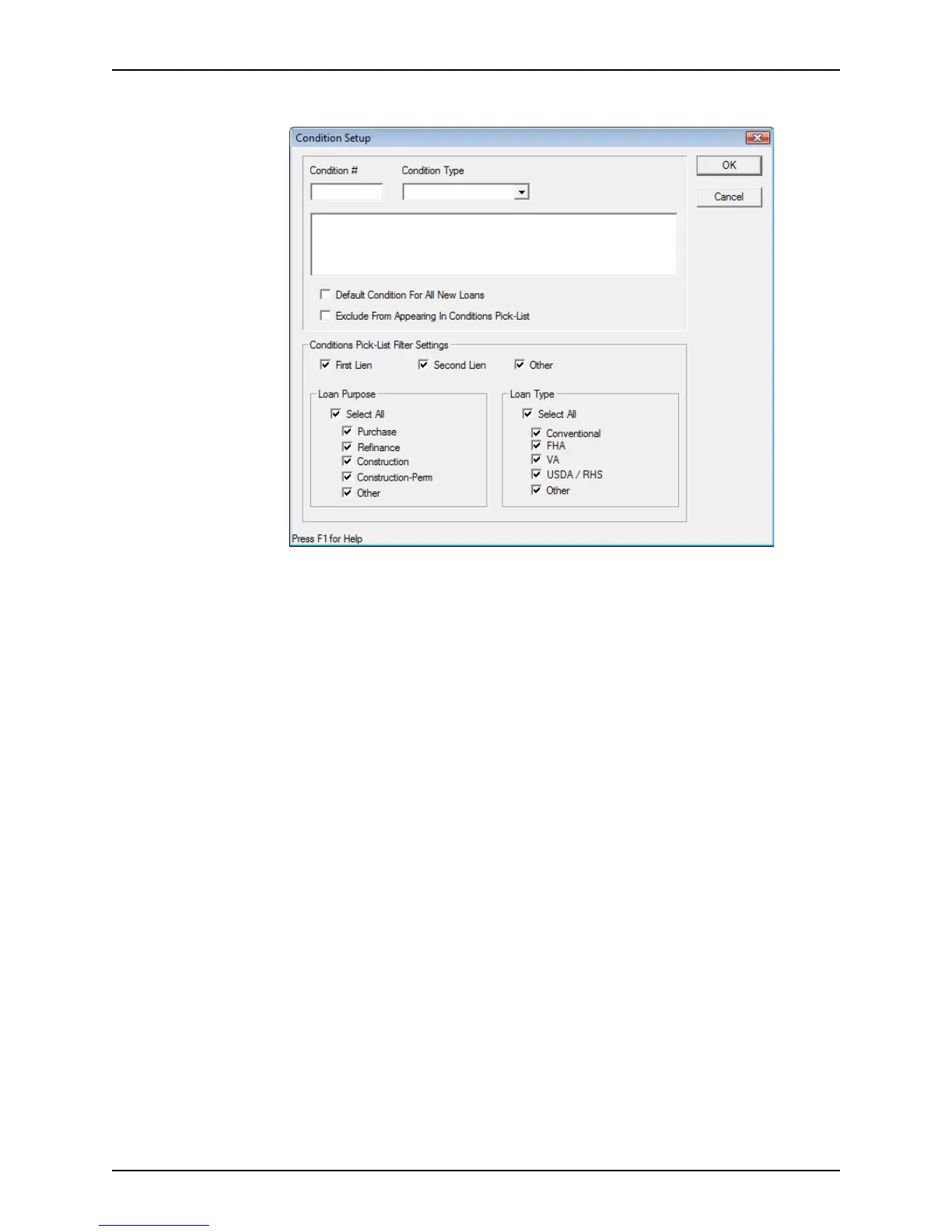
The Condition Setup dialog box is displayed.
3 Complete the
Condition Setup dialog box.
a Enter a unique identifier for the condition in the
Condition# field.
b Select the Condition Type from the dropdown list.
• PTD (prior to docs)
• PTF (prior to fund)
• Trailing
• Investor
c Enter a description of the condition in the space provided.
d To include the condition in the default list when specifying conditions in the
Conditions screen, select the Default Condition For All New Loans check box.
e To exclude the condition from the pick-list when specifying conditions in the
Conditions screen, select the Exclude From Appearing In Conditions Pick-List
check box.
f If the condition is to be included in the pick list, specify the filter settings.
For example, if the condition applies only to first mortgage FHA purchases, select
First Lien, Purchase from the Loan Purpose section, and FHA from the Loan
Type
section.
g Click OK to exit the
Condition Setup dialog box.



 To Next Page