MAINTENANCE AN D SERVICING
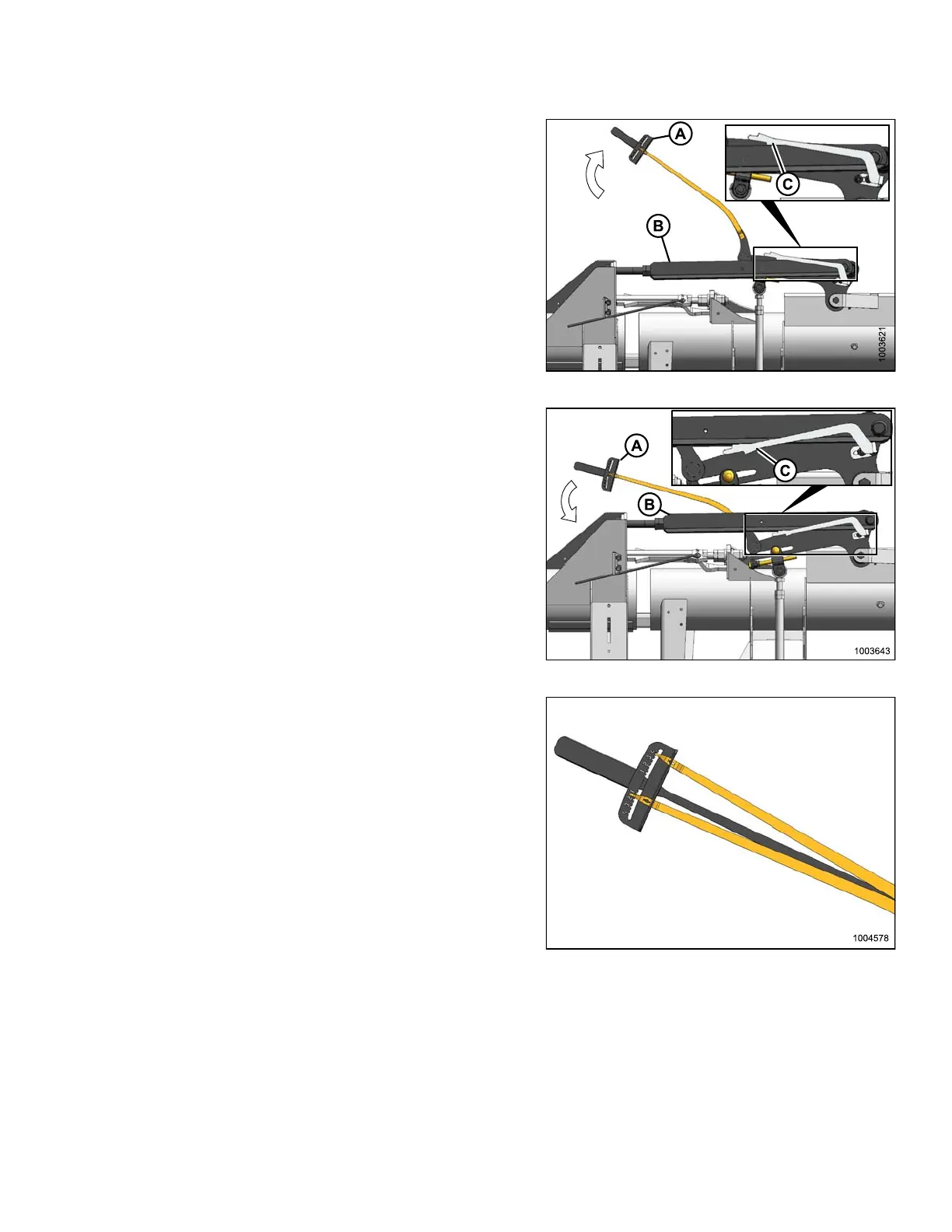
10. Move wing upward with torque wrench (A) until pointer
lower alignm e n t tab (C) lines up with upper edg e of
top-link (B). Observe indicator reading (A) on wrench
and record it.
Figure 5.303: Balance Linkage
11. Move w ing d ownward with torque wrench (A) until
pointer upper alignment tab (C) lines up with the lower
edge of the top-link (B). Observe indicator reading (A)
on the wrench and record it.
• If the difference between the readings is 1 or less, the
wing is balanced and no further adjustment is required.
Follow the ste p s below to reinstall the linkage c ov er.
• If the difference between the readings is more than 1,
the wing is not balanced. Refer to 5.16.2 Adjusting Wing
Balance, p a ge 4 01.
Figure 5.304: Balance Linkage
• If the indicator range is as shown at right, the wing is
too light.
Figure 5.305: Wrench Indicator
147695 399 Revision A









 To Next Page